


I want to import a MBOX file into my Thunderbird, but the methods I found doesn't work.
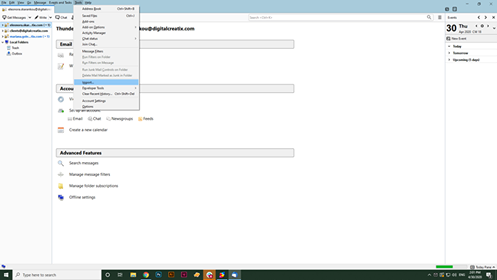
I found the option Tools > ImportExportTools > Import MBOX file as the answer of my inquiry but I have just installed Thunderbird on my computer and I don't have this options in my Tools panel. The attached image is what I see in my Tools panel.
Giải pháp được chọn
Did you install ImportExportTools NG?
https://support.mozilla.org/en-US/kb/installing-addon-thunderbird
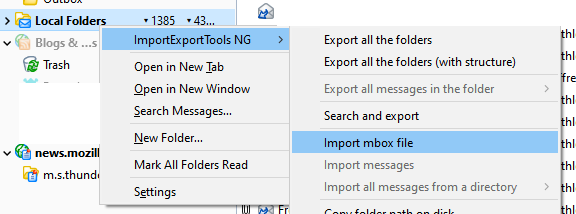
Once it's installed, right-click on Local Folders to see the menu in the attached picture. Mbox files cannot be imported to IMAP accounts this way, so the recommended method is to import to Local Folders.
Đọc câu trả lời này trong ngữ cảnh 👍 2Tất cả các câu trả lời (18)

Hi, Eleonora. I just opened my Thunderbird, version 68.7.0 (32-bit), and found 'Tools|Import...' in the menus. If you just installed it, you *likely* have this latest version (but you can check in 'Help|About'). [Sadly, for whatever reason, on my computer here, your screenshot is only a blur, even if I zoom in. So I can't tell what you see.]
'Tools|Import...' brings up a dialog that allows you to choose to 'Import Everything', or select from a list of specific types of items that includes 'Mail'. Assuming that Thunderbird can import the type of "MBOX file" you want, you should be golden! (That's a way of saying that you should be happy with results.)
Good luck, and have a blessed day!
Giải pháp được chọn
Did you install ImportExportTools NG?
https://support.mozilla.org/en-US/kb/installing-addon-thunderbird
Once it's installed, right-click on Local Folders to see the menu in the attached picture. Mbox files cannot be imported to IMAP accounts this way, so the recommended method is to import to Local Folders.
Được chỉnh sửa bởi sfhowes vào

HI folks,
Continuing on the same subject here I successfully installed Thunderbird and the ImportExportNG extension on my Macbook pro.
I imported an .mbox file created by Google "Takeout".
I use gmail for all emails and the idea is to free up space on my gmail account which is approaching the maximum 15GB. I'd like to delete all early emails from the gmail account but keep a record of the old files using the .mbox file.
Then, using Thunderbird, I want to be able to search not only words and numbers in the email titles but also words, numbers and phrases inside those emails. So far I can find words and numbers in the email titles but using the Thunderbird fields I'm unable to find words and phrases inside the emails. Any suggestions as to how I can do that?
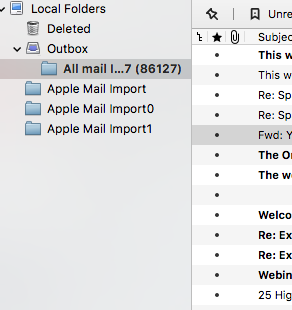
Attached is a small screen shot of my file directories. I note that both the incoming and outgoing mails are listed inside the local folder/outbox. Is that right?
Suggestions would be most welcome.
DanZ
Just to add..
I quit Thunderbird and then looked for it in the applications folder on my Macbook Pro. Not there.
I see the attached icon on my desktop so I click on it and it opens but it looks much like a new installation. I cancel integration but I see no mail folders at all.
Am I opening Thunderbird correctly? The email folders I imported must still be there..
DanZ

I am having similar problem importing mbox using Thunderbird 78.1.1
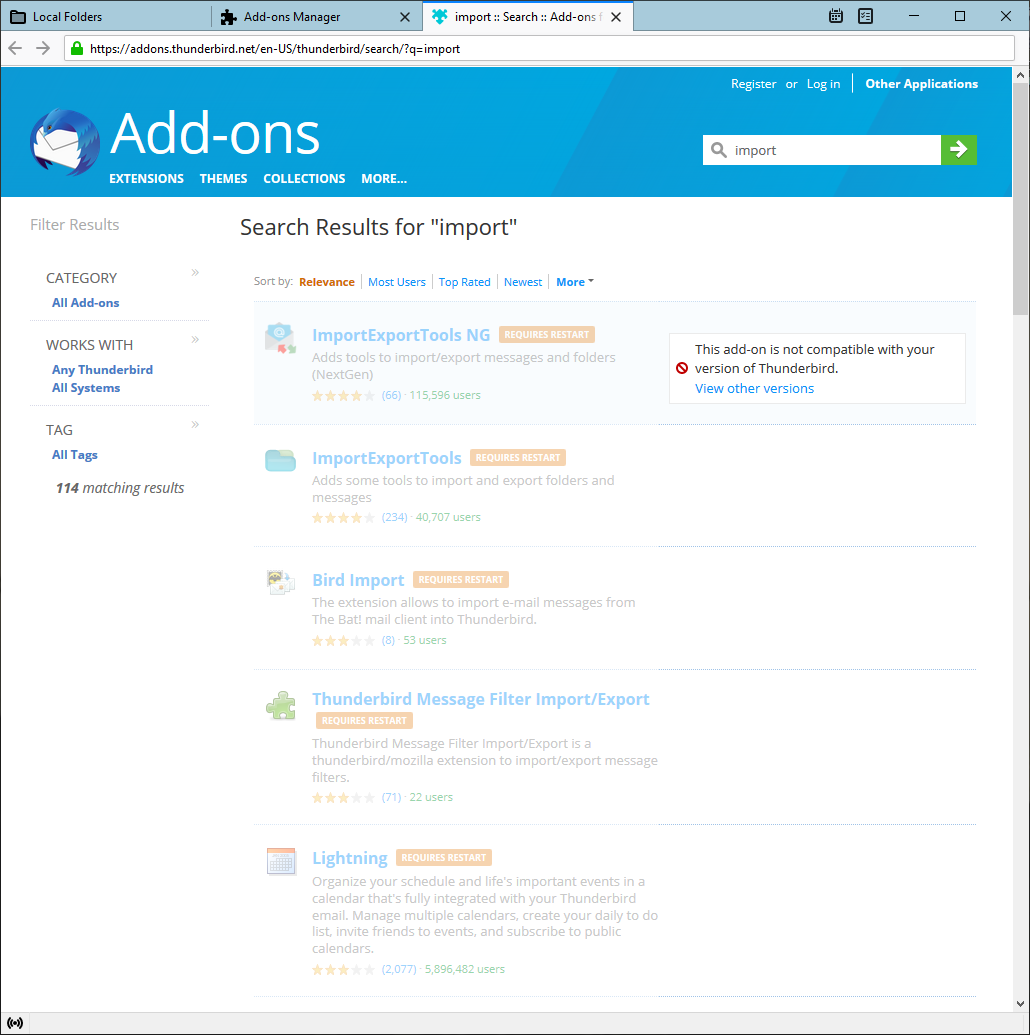
I've done it in the past with 68.11.0, installed the add on ImportExportTools NG. However 78.1.1 wont let me use this or any other such add on. See attached image for add-ons
Any ideas?
@rogerd2 The developer of ImportExportTools NG will start working for the support of TB 78. You can follow the discussion over here

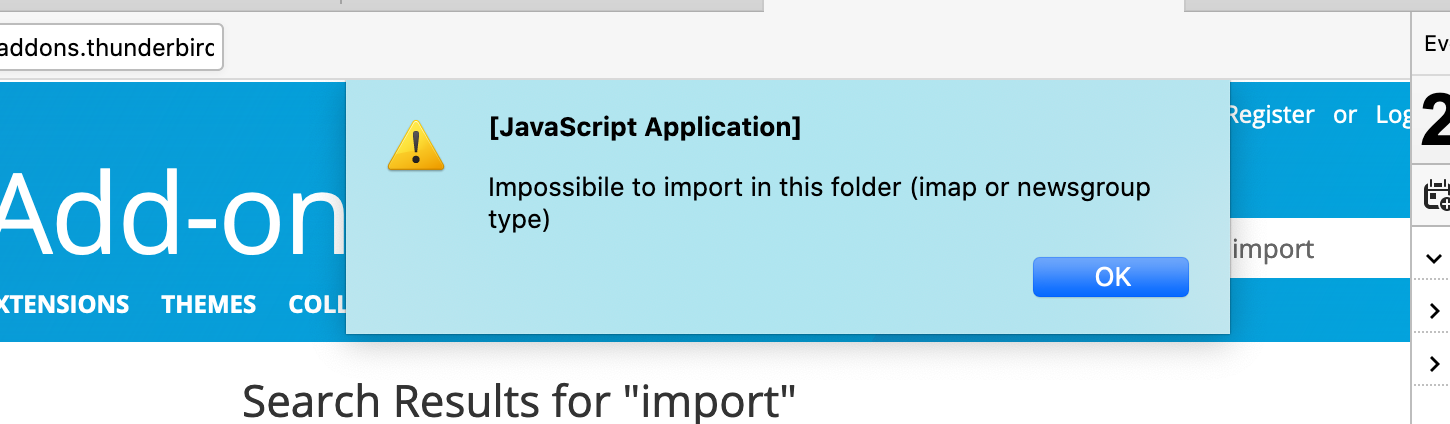
Hi- is ImportExportTools able to upload to to IMAP-configured Gmail accounts? I have attached a screenshot of an error I am running into.
sperber.david said
Hi- is ImportExportTools able to upload to to IMAP-configured Gmail accounts? I have attached a screenshot of an error I am running into.
The add-on imports mail to Local Folders, not IMAP folders. Mail can be uploaded to remote folders from Local Folders, but only in small numbers at a time, and within the limits of Gmail's bandwidth limits.
There is a beta version of IET NG for TB 78:
Thanks for the quick reply. If the import is to local folders, that will mean it is saved on my computer? How can I get it moved to Google's servers (to ultimately delete locally but keep the inbox and files).
As I said, you can copy (upload) from Local Folders to an IMAP folder in limited batches, and once you've confirmed the copies have succeeded, delete the local copies.
Ok great. How can they be uploaded? (apologies for the dumb question)
Select a small number of messages in Local Folders, then drag and drop them on an IMAP folder, or apply the Copy to or Move to right-click menu commands. Copy is recommended so you can confirm the operation.
Apologies for all of these questions... so how can I import MBOX to local folders? The account would be set up IMAP or POP3 (although I am having trouble, separate issue, bringing in the POP3 account).
Mbox files can be imported to Local Folders with the IET NG add-on, newly released for TB 78, or open the profile folder from Help/Troubleshooting, Profile Folder, Open Folder, close TB, and copy the mbox into Mail\Local Folders.
Great. As for local folders, would that be a POP for the Gmail account? Or do I need to set up an account by other means?
Local Folders is simply the location for mail that is on the local computer, and it's present for POP or IMAP accounts. If you add a gmail account from File/New/Existing Mail Account, TB will find the correct settings if you choose POP or IMAP.
Thank you very much. Almost there! So if I want the files uploaded to Google's servers, do I need to sync? They show in my Google account Inbox in TB but do not on the site.
Is the account POP or IMAP? Mail can be copied to the Inbox on the server only if it's IMAP.