Deleted messages not going to specified folder

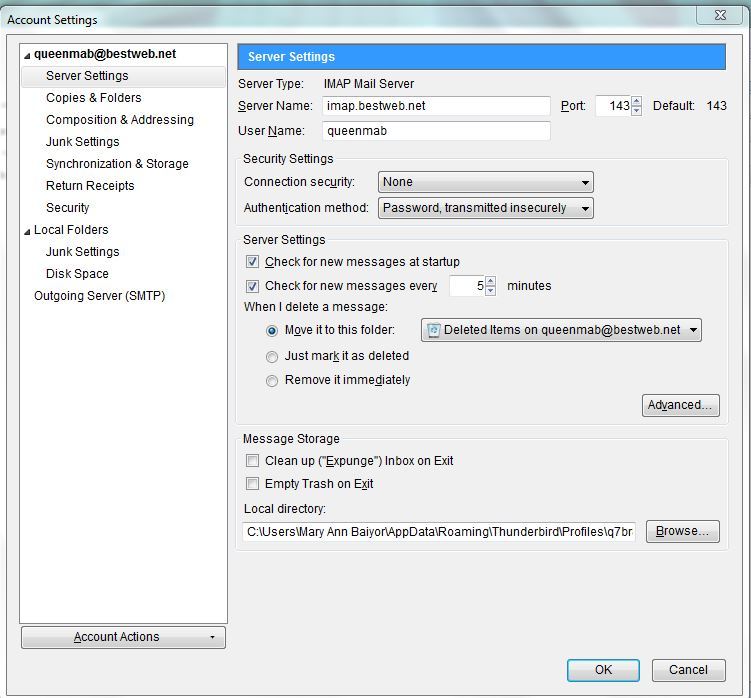
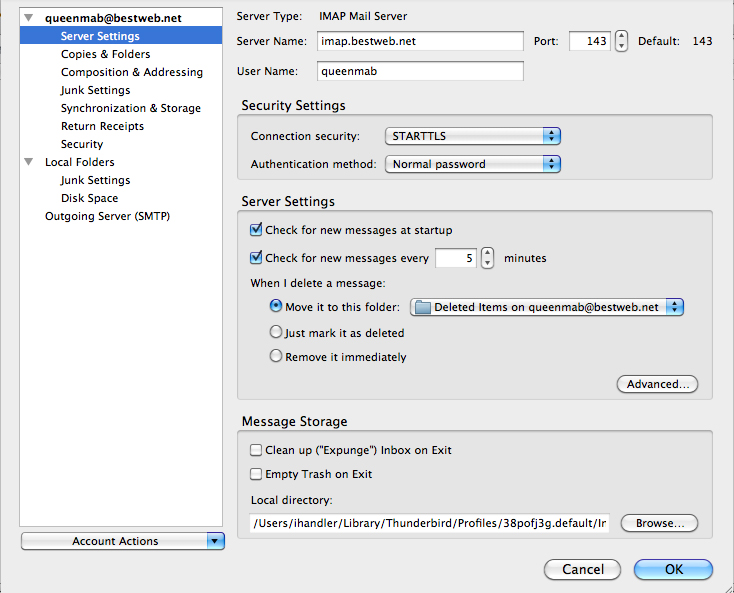
I am using two different computers, a Mac (TB 31.7.0) and a PC (TB 31.7.0) on an IMAP server. The PC is my primary computer and I have been using TB on it for about 6 months. All is going *really* well but for one little problem that I cannot figure out! When I delete an email on my PC, it goes into a "Deleted Items" folder, *not* the trash folder, which is how I want it. This is what I have specified in the "account settings" in TB. (See screen shot of "acct settings - pc" attached.) I use the Mac when I travel and there I have the same account settings (see screen shot of "acct settings - mac" attached) but anything that I delete from my inbox on that computer goes to the "trash" folder. How do I get the Mac to put emails I delete into the "deleted items" folder, not the "trash" folder?
Thanks for your help.
Tất cả các câu trả lời (2)
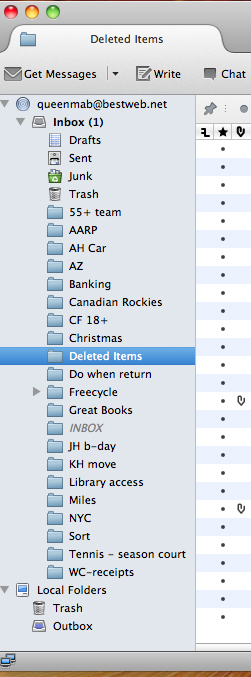
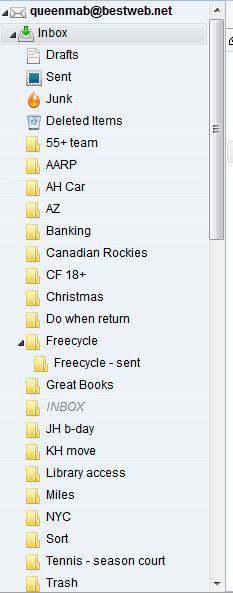
re; MAC Can you confirm that you have selected to subscrbe to see the 'Deleted Items' folder and it is visible in the left Folder Pane? Post image of MAC folder Pane.
I did double check and I am subscribed to the "Deleted Items" folder on the Mac.
The "Deleted Items" folder does show up on the Mac. A screen shot of the folders on the Mac and the folders on the PC are posted below. (Note: I had to do two screen shots for the PC, since I couldn't get them all in one shot).
Thanks for your help.