


Firefox crashes

It keeps crashing
Tất cả các câu trả lời (9)
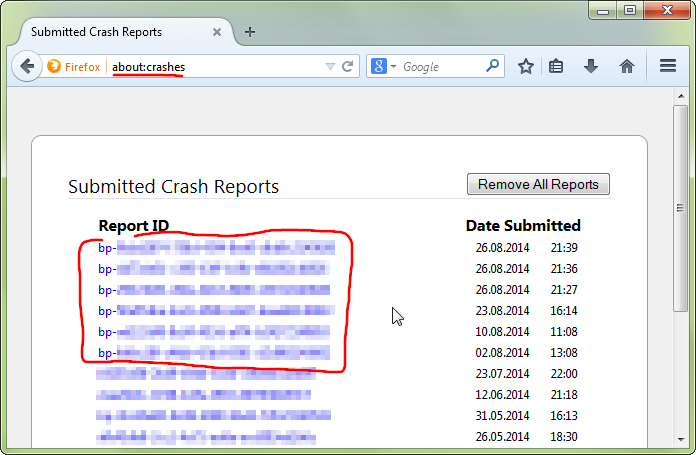
hello, could you provide your latest few submitted crash reports? please enter about:crashes into the location bar, copy the latest few report ids from there starting with bp- & paste them here into a forum reply. this will give us a better understanding what may be triggering those crashes.
bp-ca7490fc-506e-49f2-a506-c06a52141213 13/12/2014 12:33 bp-1bb4a53e-85f1-436b-870a-f94c42141213 13/12/2014 12:30 bp-1e3222db-420a-49c5-95af-75d6d2141213 12/12/2014 18:47 bp-9e4ecb4e-15f3-4314-8656-f9c222141212 12/12/2014 14:13 bp-e2ded001-6940-46c9-b1d6-e81ec2141212 12/12/2014 13:08 bp-b9f26033-ff59-4af8-b4ff-5c0a72141209 09/12/2014 15:02
thanks!
hi ISKMUEBLES, thank you or providing the reports. the exact cause of those crashes isn't t clear to me - however some of them appear to happen when firefox is establishing an encrypted connection - which makes me suspicious.
can you try to run a full scan of your system with the security software already in place and different tools like the free version of malwarebytes, adwcleaner, microsoft safety scanner & kaspersky security scan?
also do you use any fancy security or network monitoring software that might be interfering here?

Some added toolbar and anti-virus add-ons are known to cause Firefox issues. Disable All of them.
The crash report flagged these programs;
ntdll.dll = Microsoft
kernelbase.dll = Microsoft
Perform a System File Check to fix corrupted system files http://www.sevenforums.com/tutorials/1538-sfc-scannow-command-system-file-checker.html
See if there are updates for your graphics drive drivers https://support.mozilla.org/kb/upgrade-graphics-drivers-use-hardware-acceleration
HOW DO I DISABLE THE SECURITY PROGRAMS ? THAT MIGHT BE IT
You do not need to disable the applications, but just the toolbars that they add to the browser.
Only the toolbars.
Ok, Im not very good at this.. how to I disable the tool bars ??
Type about:addons<Enter> in the address bar to open your Add-ons Manager. Hot key; <Control>(Mac:<Command>)<Shift> A)
In the Add-ons Manager, on the left, select Extensions. Look for the add-on(s) you want. When you find it, press Its Disable button.
Some added toolbar and anti-virus add-ons are known to cause Firefox issues. Disable All of them.