


Shortcuts on homepage missing

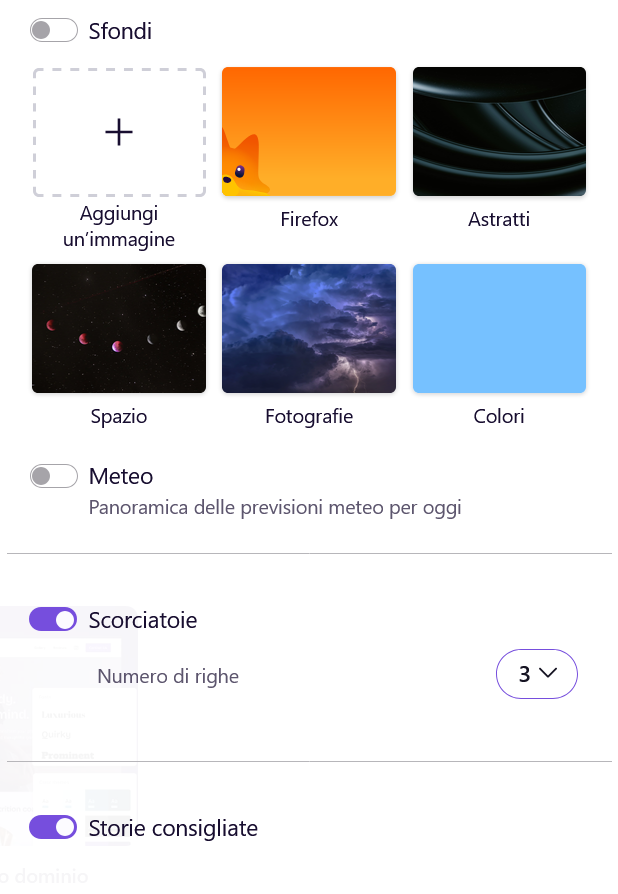
Hi, since the last update for Mozilla on my laptop (version 153.0.1 (64 bit), all the website shortcuts in the Firefox homepage that I had pinned have disappeared. I also can't add new shortcuts. I checked in about:config and in browser.newtabpage.pinned the shortcuts are all there. The display settings for shortcuts are active.
Does anyone know how to resolve this?
Kind regards. Stefano Tavella

Chosen Solution
Hello, today, without having done anything and without any updates having been installed, when I opened Firefox the shortcut icons reappeared! The only difference is that the fixed ones have changed order, patience is not a problem. Anyway, thanks
All Replies (3)
This does occur
note for example
https://support.mozilla.org/en-US/questions/1572039
and other posts etc.
Hi,
First, I'm really sorry you experience this. While the reason causing the issue is not clear, the team has made a patch that should prevent it from happening. This patch releases with Firefox 154 in a couple of weeks, so one option is to wait and see if your shortcuts reappear after updating up v154. (And if not, we'll be able to loop in the team and look into it further)
Modified by Denys
Chosen Solution
Hello, today, without having done anything and without any updates having been installed, when I opened Firefox the shortcut icons reappeared! The only difference is that the fixed ones have changed order, patience is not a problem. Anyway, thanks