


Cannot send messages from the send icon.

When I press the send icon in The Messaging Company email nothing happens. Therefore I cannot send emails. Have tried various port numbers in the outgoing server and secure connection is established.
All Replies (1)

தீர்வு தேர்ந்தெடுக்கப்பட்டது
- What version of Thunderbird?
- What is your operating system?
- What error messages do you see? Please quote them precisely and in full. Screen shots would suffice.
If the port numbers were wrong you would see some error messages. If nothing at all happens, that's not likely to be the cause.
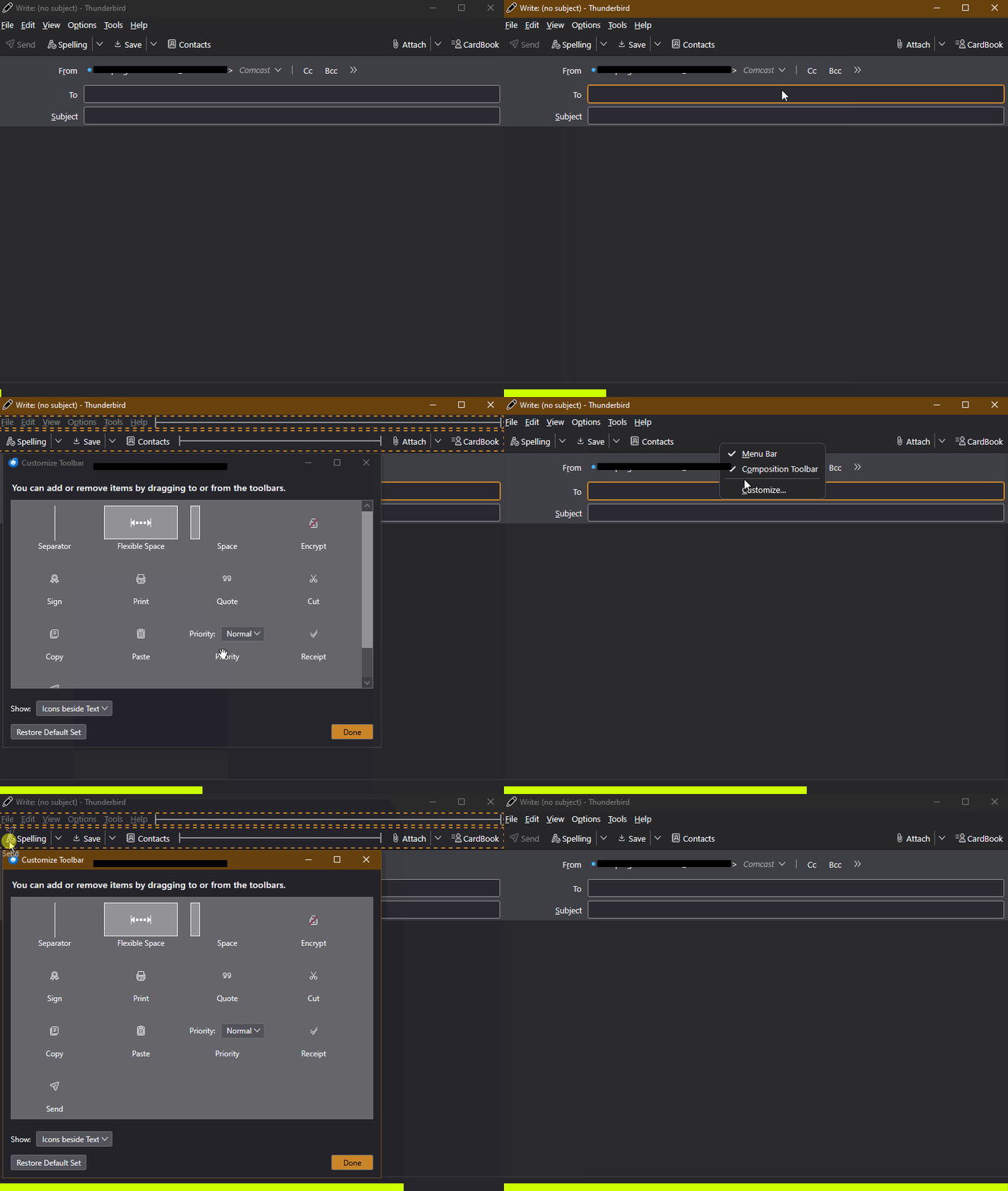
Try removing the Send button by using the Customize Toolbar feature, then putting the button back. Maybe this will jog it back in to operation. See the attached animation.
You can always send a message, even without the button, by using the Compose Window's menu option <File | Send Now> or pressing <Ctrl + Enter>. If the menu bar is hidden, press <Alt> or <F10> to reveal it.
Lin மூலமாக திருத்தப்பட்டது