


Completed downloads have .part extension/Download preferences are ignored

MacOS Tahoe 26.7.1 Firefox Ver 157.0 My download preferences are ignored and downloads go directly to download folder without asking. All downloads have a .part extension even after download is complete. I tried trouble shooting mode and then added a new profile but the problem happens in all instances.
All Replies (5)
Suluhisho teule
I think you might be having this same security permission issue for latest macOS updates:
- support.mozilla.org/questions/1609332
- support.mozilla.org/questions/1609151
- support.mozilla.org/questions/1608994
The first link has steps to allow the access manually.
My issue was a bit different but it was permission issue. Thanks for pointing me in the right direction. The fix for me was, I had to give Firefox full disk access because there is no "Downloads" folder option for me. Am I now opening myself up to malicious websites? https://assets-prod.sumo.prod.webservices.mozgcp.net/media/uploads/images/2026-10-03-12-06-24-2d68df.png https://assets-prod.sumo.prod.webservices.mozgcp.net/media/uploads/images/2026-10-03-12-06-36-3d92a6.png
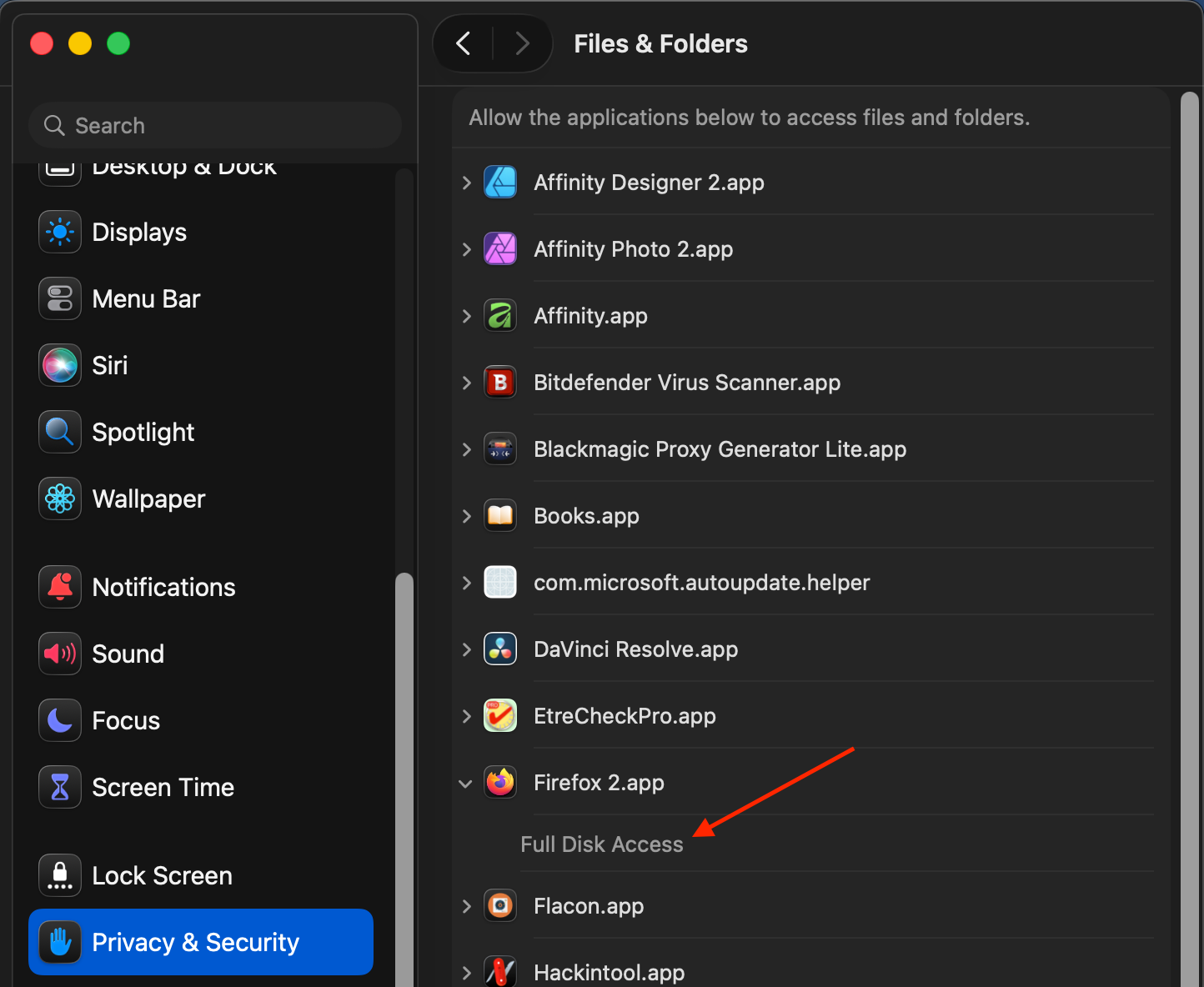
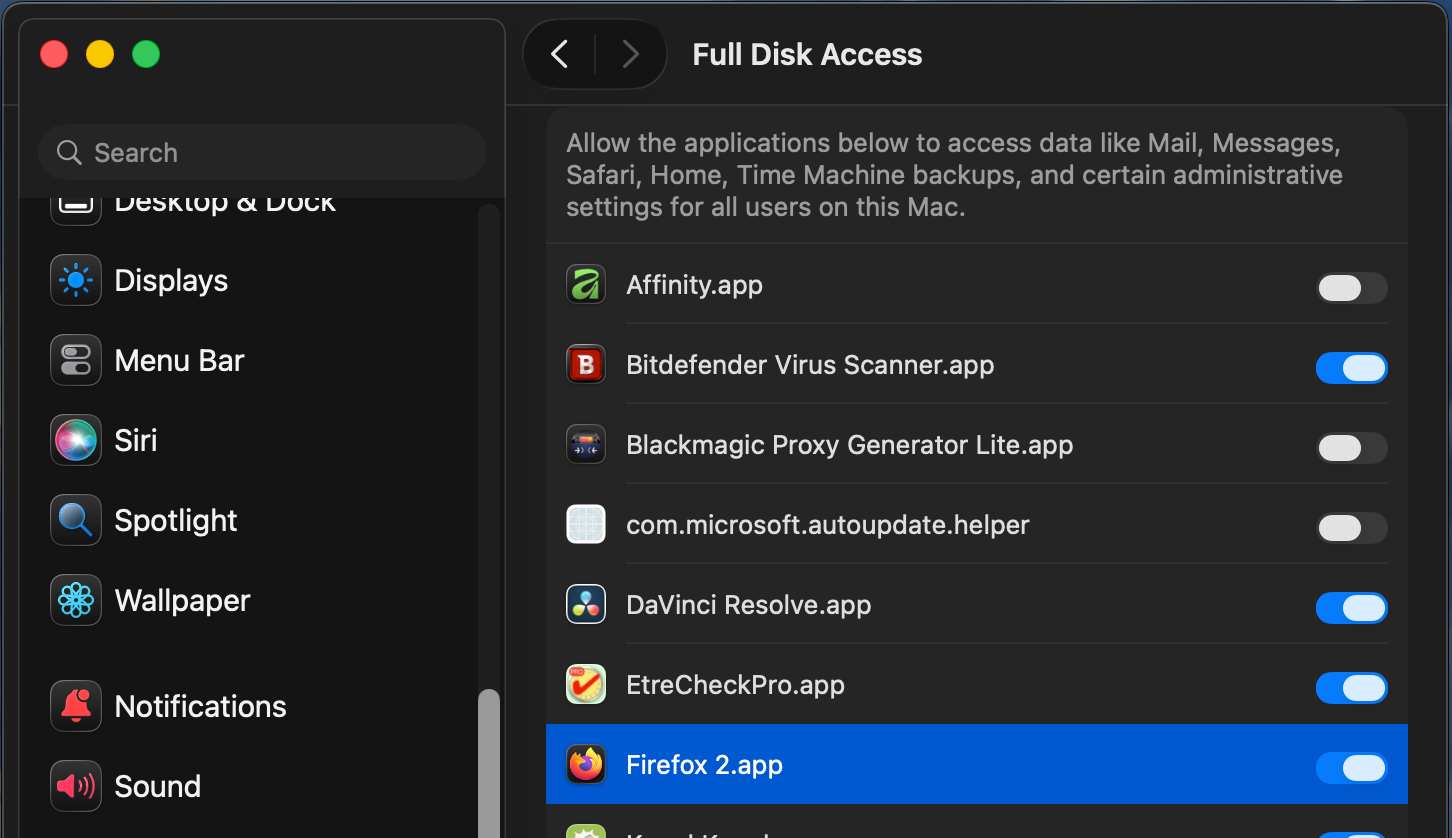
I think part of that might be the app bundle does not have the expected location / name, but that's only another factor (that perhaps causes the granular data folders not listed for individual granting).
Full disk access is pretty safe, the browser is not expected to allow writes arbitrarily so as a short term solution this shouldn't worry you.
Tomorrow there will be an update available — and you can try disabling this broad permission back, and see if the updated v157.0.1 will be able to write the user profile data folders, or ask for a permission…
Bug 2077390 should be fixed in v157.0.1.
I can confirm, the issue is fixed with v157.0.1.
Thanks everyone.