Open
Localization error in settings

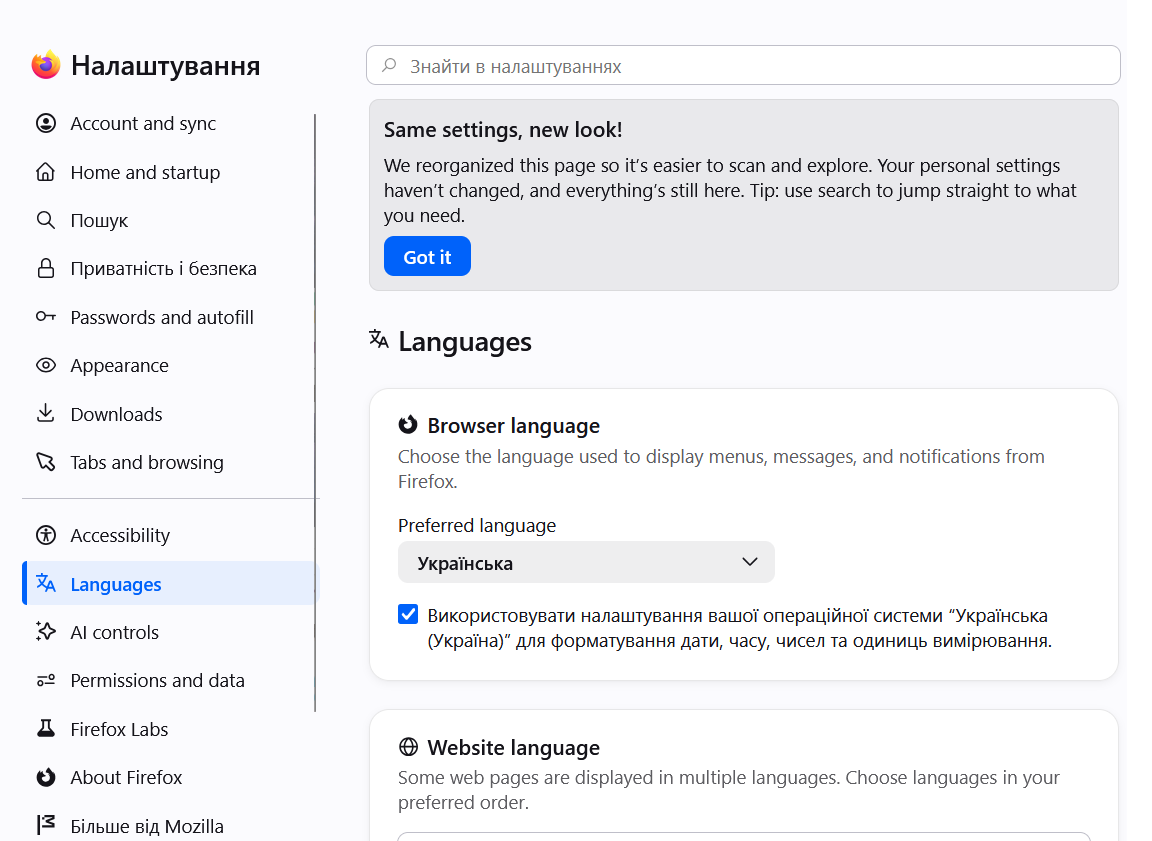
Hello. After another update, there was a problem with the translation of the settings window. After opening the window, despite the specified browser language (Ukrainian), most of the items are still displayed in English. Attempts to manually edit the settings, reinstalling the browser from a fresh installer on a new system did not help. How to fix it? Windows 11, Firefox 152.0.4
Hello. After another update, there was a problem with the translation of the settings window. After opening the window, despite the specified browser language (Ukrainian), most of the items are still displayed in English. Attempts to manually edit the settings, reinstalling the browser from a fresh installer on a new system did not help. How to fix it?
Windows 11, Firefox 152.0.4