


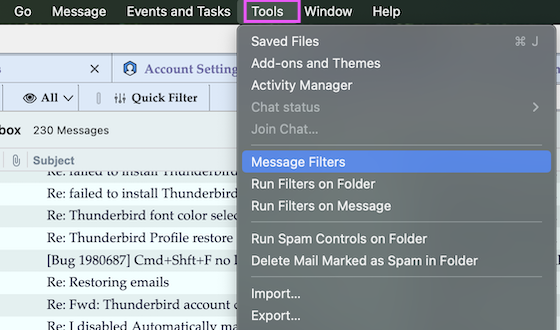
Tools menu

I am trying to create filters for all the spam I have been receiving. It mentioned a tools menu for adding additional filters, but I am not seeing a tools menu anywhere,
All Replies (6)
How old is your thunderbird? What version? You should be able to see 'Tools' on the menu bar from upper right screen.
My version is 147.0. There is a drop-down menu on the upper right that has a tools choice that I didn't see before. I was expecting to see a separate tools button at the top.

Do you mean menu Tools > Message Filters ? If you don't see the menu bar press the Alt key .... BTW trying to fight spam with ad hoc created filters is the proverbial battle against the windmills ... You better leave the job to Thunderbird's adaptive spam controls (self learning filter)
R-click on the account name in the folder pane > Settings which will open the Account Settings tab. In this tab click on Spam settings (image) ...
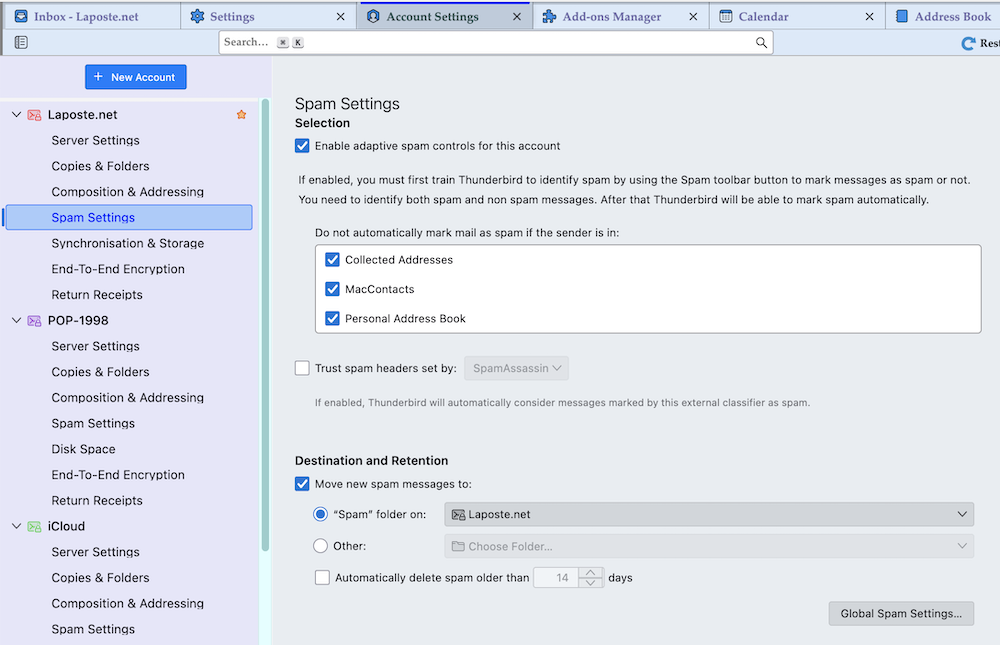
In the Spam settings page, you can click on move new spam messages to the Spam folder. I'm not seeing a Spam folder or is that also the Junk folder?