


What has happened to my Email accounts account1@gmail.com & account2@gmail.com

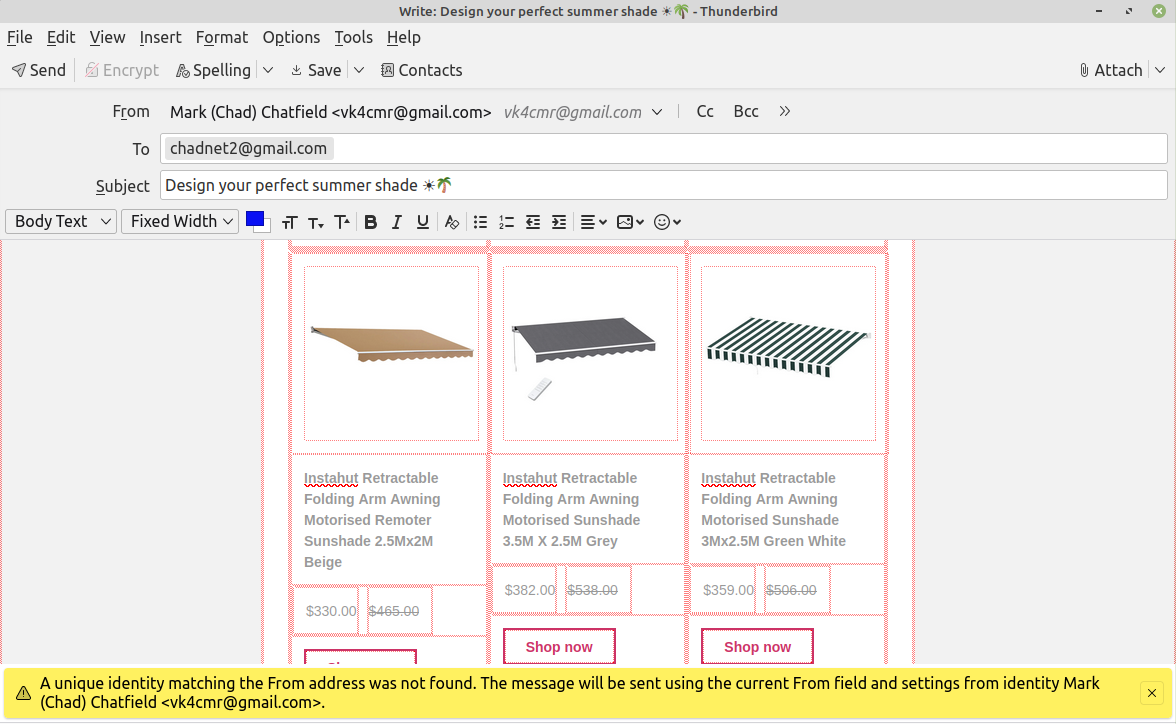
Having a problem with all emails that are supposed to be going to account1@gmail.com are being diverted to account2@gmail.com, then the emails are being transferred in a "Blocked" state to the intended email address - account1@gmail.com Very frustrating, as I've searched heaps of places (including the settings of both accounts - No Links) for over 6 weeks to no avail..... or am I missing something staring back at me
Example is attached file
Modified by Wayne Mery
All Replies (7)

Have you created aliases in gmail but not the corresponding identities in Thunderbird, which are needed to use aliases?
See account settings > click on account name > Manage identities.
Tnx Rick Took a while to circumvent gmail's convoluted mailing system. Had to send yr email to another one I had, because CHADNET2 will not allow me to view/action any incoming emails. Have gone into settings and down to Manage Id's. both address are un-flagged/checked n no text in the adjacent box. Under the 'Edit SMTP Server' box is a 'Manage Identities' box, clicked on that in GN2 1st, then VK address. Changed both Names to VERY distinct opposites and will see how that goes. Why this has only started about 6 weeks ago, has me stumped. Rgrds n Tnx be 2 U... Appreciated
If I understand correctly, you changed the names associated with your accounts. You need to do something else: create identities in Thunderbird that match the aliases that you use in gmail.
In the screen image that you shared, you are using a username in a gmail address that is not known to Thunderbird. Apparently, it is not the main username for that account. So to use it in Thunderbird, you should create a new identity with it.
both address are un-flagged/checked n no text in the adjacent box.
I don't understand.
Originally both Add's had the same name (n different emails addresses) Changed both, as per attached. At the bottom of the 2 files (SS GM & SS VK (SS Screen Shot))... is what I "both address are un-flagged/checked n no text in the adjacent box." was referring to. Hope this helps Got me Stumped!
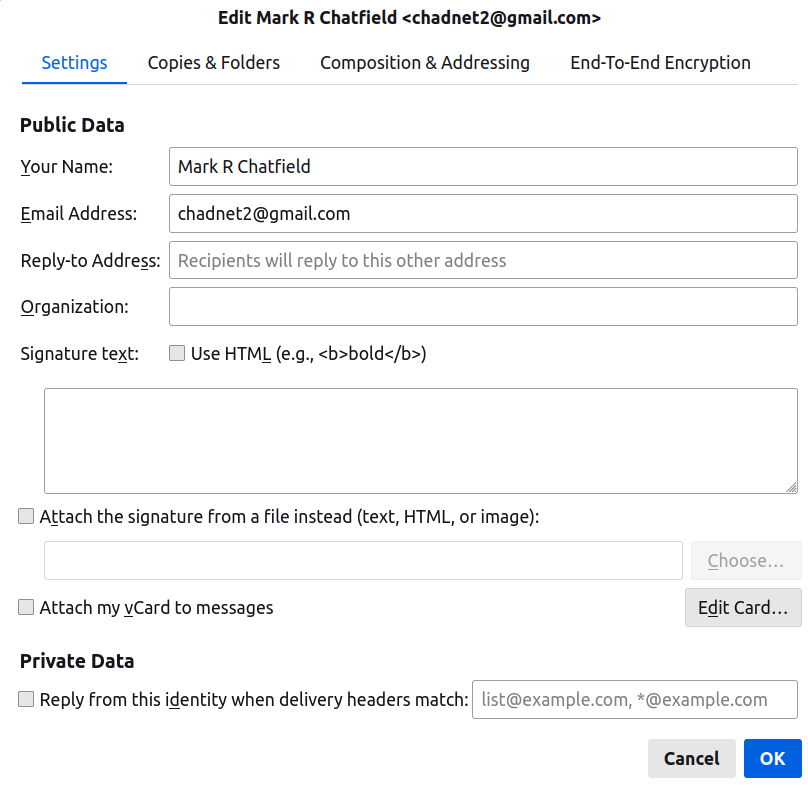
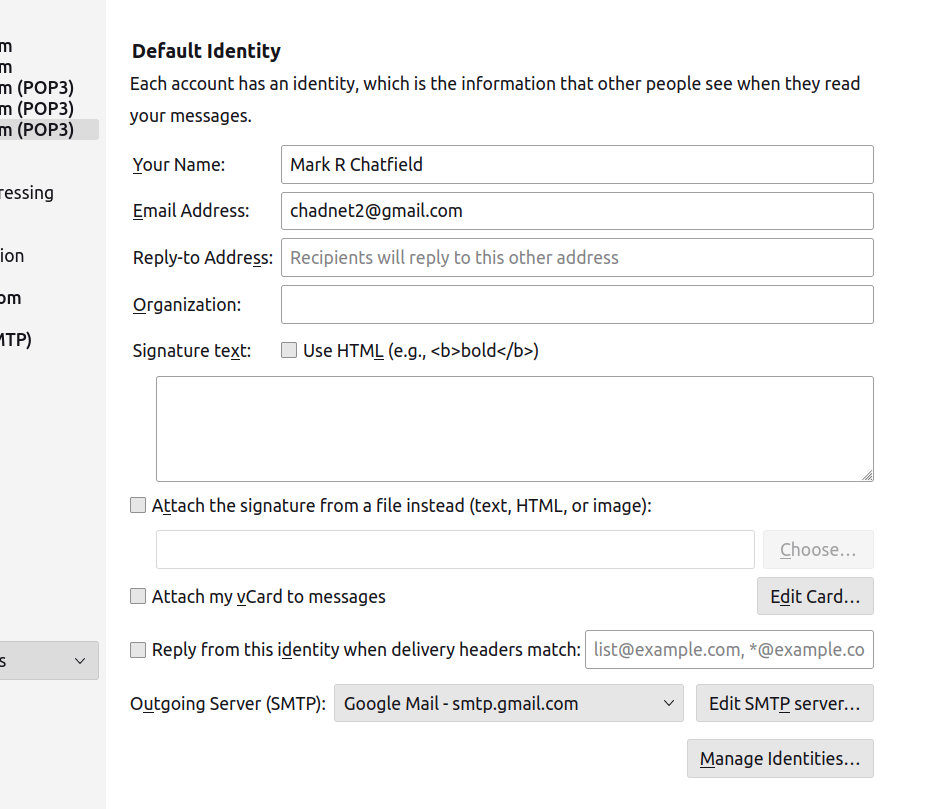
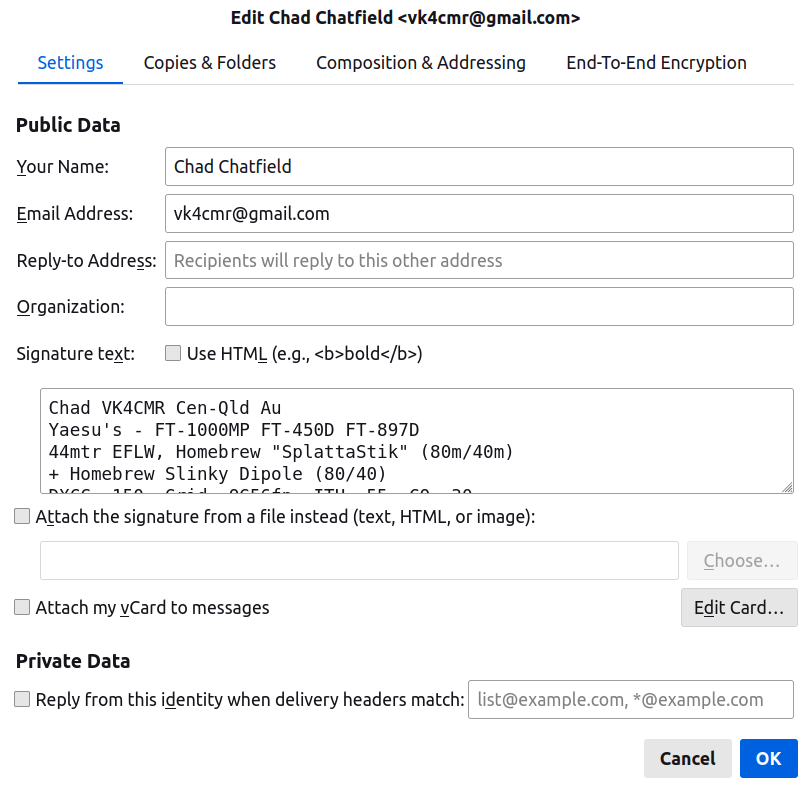
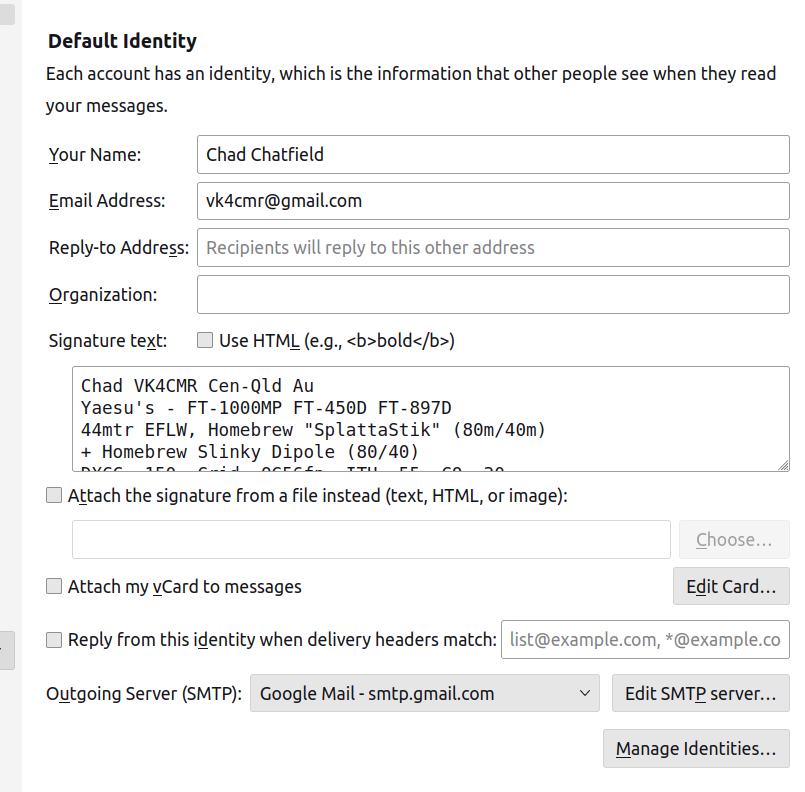
Hi Rick, Ref yr previous reply, I have NO problems with the 9 (nine) other Gmail accounts - Only these two: chadnet2@gmail.com n vk4cmr@gmail.com
Very confusing and like i said previously, only started 6 weeks ago. Chadnet2 is about 12 years old n VK4 is nearly 2 yrs old. Really appreciate yr assistance Mark (Chad)
I hardly have a clue what is going on with your accounts. One thing, as I've said, is that you seem not to have identities set up properly in Thunderbird. I wonder if you also have some filters or forwarding rules set.
That's probably all the help that I can attempt.
All Good Rick. Very Strange... I dont have "identities" set up on any of my 11 accounts (in total) Much appreciated, your help though. May go back to my original eMail Client app, and see if I can come up with the same scenario. (will let you know the outcome) Again Thank You for yr patience and assistance. Rgrds Mark (Chad)