

This thread was archived.
Please ask a new question if you need help.

Solved
Archived
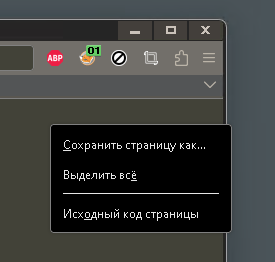
Unable to change dropdown menu color when high contrast theme is enabled.
I have Windows 11 with high contrast mode enabled and I have tried all the settings, to check in registry, in the theme file itself (.theme) and in the settings of Fiferox. Could you please suggest what else can be done?
I have Windows 11 with high contrast mode enabled and I have tried all the settings, to check in registry, in the theme file itself (.theme) and in the settings of Fiferox. Could you please suggest what else can be done?
All Replies (1)
Suluhisho teule
https://support.mozilla.org/en-US/questions/1350180
userChrome.css
menupopup {
 --panel-color: #BABABA !important;
 --panel-background: #424238 !important;
}
Modified by booya