


The Blue Spin thing never stops on the page I'm viewing - except Mozilla's page, weirdly, and little tiny tiny notices of ad companies bottom of the screen?

I can't refresh a page b/c the little blue spinner thing never seems to stop on the page I am viewing. It's like it's still downloading, even though the page is fine, just sitting there.
I also see little tiny tiny tiny notices come up from the bottom right and left corner, saying that adware or weird websites are doing something. I worry cookies or something are getting through.
It's a weird problem and it's kind of weird that the problem doesn't occur on YOUR website, but pretty well everywhere else I go, if I'm viewing that page, the thing will spin for an hour, as if it's downloading the whole time.
To make it weirder, I've only just started up using Mozilla, tired of Explorer, and I've noticed that my hard drive has just shot up in terms of how much memory is available. This is a good computer Dell 1500 XPS, there's no conceivable way I could possibly be that high with stuff that I am saving. So, I'm concerned that it's connected to this "spinning" and loading thing. I am taking my computer to Best Buy today for a forensic thing to look at files and check all that's on it. Kinda creepy.
All Replies (4)

The spinning icon means the browser is still waiting for the page to fully load. If too much time goes by, you can reload the page.
I recommend <shift> F5.
Hi !
You're saying :
I also see little tiny tiny tiny notices come up from the bottom right and left corner, saying that adware or weird websites are doing something.
I don't suppose it would be possible to provide a screenshot of that weird phenomenon ?
Yes. Please know, I have had just unending computer probs over the last few months, including a neighbor accessing my network - mostly running Roku off it - such that I've been to Geeksquad twice this last week, documenting everything. So, I am noticing every little detail, recording everything going on to the tech guys, who've been shaking their head a lot.
Plus, it's kind of weird that it doesn't happen on the Mozilla site itself, pretty much every other one has had it happening. So, it's a really maddening time.
The little adware tab is super small down on the left corner, tiny grey tab. And you can't click on it - it goes away, which is creepy. I have caught an address and put it in my browser, and it just looks like just another of a million spam adware sites.
Any help would be appreciated. I will note that it's very possible that the pages are just uploading slowly, but the page is there, all pics in, so it sure appears "uploaded" fully. But, again, huge issues lately in just saved 5x over temp files - to the point that my pretty good Dell XPS 1500 had about 3/4 of the hard drive full, until I went to Geeksquad today and we were able to download and then delete massive amounts of just crap. So, it might be getting better.
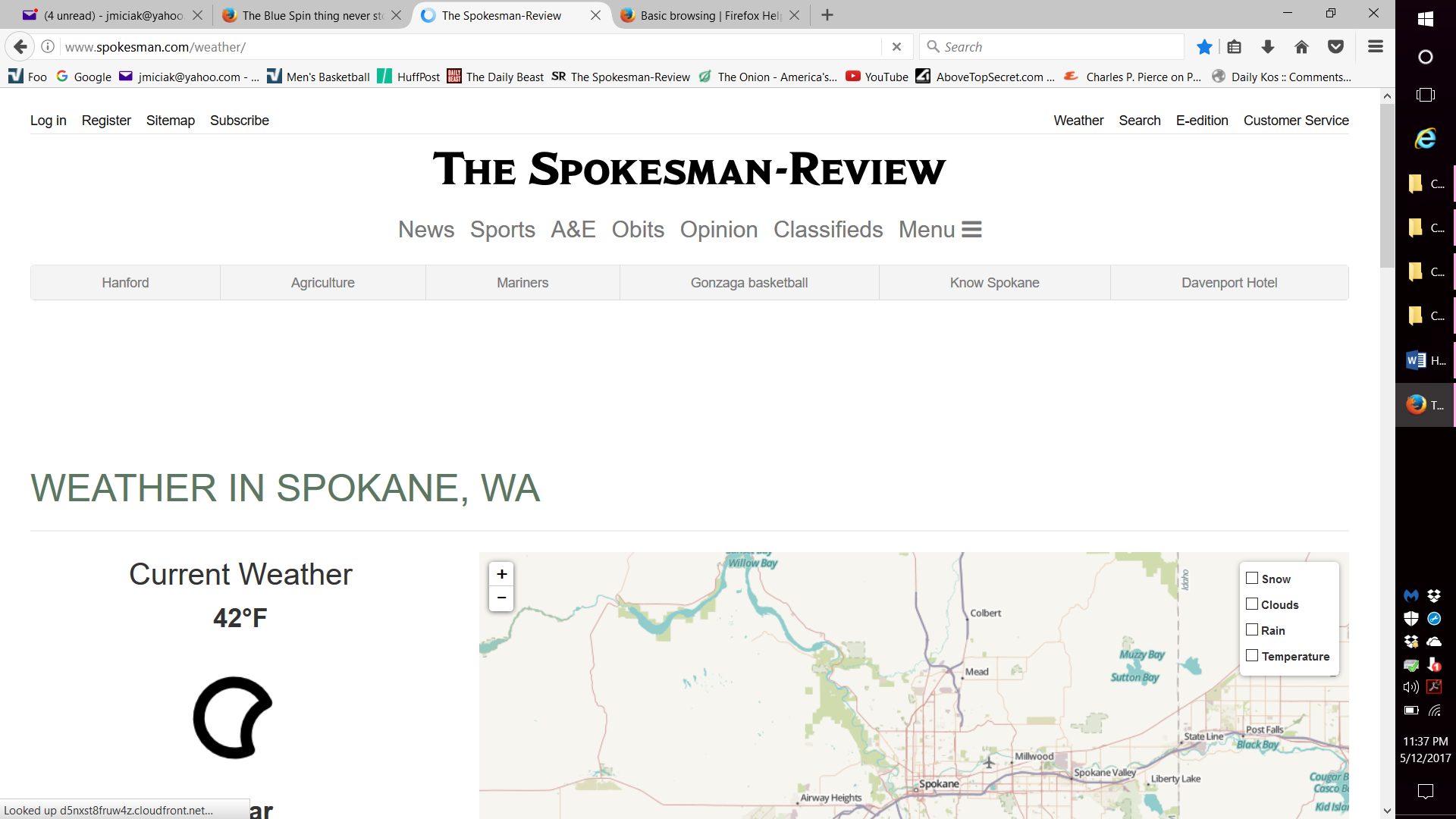
In that pic, it's right below the cloud. One can seem to go further down, but look right below the cloud.