


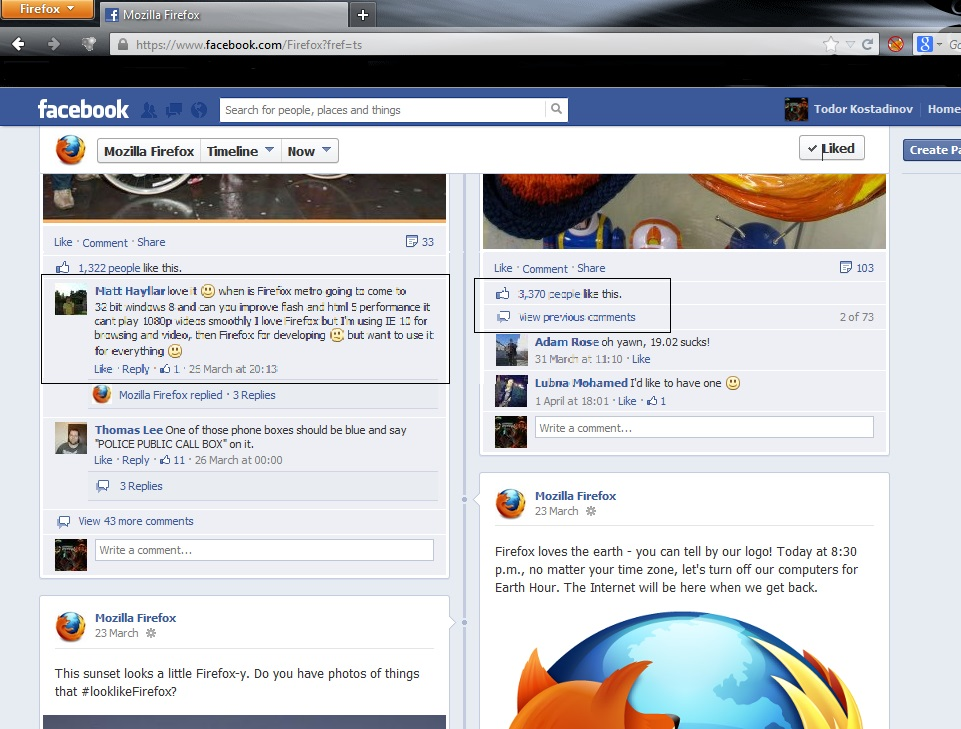
Since Firefox 20.0 i noticed this unpleasant bug with the text and it`s very annoying. Any solution ?

I can`t attach a screenshot to show the problem ...
I can`t attach a screenshot to show the problem ...
Alla svar (2)
here is the screenshot
Try to disable hardware acceleration in Firefox.
- Tools > Options > Advanced > General > Browsing: "Use hardware acceleration when available"
- https://support.mozilla.org/kb/Troubleshooting+extensions+and+themes
Try to set the gfx.content.azure.enabled pref to false or if this didn't help disable Direct2D by setting the gfx.direct2d.disabled pref to true on the about:config page and leave hardware acceleration otherwise enabled.