


where is my VPN botton ?

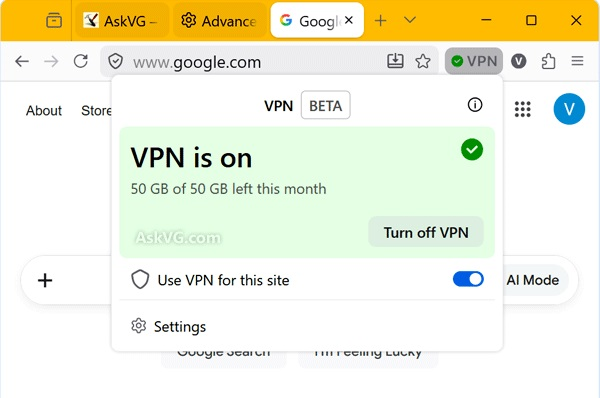
hi all , i have problem with my windows and go for clean install ,, when i install Firefox and restore my back up i see no VPN beta button on my browser
i have that before and its work so smoothly
i search alot and see no result , so if you can help me , do it please , because VPN like this in here it means freedom :D
have a fun life to you all
bye
Alla svar (3)
The about:config preference browser.ipProtection.enabled controls if the VPN button shows up or not. Most likely it's set to false. Toggling it to true should turn it on. I guess it is still on a progressive roll-out. Mine still defaults to false.
Here's a Reddit thread that talks about it: https://www.reddit.com/r/firefox/comments/1s2ik4l/introducing_firefoxs_builtin_vpn_ip_protection/
Vald lösning
Bonjour
To complement,
Unable to find the built-in VPN in Firefox https://support.mozilla.org/en-US/kb/unable-find-built-vpn-firefox
See also this discussion thread https://support.mozilla.org/en-US/questions/1605682
Thanks that solve my problem