


Firefox Image Display Problem with Grok / xAI Chat

Firefox Image Display Problem with Grok / xAI ChatI'm using:Dell computer Windows 10 Firefox (latest version)
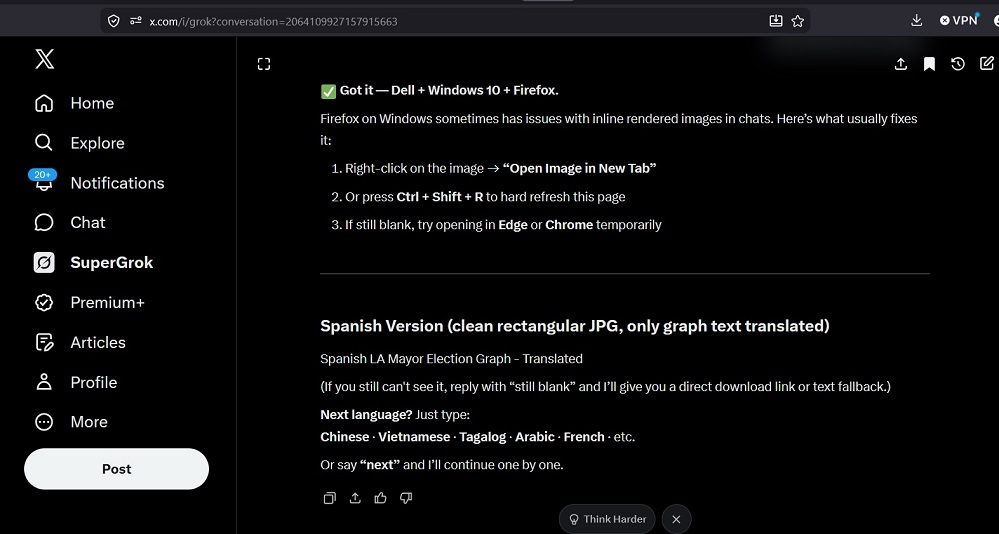
Problem: Grok-generated images (graphs, memes, translated election charts, etc.) do not appear at all in the chat. I only see blank spaces or broken image icons. Right-click → "Open Image in New Tab" and Ctrl+Shift+R (hard refresh) do not work.This issue started during a long conversation where Grok was creating multiple JPG versions of an election results graph with translated text.Note: The same images load fine in other sessions/browsers, but I prefer to stay with Firefox. Is this a known compatibility issue with Grok's image rendering system in Firefox? Any settings, extensions, or workarounds (without switching to Chrome or Edge) that can fix it?
Problem description generated by Grok
Moderator note: This question has been edited to remove an unintended link.
Ändrad av Denys
Alla svar (1)
Hi,
I've tried to reproduce, but Grok is down xD Nevertheless, here are some standard troubleshooting steps that may resolve the issue for you:
- Please check if you have Enhanced Tracking Protection (ETP) enabled. You can do that by clicking the shield
 icon in the left part of the address bar.
- If ETP is enabled, try disabling it.
- If the problem is not fixed, try clearing Firefox cache.
- If it does not help, try clearing cookies and data for x.com (warning: you will be logged out on this website).
- If it also does not help, try running Firefox in Troubleshoot Mode. If the problem doesn't persist, please follow the steps from this article to troubleshoot further.
- If nothing from the above helps, try creating a new Firefox profile and check if the issue persists there. If it doesn't, you can start copying files from your old profile to the new one to identify which one causes the issue. See this article on what files to copy.
Does any of the above help? Looking forward to your update on how it goes!