


Test Question Only - DISREGARD

Is this fixed?
Bug 1672326 Opened 2020-10-21 03:46 EDT Updated 2020-11-03 03:59 EST Edit question page is not functional except to edit the text
Ändrad av AliceWyman
Alla svar (6)
Not fixed yet.
Related discussion: https://support.mozilla.org/en-US/kb/troubleshoot-issues-related-to-add-ons/discuss/9243
This is fixed now
Test new Forum Response - Restore default search engine (titled "Confirm default search engine (add-on prompt) in the common responses tool) without a semi-colon before the image:
If you see a prompt like this:
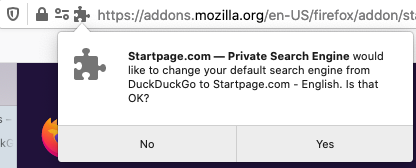
This is part of our latest fix that lets you know when a third-party add-on has changed your default search or home page without your awareness or permission. The prompt notifies you if that has happened and allows you to confirm that you really wanted that change.
If you click No in the prompt, the change will not be made and your settings will stay the same.
To learn more about search settings, see Manage Firefox search settings. For more on home page settings, see How to set the home page.
Create or improve common forum responses says this under Images: The support forum doesn't reduce a large image to fit the page, like a KB article does. Reduce larger images to a width of 520 pixels or less (500 pixels or less for indented images) using this code: [[Image:YourImageName|width=500]].
There no longer appears to be an issue with support forum images over 500 pixels:
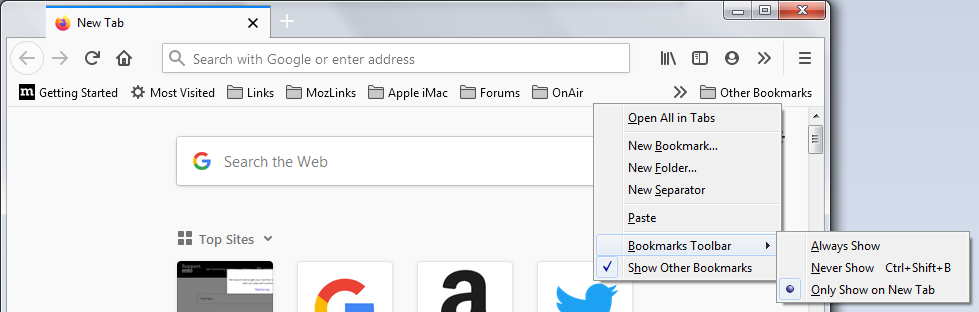
This image, Fx85BetaBookmarksToolbarContextMenu ... is 979 x 312 px
This image, Fx85BookmarksToolbarContextMenu ... is 738 x 281 px
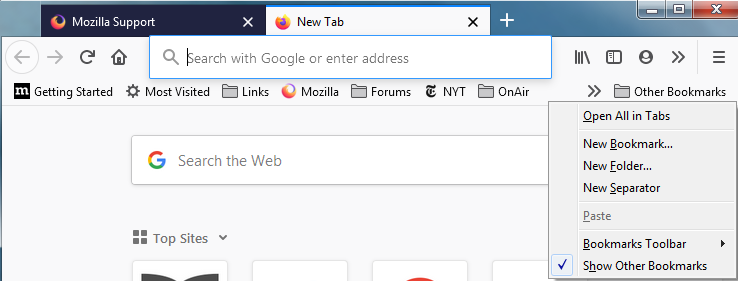
Both of the above images now fit the page in support forum posts.
Test post for bug 1019998 (Images add extra line breaks)
When the Firefox Safe Mode window appears, select "Start in Safe Mode".
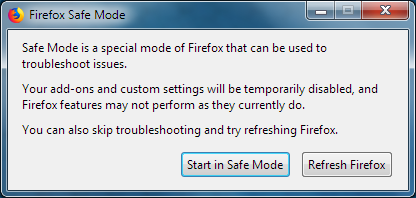 If the issue is not present in Firefox Safe Mode, your problem is probably caused by an extension, theme, or hardware acceleration.
Here is the markup I used in the above post, enclosed in nowiki tags: Test post for [https://bugzilla.mozilla.org/show_bug.cgi?id=1019998 bug 1019998] (Images add extra line breaks) When the Firefox Safe Mode window appears, select "Start in Safe Mode". [[Image:Fx68SafeMode]] '''''If the issue is not present in Firefox Safe Mode''''', your problem is probably caused by an extension, theme, or hardware acceleration.