


Disable signin code for firefox account
Every time I come here, I'm prompted to sign into my account with a password and a 6 digit code sent to my email account.
How can I disable the 6 digit code being sent?
Alla svar (5)
hello Colin WG..... its for your security purpose.and it is by default by the mozilla firefox.
Hello,
You can disable two-step authentication in Firefox Account:-
- Click on your Firefox account icon.
- Click on Account Settings.
- Click on Manage Account.
- A new window will be open, just click on Disable in Two-Step Authentication Option.
It will surely help you. Thanks for raising your question in Mozilla Support Forum.
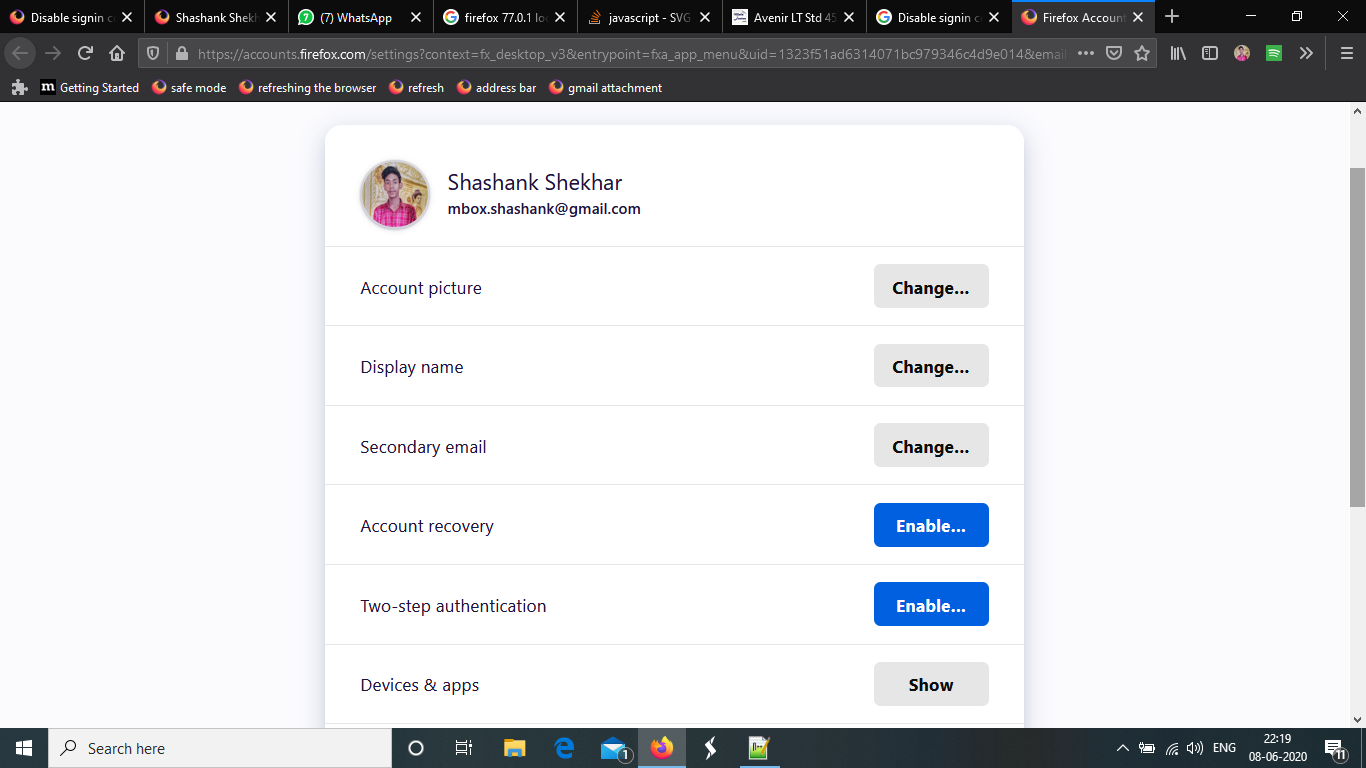
Shashank Shekhar said
Hello, You can disable two-step authentication in Firefox Account:-It will surely help you. Thanks for raising your question in Mozilla Support Forum.
- Click on your Firefox account icon.
- Click on Account Settings.
- Click on Manage Account.
- A new window will be open, just click on Disable in Two-Step Authentication Option.
Don't see that option to disable, it just says enable like in your screenshot.
Every time I come to this website I'm forced to log in and deal with an email sent to my email account containing a 6 digit code, did not have to go through all these extra steps when I didn't have to use a firefox account to get answers to those really ugly bugs that show up.
I think this is the most relevant article, What if I'm locked out of Two-Step Authentication?
This doesn't sound like a 2FA issue as you indicate you have the button to enable 2FA.
Are you using the Firefox Password Manager (Lockwise) ?
Firefox would normally store the credentials for the Firefox Account as a hidden entry in the Password Manager and use these to login automatically (you may have to enter the master password or Windows PIN/Password).
If you lose this entry in logins.json then you will have to authenticate each time you start Firefox and need to login.
Ändrad av cor-el