remove bing

I have looked at other answers but can't find what I need. Out of the blue, the other day, when I clicked on my facebook quicklink, the browser took me to a Bing search results page. Also, when I click on external links on facebook, it will open a new tab and search for facebook on bing. Any ideas?
I have looked at other answers but can't find what I need.
Out of the blue, the other day, when I clicked on my facebook quicklink, the browser took me to a Bing search results page. Also, when I click on external links on facebook, it will open a new tab and search for facebook on bing.
Any ideas?
Krejt Përgjigjet (1)
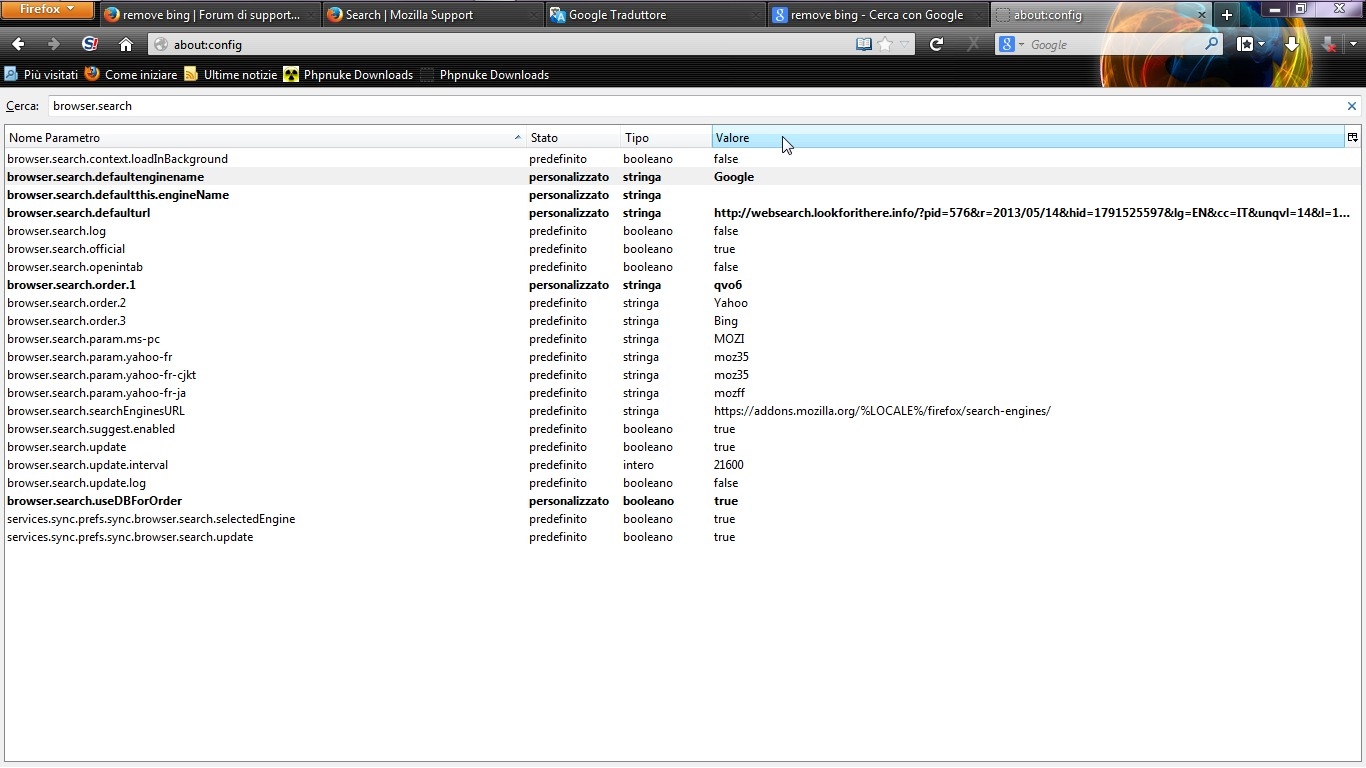
Maybe following this steps you solve the problem
- In the Location bar, type about:config and press Enter. The about:config "This might void your warranty!" warning page may appear.
- Click I'll be careful, I promise!, to continue to the about:config page.
Then search this string:" browser.search.defaultenginename" or "browser.search.". Now you can see the configuration of firefox about your search engine..what you see?