Sidebar
Why wasn't there notification & instructions about the layout change. I can't find my document files anywhere now. Really annoyed. Not intuitive
Zgjidhja e Zgjedhur
Depending on what you're looking at, and if that's even a Firefox change (sounds like you're describing some cloud provider's capabilities?), when typing "sidebar" as the query here first result is Use the sidebar to access tools and vertical tabs which is perhaps what you're asking for.
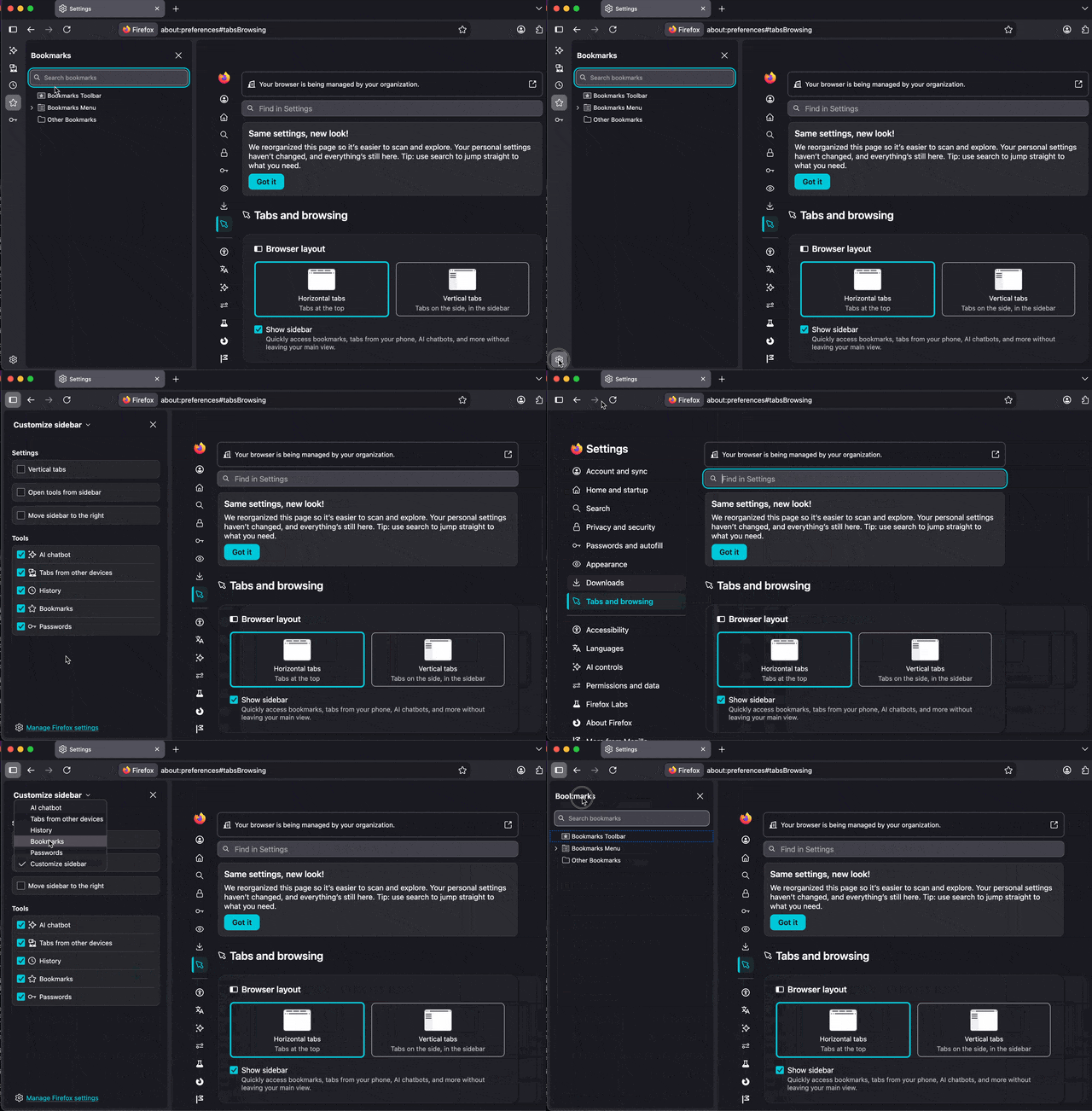
That however doesn't explain what has changed in your workflow. Is the issue perhaps you used to have bookmarks shown in your sidebar, and now the sidebar shows something different, and you want to switch it back to bookmarks again? Or is the question different? Feel free to use images for explanation, screenshots can be attached to the replies.
Krejt Përgjigjet (7)
What documents?
By the way there are details on the changes under the 'release' page.
Thanks for responding Amoun. I checked out the link. It tells you the fixes, but it doesn't give any instructions how to navigate the completely new sidebar. From memory, (not reliable), my sidebar had a link I could click to get my documents & my pictures. I can access through Google, but can't via Firefox sidebar. Personally I preferred the old version & don't see how this is better.
Zgjidhja e Zgjedhur
Depending on what you're looking at, and if that's even a Firefox change (sounds like you're describing some cloud provider's capabilities?), when typing "sidebar" as the query here first result is Use the sidebar to access tools and vertical tabs which is perhaps what you're asking for.
That however doesn't explain what has changed in your workflow. Is the issue perhaps you used to have bookmarks shown in your sidebar, and now the sidebar shows something different, and you want to switch it back to bookmarks again? Or is the question different? Feel free to use images for explanation, screenshots can be attached to the replies.
Thanks JBR. The link shows the new? sidebar exactly & gives instructions - very helpful. I couldn't take a screenshot of it. What I find irritating is that it's a major change that Firefox seemingly introduced without any warning, instructions or possibility of retaining what I had before. So, I suppose I'll just have to get used to navigating it.
It was introduced two years ago, and progressively moved users to the new one over time, based on features they use. So you're in the "possibility of retaining" cohort for quite a long time, I think most people will be moved over in the coming months before the actual code for the old one is fully removed.
There was some messaging during winter blog.nightly.mozilla.org/2026/01/13/phasing-out-the-older-version-of-firefox-sidebar-in-2026/ around the change.
If you want to switch back for a reason, there might be a setting combination that could disable the new sidebar, and then use the old one if the feature you use still supports it.
If you describe what's your workflow, and why and how is it broken now, someone might be able to advise how to best set up the options so that it suits you the most.
I am getting used to it, so if everyone is being changed over I'll try to love it. I do appreciate your help though JBR. I don't remember getting any notification, but that might be me.
Oh it might have been mentioned months ago, after updating, on a "What's New" page — but that really might have been e.g. a year ago — the old sidebar was kept around for those actively using it, for very very long time (the switchover did not happen for everyone at the same time).
Again, if you describe what doesn't feel useful, or actively getting in the way, there might be tips how to set that up — so feel free to ask around. (There are settings under the "cogwheel", to e.g. hide the whole "launcher" strip, and then select the content of the sidebar from the tool title dropdown like before for those who don't need any of the other tools in there etc.)
Ex fig: