


Firefox not showing website properly

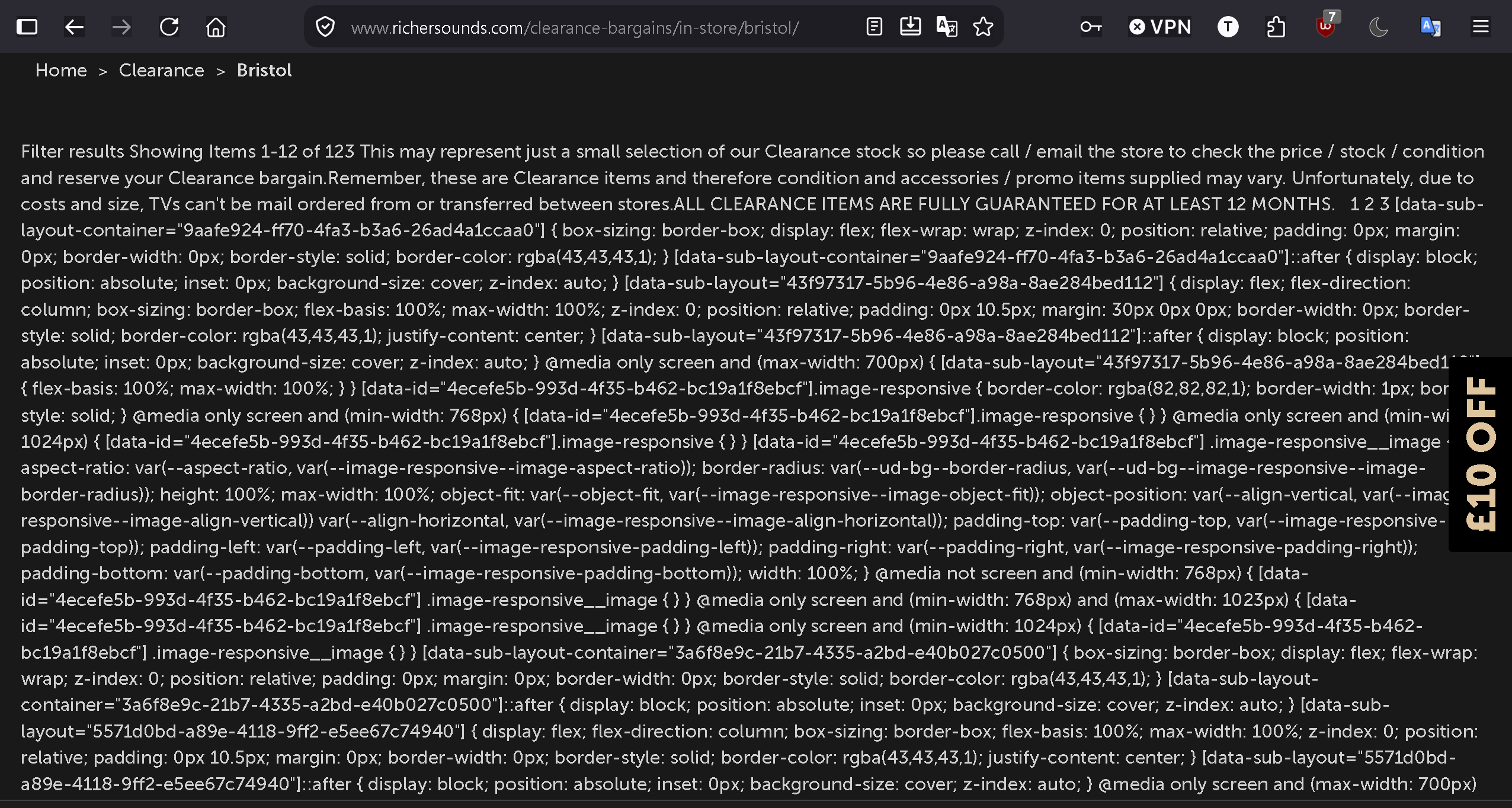
Can anyone try to access Richard Sounds website and get it resolved properly? It works fine on Google, no idea why it doesn't in Firefox. Regards,
'
Zgjidhja e Zgjedhur
Jbr, thank you. Did a Troubleshot and it appeared solve the problem. On reloading Firefox, I disabled all my add-ons and re able them one at a time. Since I like dark mode, I had two of them, UltimaDark and DarkReader. Ultimately, it seems that UtimaDark was causing the problem. Changed to DarkReader and all was well. Have no idea why this has happened on one particular website, but happy that the problem been resolved, Thank you both for your help. Best regards,
Krejt Përgjigjet (7)
Maybe post a link to the site.
Thanks for the links: Though no idea what properly means to you and I don't use Google or Chrome etc.
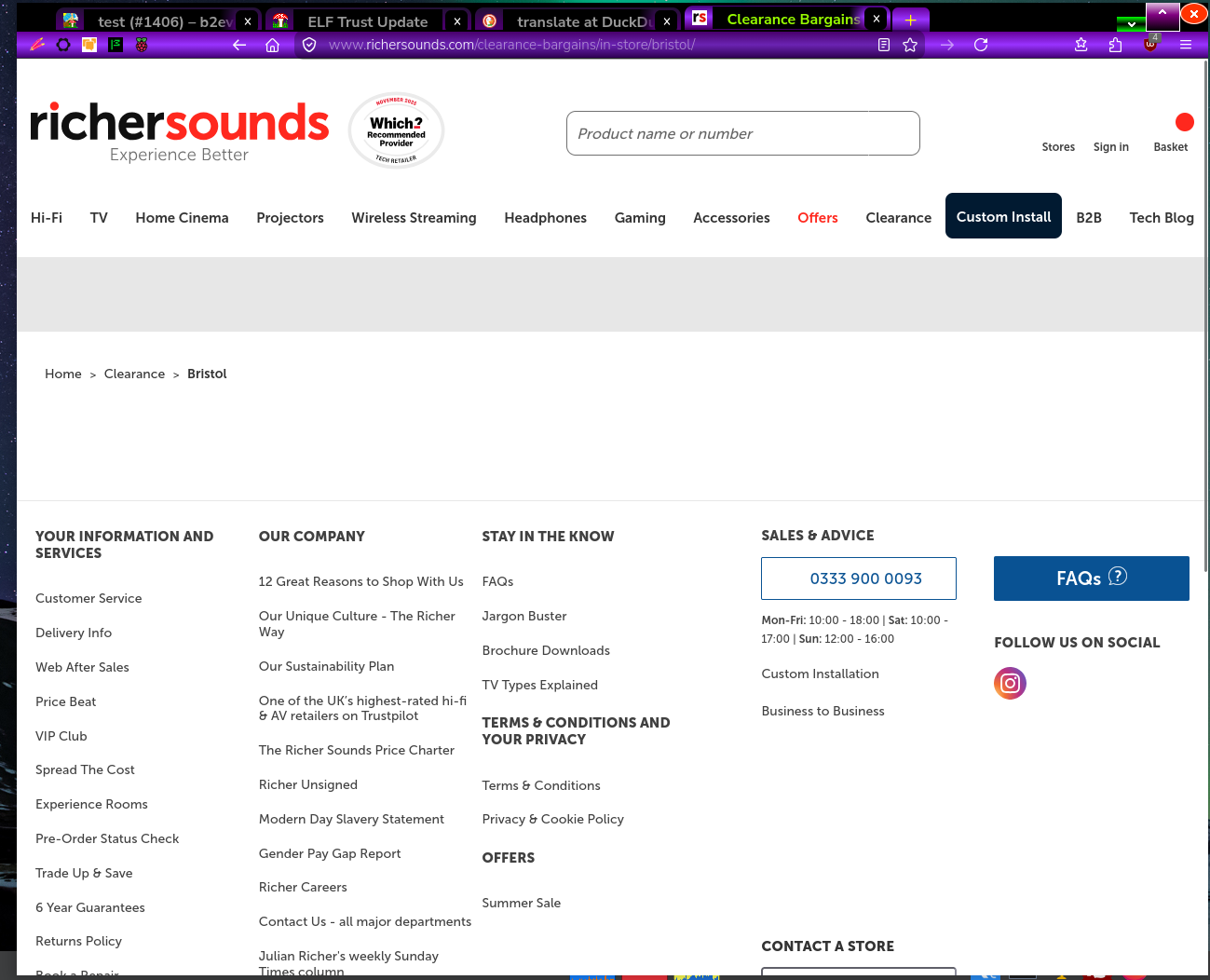
Attached an image of what I get on the second link you supplied, maybe an image of what you see as a problem would also have helped understand your query
Ndryshuar nga amoun
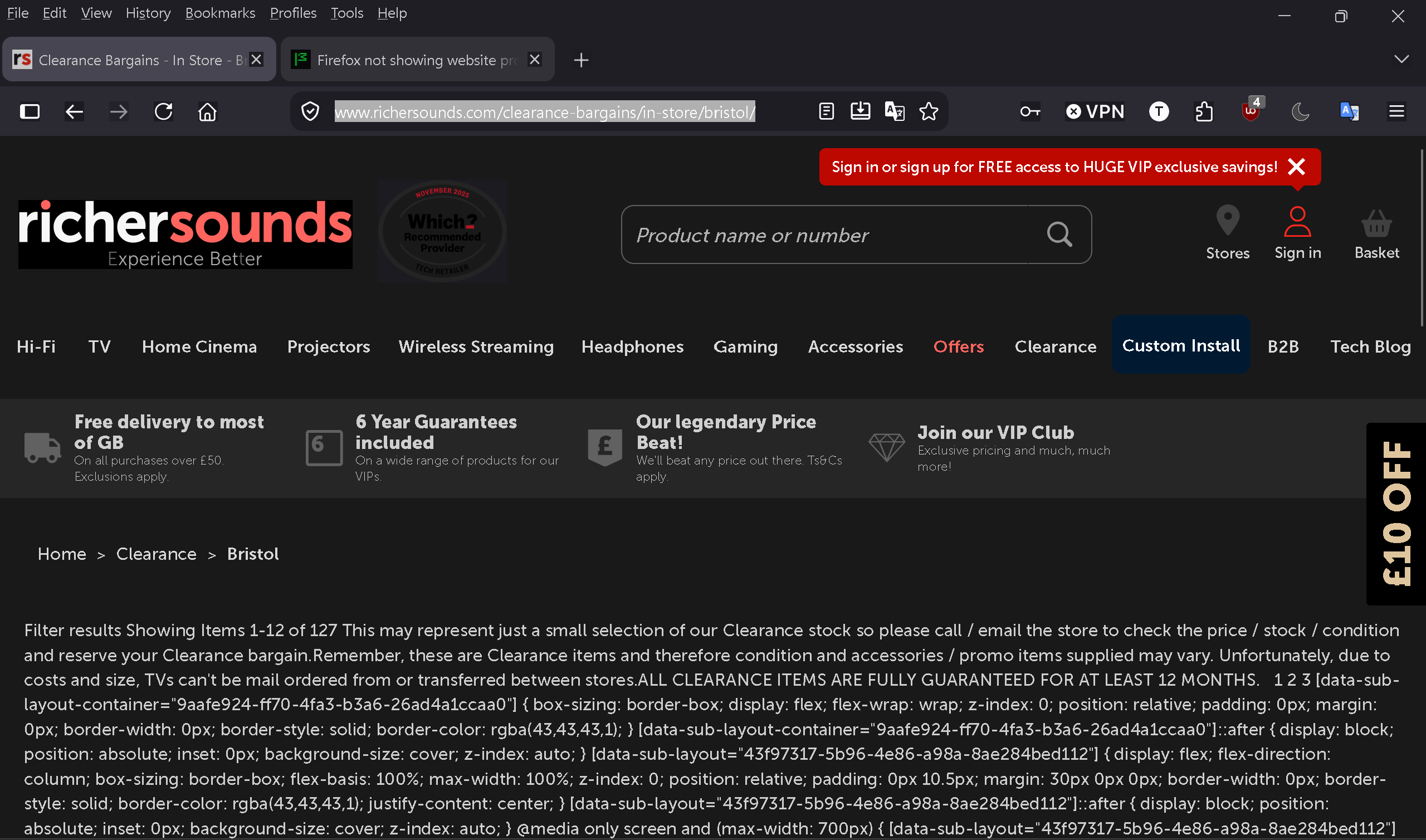
I mean properly resolve the page, like in your attachment. Instead I just get words of what should be below the heading of the page. I'm attaching of what I get on the same link you tried. Is it something in my Firefox setting or perhaps using dark mode? Clutching at straws here.
I wouldn't have thought it 'dark' mode but could be a theme if you have one.
I notice that you have a text icon I don't have, that could be enabled, not that it may be affecting such.
One option is to use a temporary Profile : See about:profiles and search for more info on that.
Oh and my screenshot is without allowing cookies and cross-site cookies etc. I also see you are using VPN
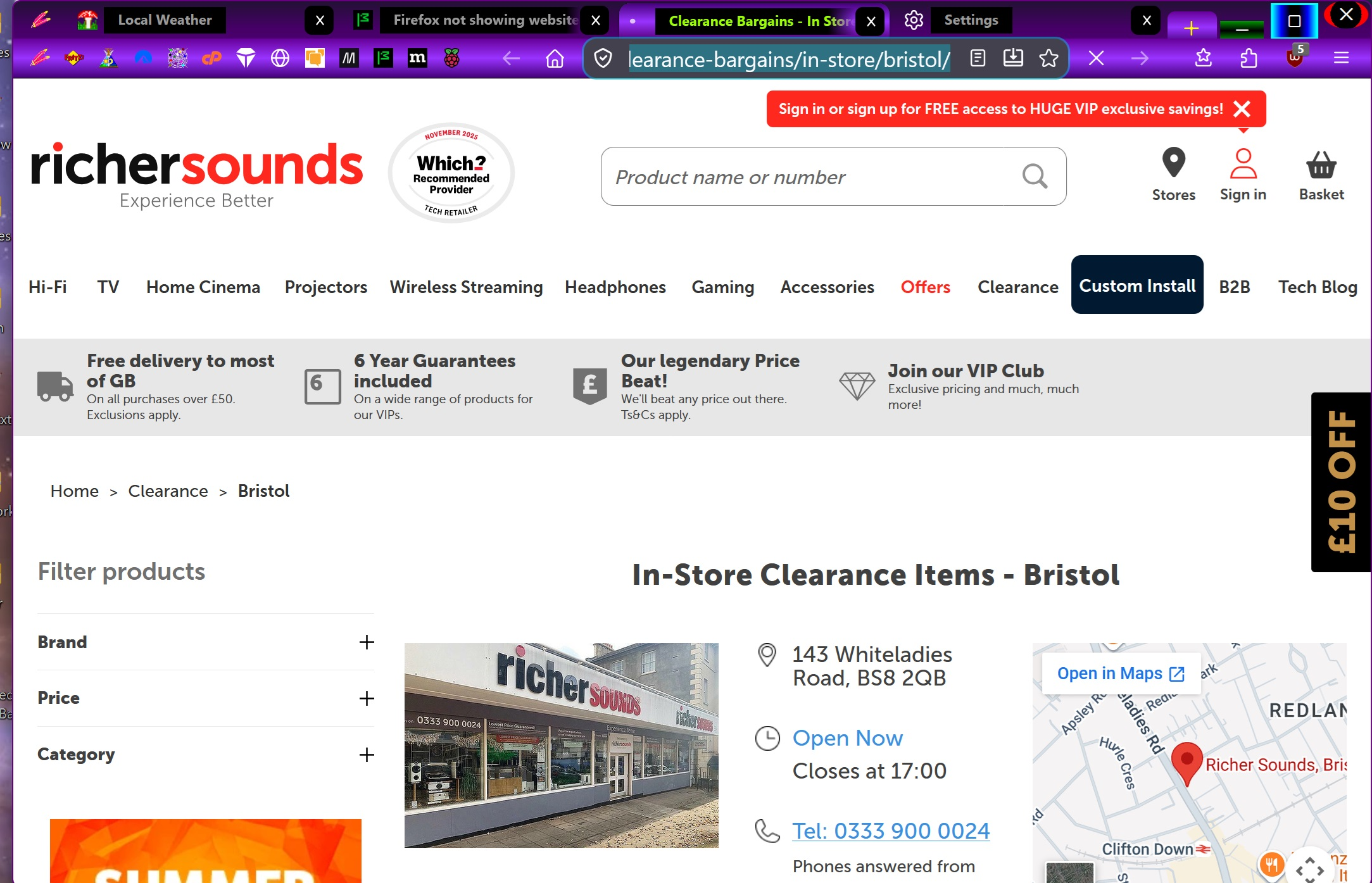
With cookies enabled I get a different image so maybe somehow you are not allowing some thing via your blocking apps
See screen shot with cookies enabled compared to mt previous image:
This would be some content blocker or "noscript" addon interfering. You can quickly verify by restarting into Troubleshoot Mode (from Help menu) and see if it works there.
Zgjidhja e Zgjedhur
Jbr, thank you. Did a Troubleshot and it appeared solve the problem. On reloading Firefox, I disabled all my add-ons and re able them one at a time. Since I like dark mode, I had two of them, UltimaDark and DarkReader. Ultimately, it seems that UtimaDark was causing the problem. Changed to DarkReader and all was well. Have no idea why this has happened on one particular website, but happy that the problem been resolved, Thank you both for your help. Best regards,