


Cannot Use the Firefox Browser Built-in VPN
My Firefox browser shows the built-in icon (x VPN) in the upper right of the screen. If I click on the icon it starts the process that results in successfully logging into my mozilla account and the screen prints out the following: Next: Turn on VPN
One more step to boost your browser’s privacy. Go to the open panel and turn it on.
But the screen shows no open panel! If I click on the (x VPN) again, the process starts over.
I have checked Settings > Privacy & Security and made sure that the entry "Allow Firefox to improve features, performance, and stability between updates" is checked. I have made sure that browser.ipProtection.enabled is set to true; browser.ipProtection.everOpenedPanel is set to false; and I see no entry for browser.ipProtection.openedPanelWithLocation.
I have signed out completely from the Mozilla account, restarted the browser, and logged back in to restart the process using (x VPN) but it still doesn't work.
Krejt Përgjigjet (13)
Hi,
The Firefox built-in VPN is being introduced gradually. It’s available to some users in the US, UK, Germany, and France (starting with Firefox version 149), in Canada (starting with Firefox version 150) and, starting in June 2026 with Firefox version 151, in Austria, Belgium, Bulgaria, Denmark, Finland, Ireland, Italy, Netherlands, Poland, Portugal, Spain, Sweden, Norway, South Africa, Malaysia, New Zealand, Singapore, Switzerland, Australia, Thailand, Chile, Colombia, Mexico, and Japan. For the current list of available locations, see the Use built-in VPN in Firefox article.
If you’re in one of these countries and using one of those Firefox versions but still don’t see the built-in VPN, it may simply not have reached you yet, as the feature is being rolled out in stages. When the built-in VPN is available, you should see a VPN icon in the top-right corner of the toolbar. Selecting it will open a prompt to turn on the VPN. For information about using this feature, see the Use built-in VPN in Firefox article.
If you don’t see the VPN icon, try customizing your toolbar by right-clicking the toolbar and checking the overflow menu to add it back. If you still don't see it, check the Unable to find the built-in VPN in Firefox article for possible causes and solutions.
If you wish, you can post your feedback about the Firefox built-in VPN to the Mozilla Connect thread.
Dear Paul,
I clearly see the icon (x VPN) as stated in my original post. Thus, most of your post does not apply. Do you see anything wrong with my settings?
Hello
Maybe, please, check, browser.ipProtection.guardian.endpoint
https://support.mozilla.org/en-US/questions/1590569
WARNING from the moderator team: Changing Firefox preferences from the about:config page can sometimes break Firefox or cause strange behavior. You should only do this if you know what you're doing. Please read Firefox advanced customization and configuration options to learn more.
Ndryshuar nga Paul
What is the value that should be set for this setting:
browser.ipProtection.guardian.endpoint
It has this value now: https://vpn.mozilla.org/ Should it be this value for the built-in VPN to work?
I have not subscribed to Mozilla VPN -- I am trying to open up the built-in-VPN to the Firefox browser
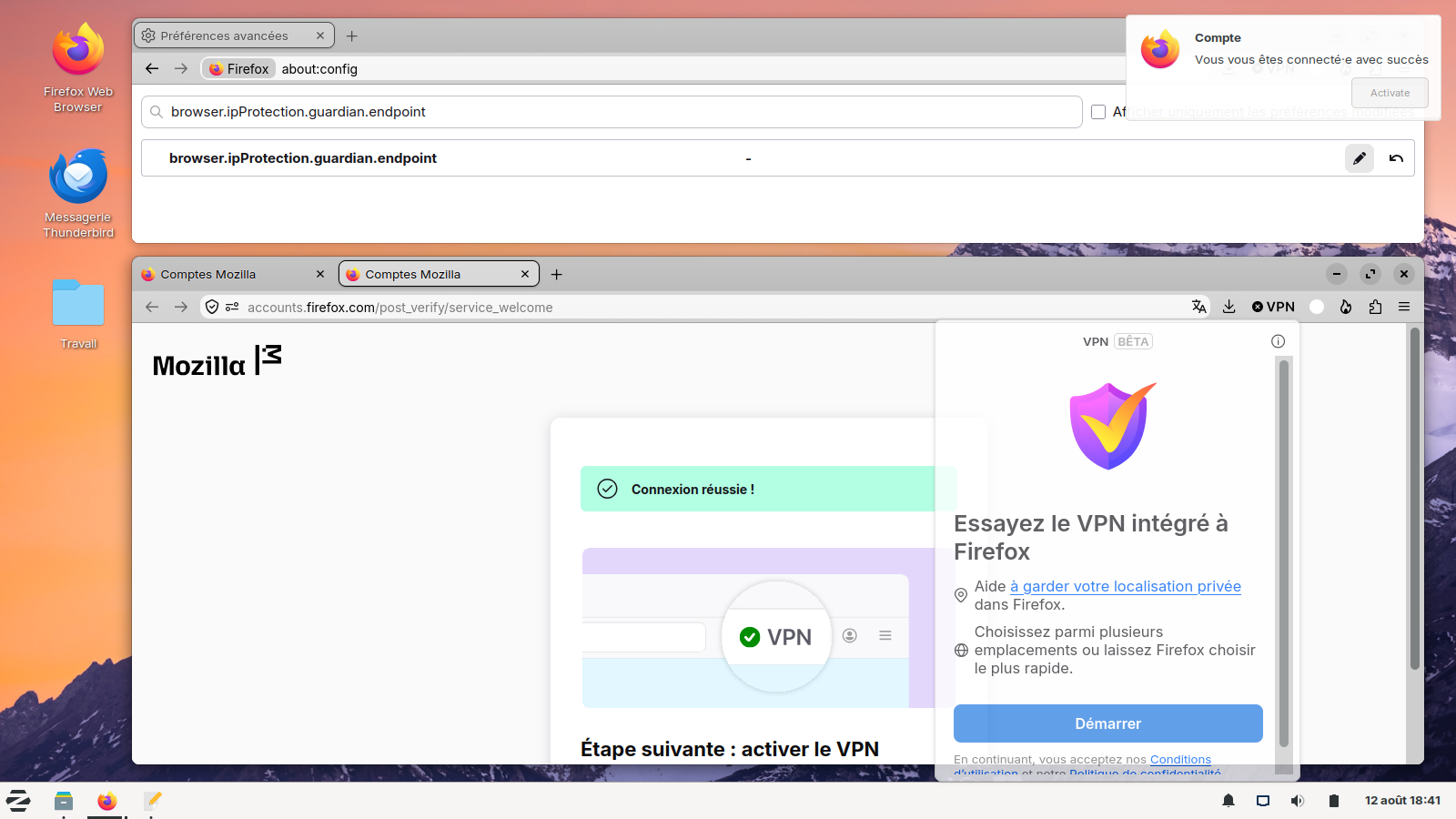
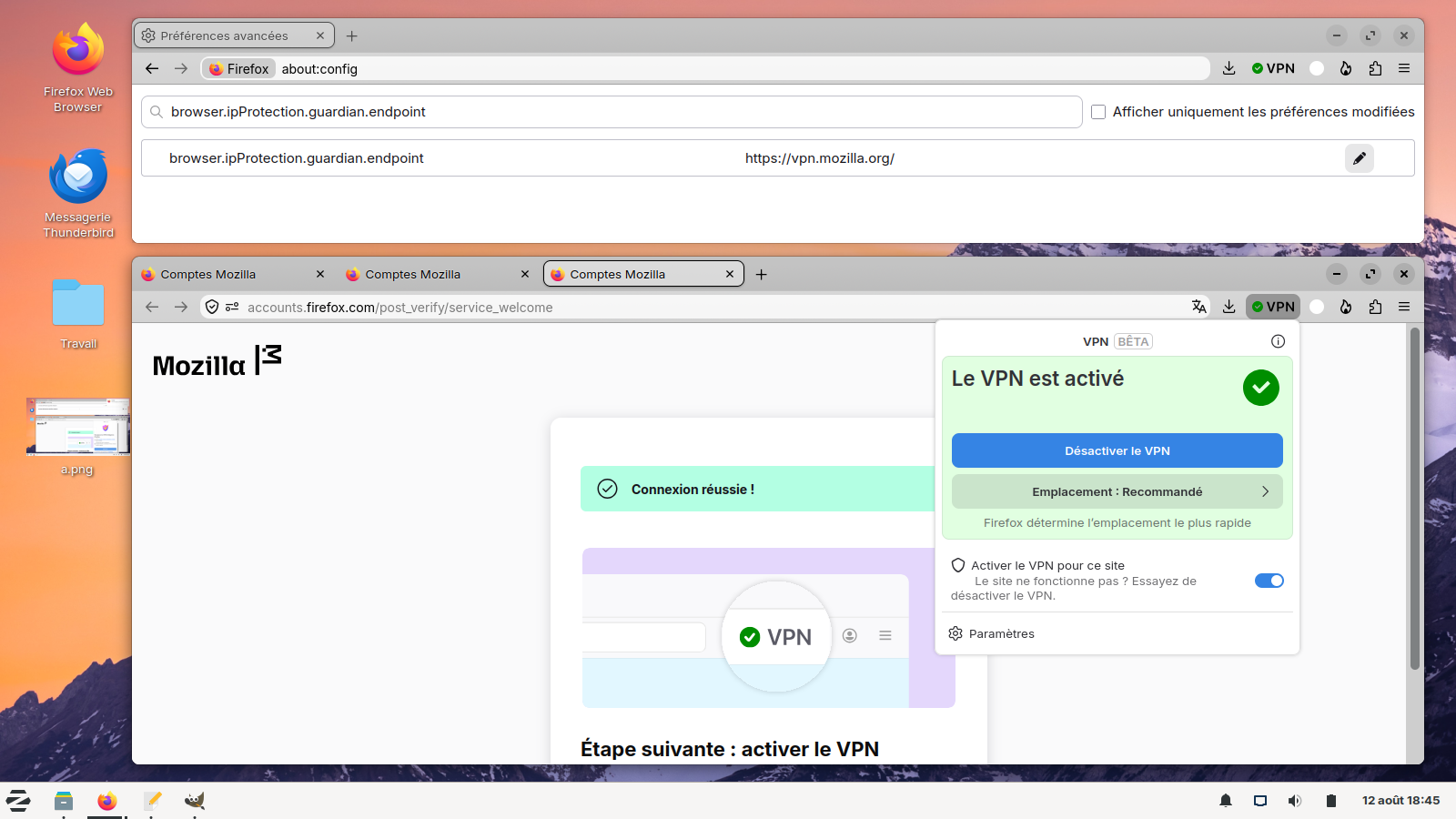
Test performed, if, browser.ipProtection.guardian.endpoint, is not the default value.
Take a look below.
Hi Gort,
Could you please update the thread to indicate whether any of the suggested solutions help resolved your issue? If it worked, you can also directly mark the reply as the solution to help other users with similar problem discover the resolution.
If you're still experiencing problems, please share any additional details so we can continue assisting you. Thanks!
Hi Kiki,
I explored all suggestions so far given and none were successful at solving the problem. My only hope is that (x VPN) has not arrived in my neighborhood (Maryland) yet.
Cheers, Gort
Hi Gort,
Sorry for the delay in my answer. The Firefox built-in VPN has been rolling out to users in the United States for some time now. Could you confirm whether you're still experiencing this issue and are still unable to access the feature?
I have 3 computers -- 2 with windows 10 and 1 with windows 11 -- all three give the same results and I can confirm that all three are unable to access the built-in VPN feature. When/IF the condition changes and/or I have anything else to report, I will return here and do so.
Sounds good. In the meantime, I'll ask around if there's a known bug that may have caused it.
Hi Gort, your issue sounds similar to the issue described here: https://support.mozilla.org/en-US/questions/1590556. Scroll down to see my answer which wound up fixing things for this user. Let us know if it helps!
Hi Lesley!
Here's what browser.ipProtection.entitlementCache looks like on my computer -- absolutely nothing! Maybe you are onto something: see image below - what do I do now?

Ndryshuar nga Gort
Hi Lesley!
Here's what browser.ipProtection.entitlementCache looks like on my computer -- absolutely nothing! Maybe you are onto something: see image below - what do I do now?
