


Android app. TB version 20: can only see inbox. Can't see trash, spam, etc. Can't find appearance tab.
Android app. TB version 20: can only see inbox. How do I find trash, spam, and other folders in my account. The app is the current version on Play Store. Tips say go to the appearance menu but I don't seem to have one. Please help. Thanks

Zgjidhja e Zgjedhur
Hi Michael
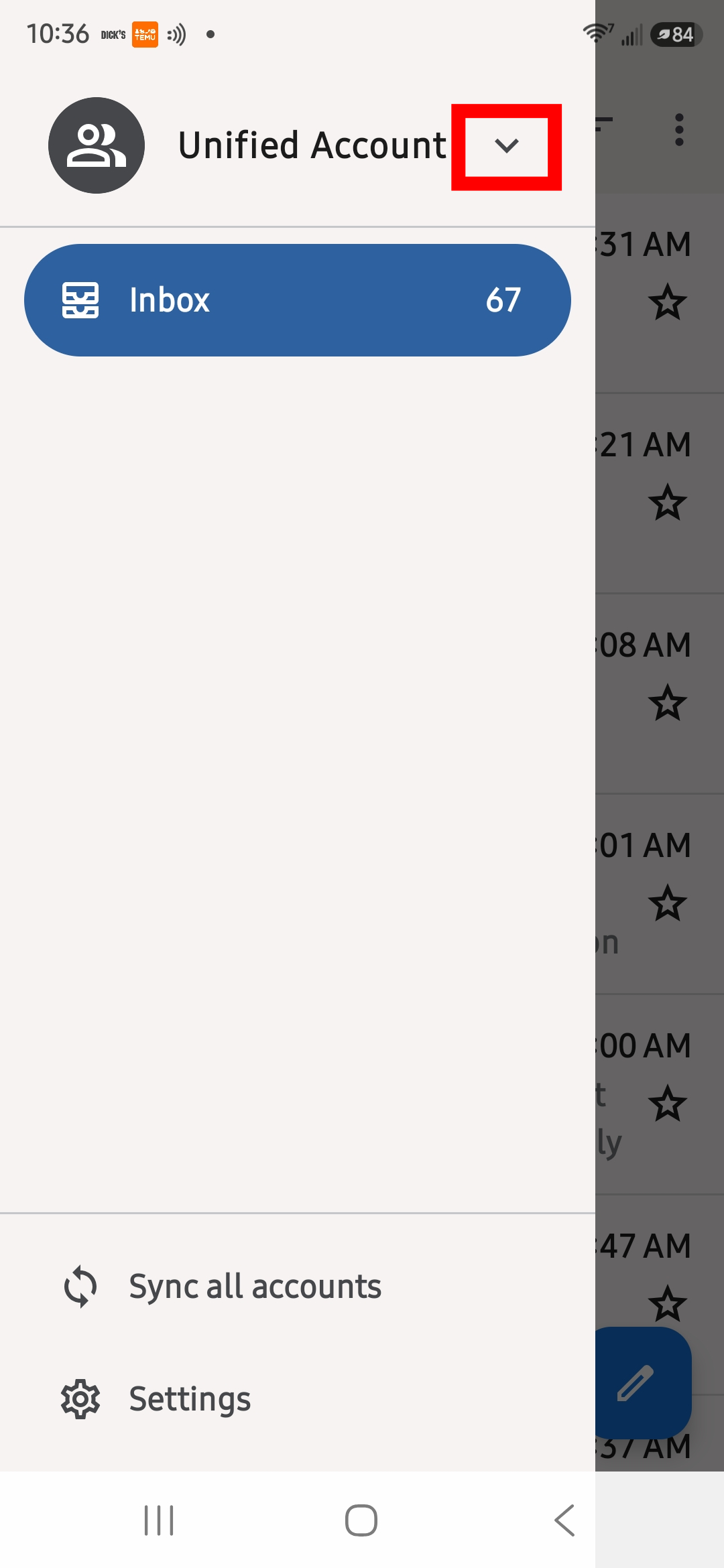
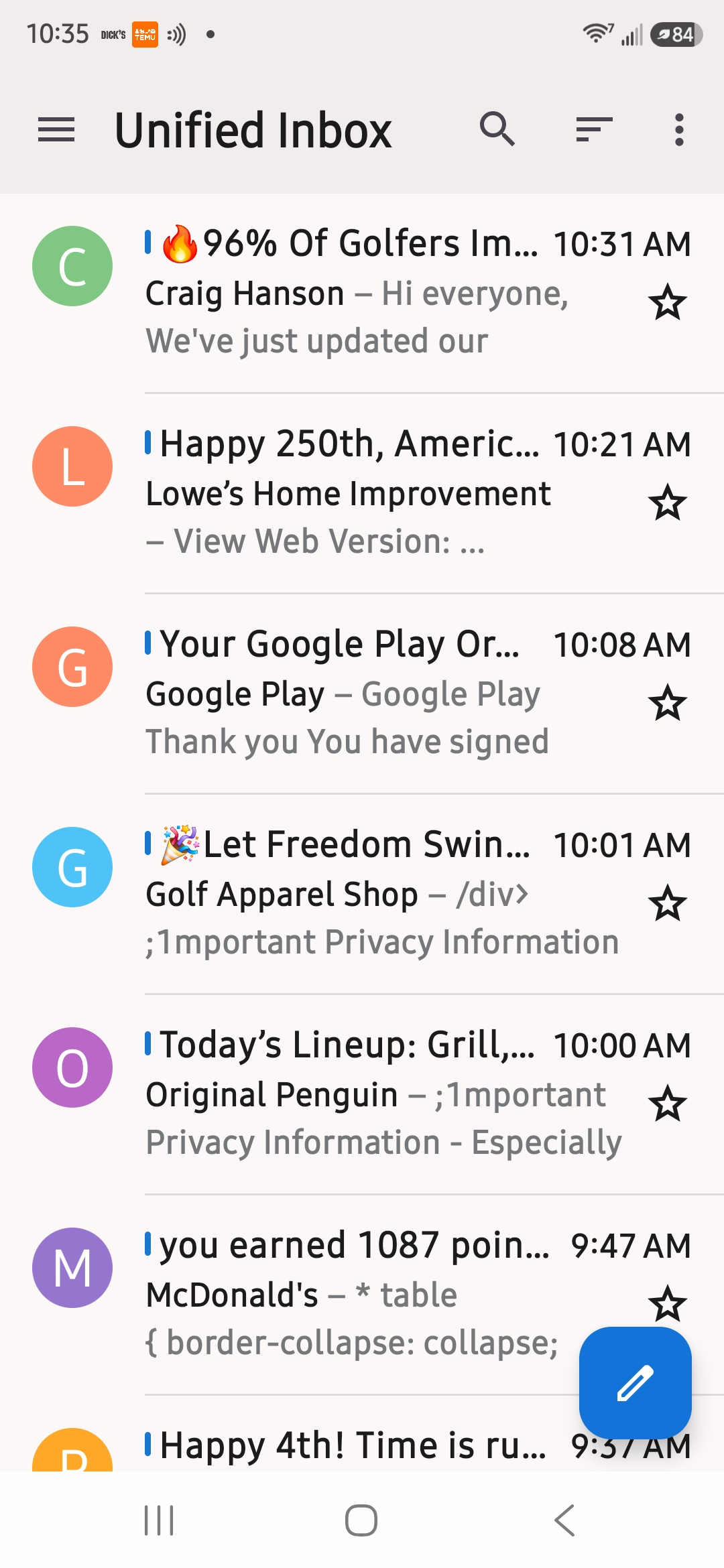
Your screenshot shows the Unified inbox.
Unified inbox is displayed when you have multiple email accounts added to the app. It's purpose is to show the inbox content from multiple accounts within a single combined view.
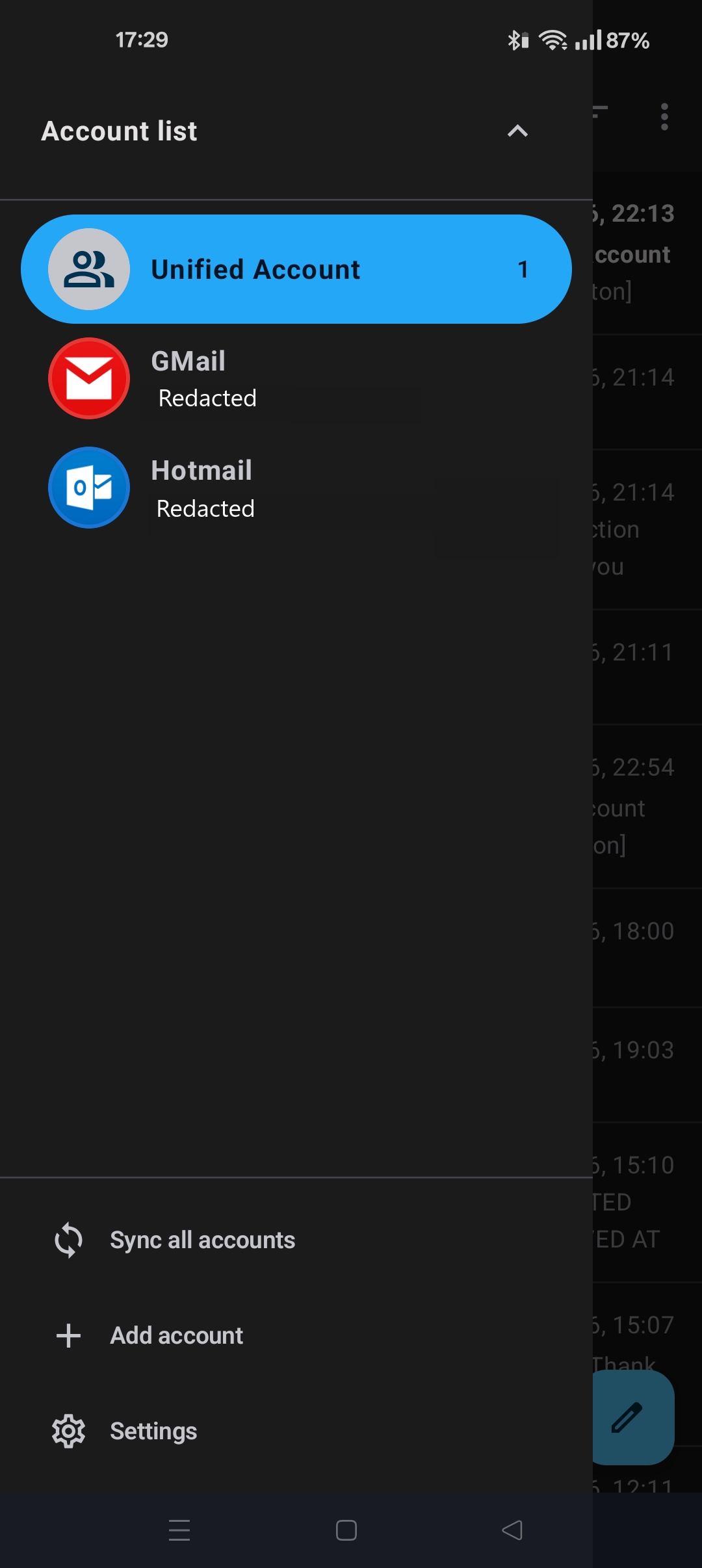
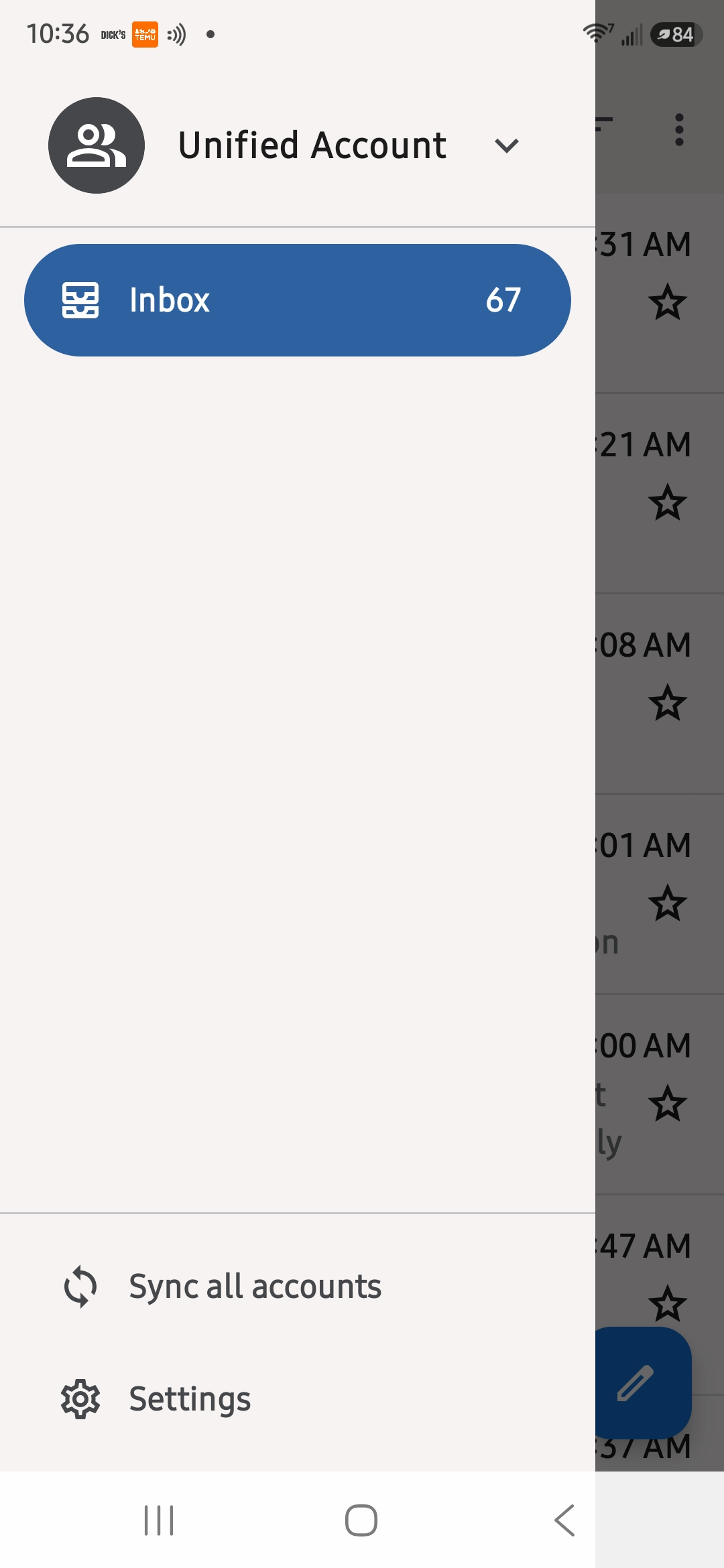
Per my last reply: "If you see Unified account listed, press the down arrow and select an account."
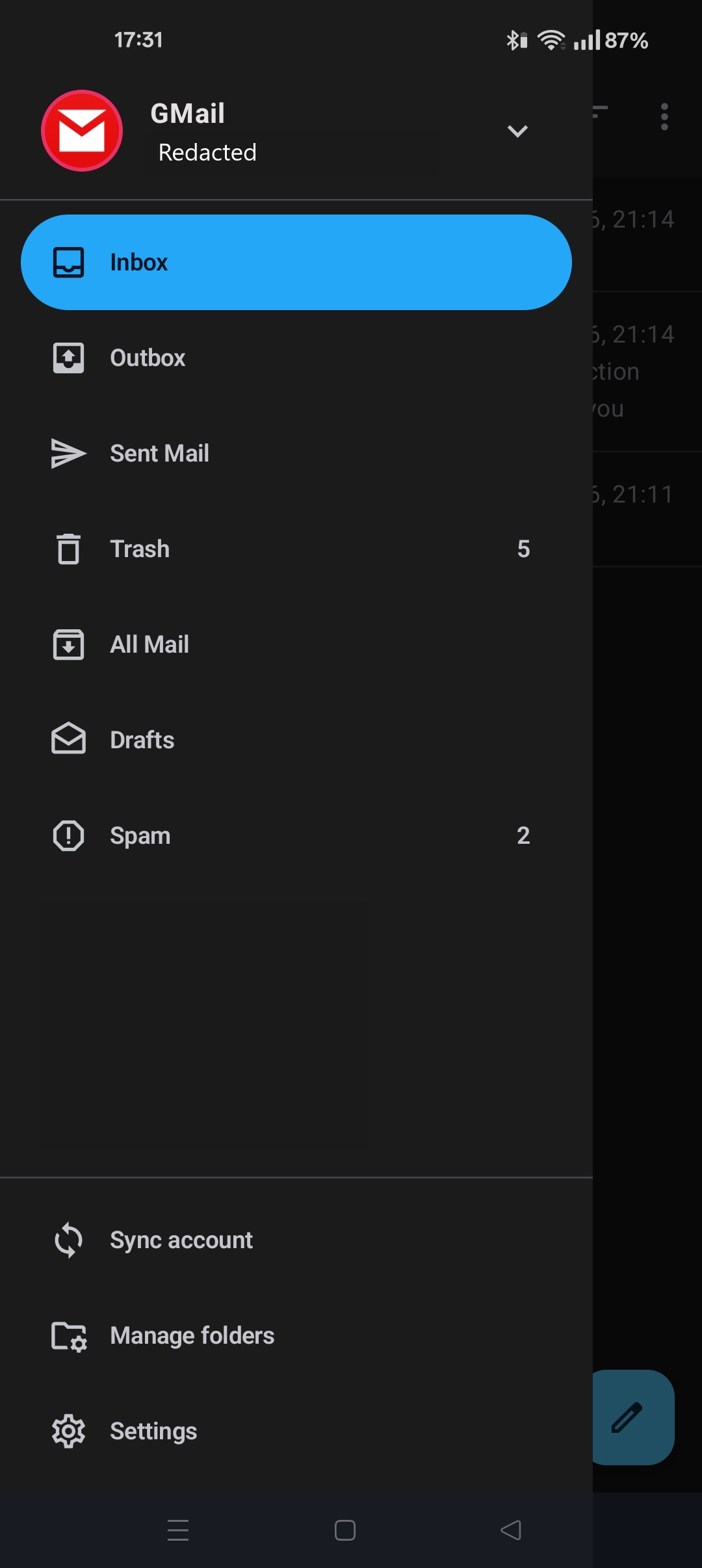
All your account folders will then be displayed within the sidebar, instead of Unified Inbox.
See screen shots.
Ndryshuar nga Platform34
Krejt Përgjigjet (3)
Hi Michael
How is your account connecting to your provider's server, using Imap or older pop3 protocol? The pop3 protocol doesn't support folders.
Imap folders are displayed in the account side menu. Press the top left ≡ menu button to display this. If you see Unified account listed, press the down arrow and select an account.
If some of the imap special folders are missing, navigate to ...
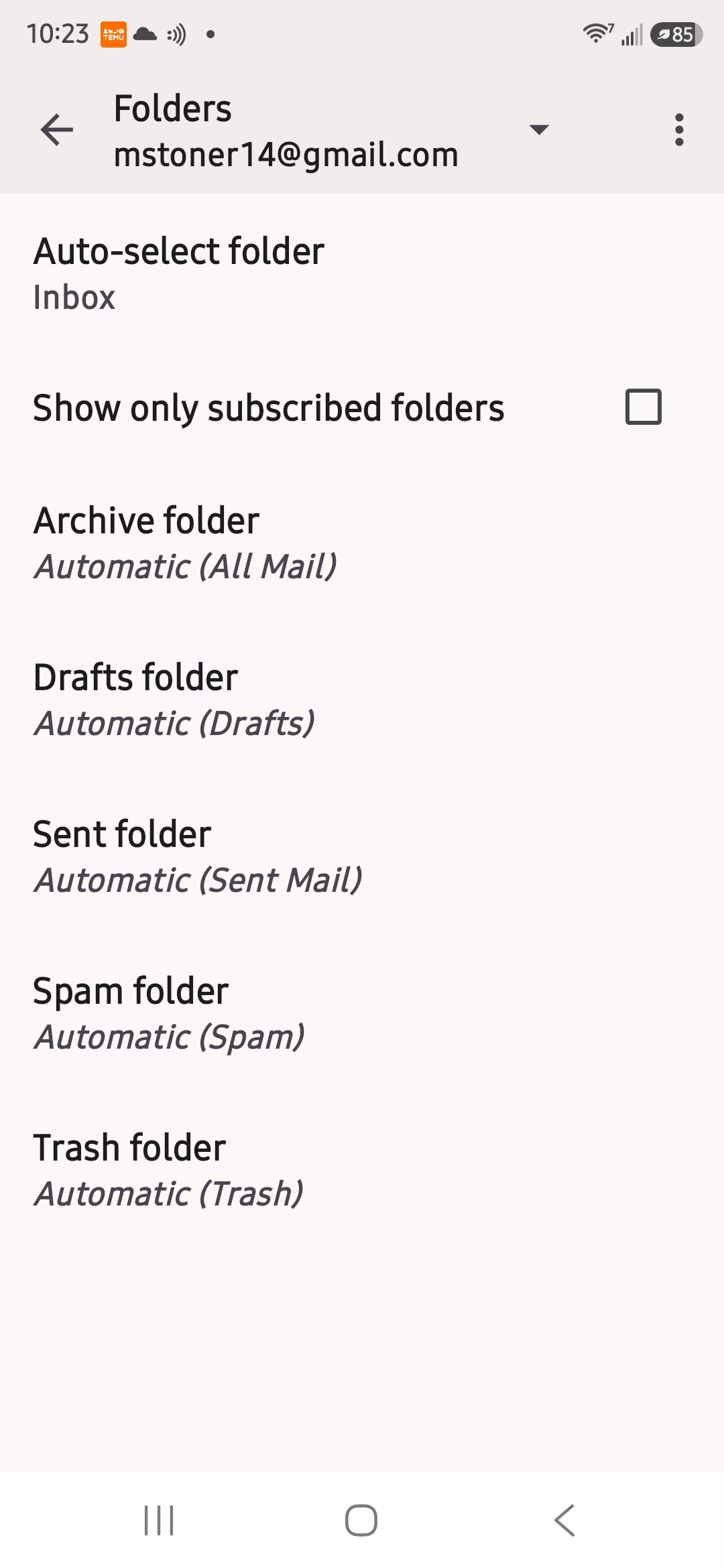
- Settings > account name > folders
- Check each special folder has it's imap folder name assigned.
- Sent folder = Automatic (Sent Mail) as example.
Thanks for response. It is Imap. I went to the folders tab and all seems correct. However, I still only have the inbox with no way to get to the other folders that I can find. Any ideas?
Zgjidhja e Zgjedhur
Hi Michael
Your screenshot shows the Unified inbox.
Unified inbox is displayed when you have multiple email accounts added to the app. It's purpose is to show the inbox content from multiple accounts within a single combined view.
Per my last reply: "If you see Unified account listed, press the down arrow and select an account."
All your account folders will then be displayed within the sidebar, instead of Unified Inbox.
See screen shots.
Ndryshuar nga Platform34