How do I permanently remove Mozilla Maintenance Service?
Every time I manually update firefox, it reinstalls the automatic update malware "Mozilla Maintenance Service". I can't stop this malware from being installed with my browser every time I update Firefox. I call it malware because its not wanted, and it behaves like malware by secretly downloading content without my consent and then shutting down my browser when it finishes by blocking access to all new tabs.
I've tried adding policies to stop auto updates, but Mozilla Maintenance Service ignores all policies. I'm going to see if I can contact AVG and explain to them that Mozilla Maintenance Service is malware and see if I can get it classified as such to see if that'll finally get through to someone because I'm sick of this crap constantly being installed and forcing things on me whenever they want and not when I want.
Now after this update, every google search forces open my location service trying to force me to give location rights. This update is even more malware than all the other updates before hand. Firefox is getting extremely dangerous.
Krejt Përgjigjet (23)
I've disabled the service in services, and quarantined the file in my antivirus, and contacted AVG about it as well. Since the file behaves like malware due to it being installed every time I update even when I don't want it, it is kind of malware. It downloads without consent, and crashes another program after it does. Its almost the exact definition of malware.
Hello
To continue this discussion.
https://support.mozilla.org/en-US/questions/1556031 Clarification, by this i mean to say that, Windows registry https://connect.mozilla.org/t5/discussions/upgrade-notification-spam/m-p/115143/highlight/true#M44920, or, policies.json, i do not have any problems.
cor-el said
See:
1) The article for Maintenance Service is wrong, there is no option to disable background service. The option does not exist. I checked Thunderbird too, no option there either. 2) Every time I've uninstalled this service, it reinstalls its self.
Agent virtuel said
Hello To continue this discussion. https://support.mozilla.org/en-US/questions/1556031 Clarification, by this i mean to say that, Windows registry https://connect.mozilla.org/t5/discussions/upgrade-notification-spam/m-p/115143/highlight/true#M44920, or, policies.json, i do not have any problems.
Again, I said that Mozilla Maintenance Service ignores policies. When an update is applied, policies are deleted. Mozilla has decided that the Distribution folder is obsolete and every update removes it. You have to use GPO edit instead. How do you not know this being a long term user here? I find that rather strange.
I did download the GP templates now though. https://github.com/mozilla/policy-templates/releases I'll try this and see if it works any better. Meanwhile, I will keep Mozilla Maintenance Service in my antivirus quarantine to ensure it doesn't come back, hopefully.
Hello
Sorry, here https://support.mozilla.org/en-US/questions/1556031#answer-1813824 i forgot the s https://mozilla.github.io/policy-templates
Agent virtuel said
Hello Sorry, here https://support.mozilla.org/en-US/questions/1556031#answer-1813824 i forgot the s https://mozilla.github.io/policy-templates
Please stop telling people to use templates like that. Mozilla does not support them anymore. It uses a GPO Policy editor.
However today it looks like Mozilla bypassed my shit again. Honestly. Mozilla is raping my computer with unwanted forced updates. I even classified maintenance service as a virus in an attempt to stop it, and it didn't stop it.
Hello
https://support.mozilla.org/en-US/questions/1590804#answer-1829802 Firefox updates https://support.mozilla.org/en-US/kb/enable-background-updates-firefox-windows As for me, Check for updates, but choose when to install, that's my choose As for me, i choose my favorable moment to perform the updates https://connect.mozilla.org/t5/discussions/upgrade-notification-spam/m-p/64080/highlight/true#M22529 I use, DisableAppUpdate (e.g) https://www.youtube.com/watch?v=7lxCwF8I1F8 At one point in the video, a black screen appears, and that's normal, that's my strategy, the time it takes to answer Yes in the "User Account Control" (UAC) dialog box
Mozilla Service came back again, I tried re-classifying it as a virus and then uninstalled it. No idea how to prevent it from returning.
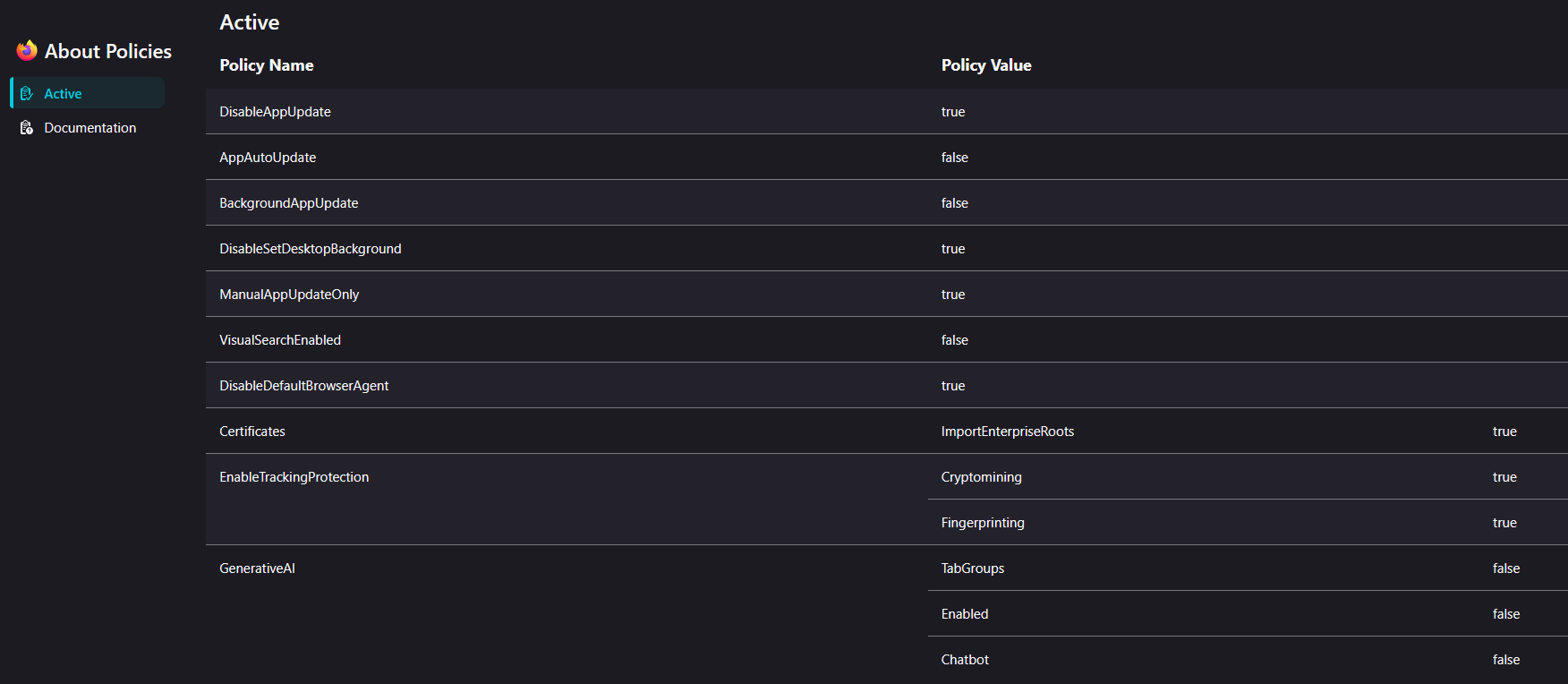
My GPO settings are all still in tact, Firefox uses the GPO settings as shown in about:policies, showing that the policies from the GPEdit.msc are active.
Mozilla Maintenance Service overrides all Policies.
Firefox https://bugzilla.mozilla.org/describecomponents.cgi?product=Firefox
https://support.mozilla.org/en-US/kb/file-bug-report-or-feature-request-mozilla If you wish, you can file a bug report
mercredi 1 juillet 2026 Votre navigateur est géré par votre organisation, l'organisation, c'est moi
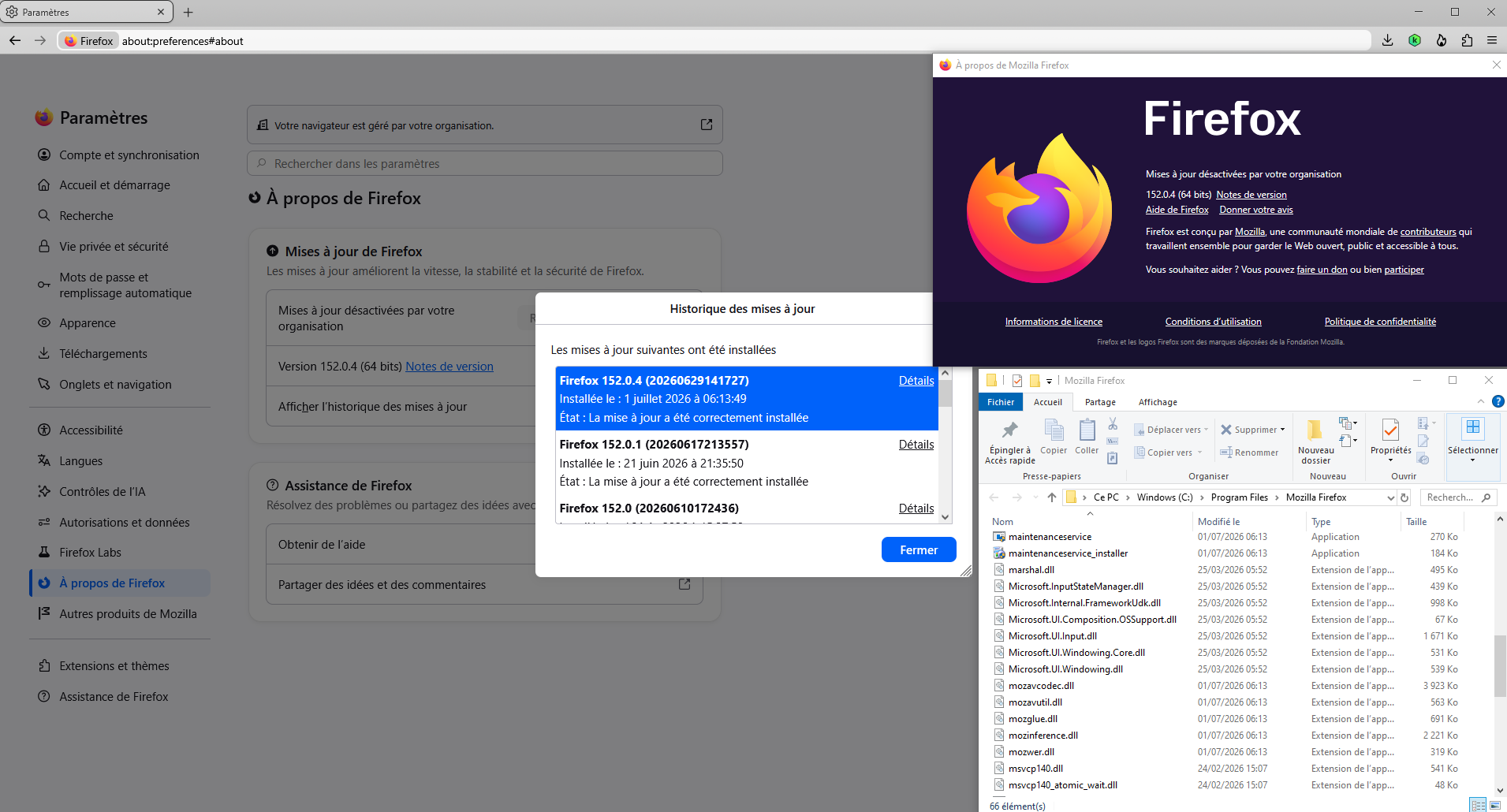
This conversation https://connect.mozilla.org/t5/discussions/upgrade-notification-spam/m-p/115113/highlight/true#M44901
Windows registry for illustration
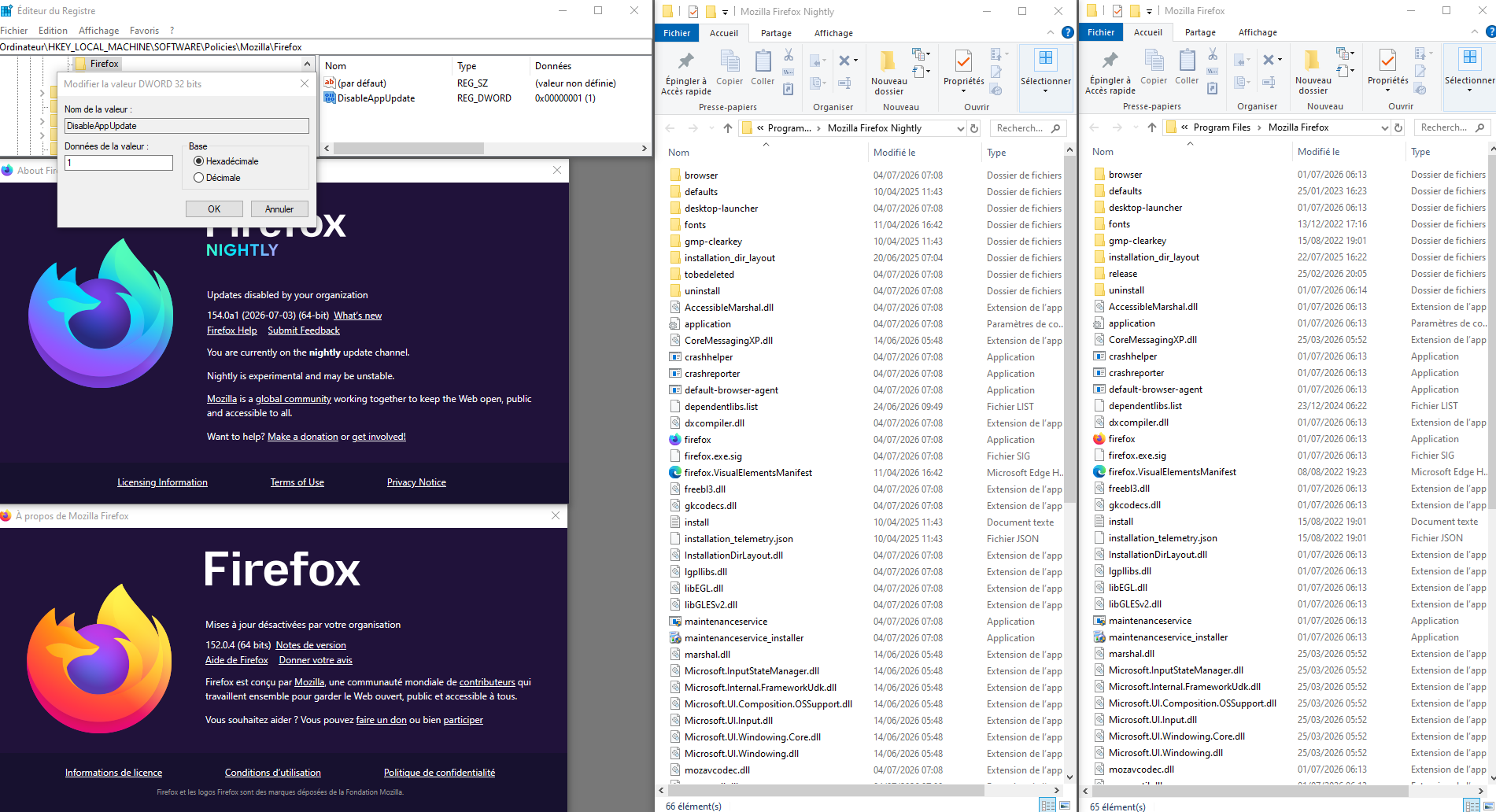
https://support.mozilla.org/en-US/questions/1556031#answer-1813824 Screenshot, clarification, about, the update-config.json file
update-config.json https://support.mozilla.org/en-US/questions/1590154#answer-1828917 Screenshot
Agent Virtuel,
One... Stop telling people to use policy json files.
THEY DO NOT WORK ANYMORE. MOZILLA MOVED TO GPO!
I have REPEATEDLY TOLD YOU that I have tried this, and the policy files get deleted every single fucking update.
Two... The GPO does not work either. Mozilla Maintenance Service installs its self quietly like a priest alone in a room with a little boy. Then Maintenance Service overrules all policies. See attachment for proof.
Three... I did add a registry value to the right spot, but two others were already in there, created by the GPO policy apparently both had already tried to disable updating but failed.
Four... Mozilla, how do I disable your maintenance service? It shouldn't be installed. I've uninstalled many times now. Get this malware off my machine.

Hello
As for me.
This other discussion https://support.mozilla.org/en-US/questions/1590804#answer-1829802 I use, DisableAppUpdate (e.g) https://www.youtube.com/watch?v=7lxCwF8I1F8 Or https://connect.mozilla.org/t5/discussions/turn-off-update/m-p/136371#M55092
I suspect Agent Virtuel is an AI or bot running on the site. This user does not actually read content, ignores things, and just forwards around links.
À propos de https://support.mozilla.org/en-US/user/Agentvirtuel je suis un humain et je vous souhaite une agréable journée.
Bien entendu, d'autres personnes peuvent participer dans ce sujet. Avez-vous questionné la communauté bugzilla.
Vas said
I suspect Agent Virtuel is an AI or bot running on the site.
There is no bots being used to do support on this site as the bot we do have SumoBot is being used for behind the scene stuff like flagging potential spam threads/replies for moderators to review. It is also being used to help translate/keep update KB articles in the less active locales after en-US article is updated.
Welp, Mozilla is still violating my computer. I have gone so far as to uninstall Mozilla Maintenance Service and place a file with the same name as the folder in the program files folder where it was, and taken away all permissions from the file so no one, not even me, can delete the file, preventing the Mozilla Maintenance Service folder from being re-created, and now suddenly Maintenance Service is now installed somewhere else on my computer, against my will, against my consent. This is absolutely deliberately malware. I'm still reporting it to my antivirus company because it finds a way around every method of trying to remove it. This is the definition of malware.
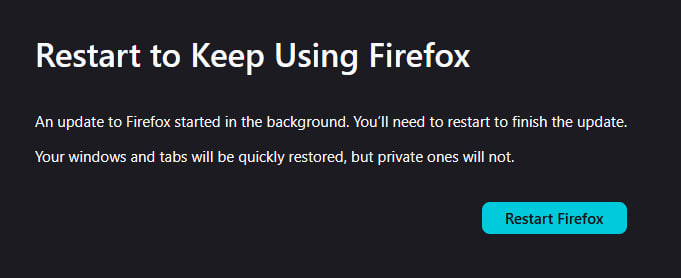
Seriously, why can't Mozilla respect my decisions? Why does Mozilla have to take away my consent and rape my computer with software updates against my will? For years now I have been trying to put a stop to this. I want to update on MY SCHEDULE! Not yours. I'm busy working on projects and suddenly my browser tabs stop opening, the browser stops functioning, and then suddenly all new tabs say "restart to keep using firefox" and I lose my progress on tasks that can't be saved through a browser reboot and have to start over again from scratch.
I have used the GPO editor to make a policy to stop updates and set them to manual update only. I have repeatedly removed Maintenance Service in various ways, tried various methods of disabling it. Nothing's working. You guys just reinstall it on your own whenever you feel like against my consent. What else do you do without consent? Do you browse my emails and share them with third party advertisers? Do you sell my passwords on the black market? Do you get my credit cards from banking websites and use them on yourselves? What else are you doing without the consent of the users.
Hi
This support article explains the Mozilla Maintenance Service. It is not malware.
https://support.mozilla.org/en-US/kb/what-mozilla-maintenance-service
This is a link to the Firefox privacey policy that explains what we do with your data:
Paul said
This support article explains the Mozilla Maintenance Service. It is not malware.
You didn't read what I said. I classify it as malware because of how it behaves. It installs its self against consent. I removed it multiple times. I've gone through great lengths trying to remove it. It will not stay gone. It even ignores policies.
Attached policy proof.
As per the rest, you might have a privacy policy that claims this and that, but is it honored? I can't believe it, if you guys won't stop installing something I don't want, on my computer, against my consent. As long as this malware keeps forcing its way onto my machine into different directories every time I try and stop it... Forcing my browser to be updated against my consent in the middle of me using it...
Find a way to stop this, and I will stop calling it malware.