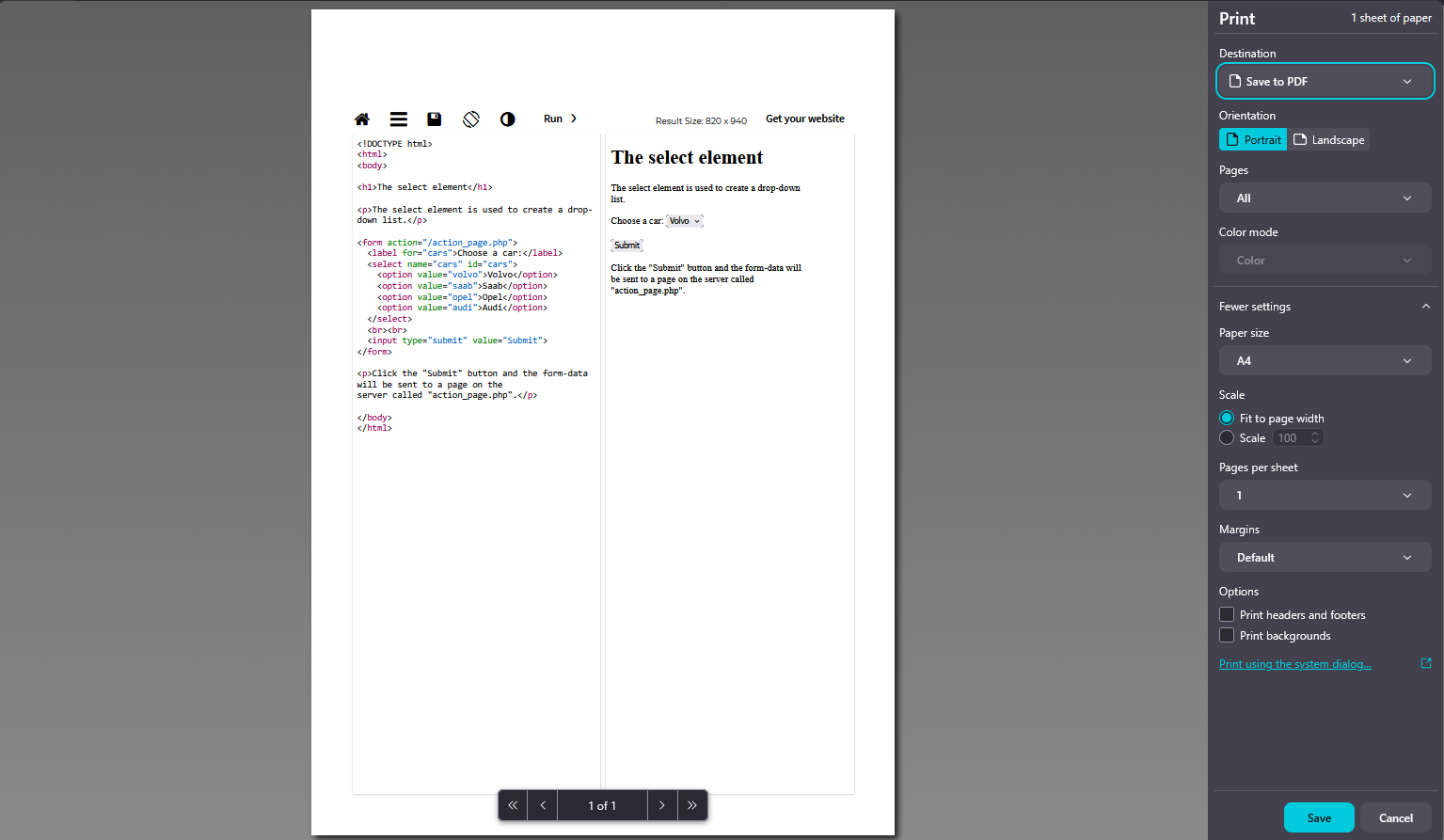
Print preview in Firefox 149 renders all <option> elements inside <select> instead of only the selected value.

In Firefox version 149, there is an issue with print preview behavior for HTML <select> elements. When opening print preview, all <option> items inside a dropdown are displayed and included in the print output.
This behavior differs from Firefox 148, where only the selected option is rendered correctly during print preview.
Steps to reproduce:
- Create an HTML page with a <select> dropdown containing multiple <option> elements. - Select one of the options. - Open print preview (Ctrl + P).
Expected result: Only the selected option should be visible and printed.
Actual result: All options inside the <select> element are displayed and printed.
Impact: This issue breaks the layout of printed documents and makes forms difficult to read, especially when dropdowns contain many options.
Krejt Përgjigjet (11)
Hi,
Thank you for reporting; I've been able to reproduce the issue.
I've filed a bug on Bugzilla, our bug tracker, so that the developers can take a look. I'll keep you updated, but please also feel free to follow the bug if you want.
Ndryshuar nga Denys

erenraharja said
what's that stuff ????
Please never mind, they have asked a question regarding the same issue and might have liked your report style more :D
Ndryshuar nga Denys
UPD The fix has landed on Nightly (v151), and uplift requests for the earlier Firefox versions (Beta, v150, and release, v149) have been submitted.

It has already been up uplifted to Beta, so we can definitely expect it on April 21 at least :D
I'll post an update here once there's a decision regarding release.
UPD The fix has been uplifted to v149 (release), which means we can expect it in the next dot release.
Hi all,
Getting back here a bit late, but the fix is already on release with v149.0.2. Could you please confirm it works for you?
Denys said
Hi all, Getting back here a bit late, but the fix is already on release with v149.0.2. Could you please confirm it works for you?
works for me, thanks xoxo