After updating to 147.0.1 the cookies list shows as empty

Although I remain logged in to sites and cookies show in DevTools, the cookies list in settings>privacy>Cookies_and_Site_Data>manage_data shows as empty, no cookies listed.
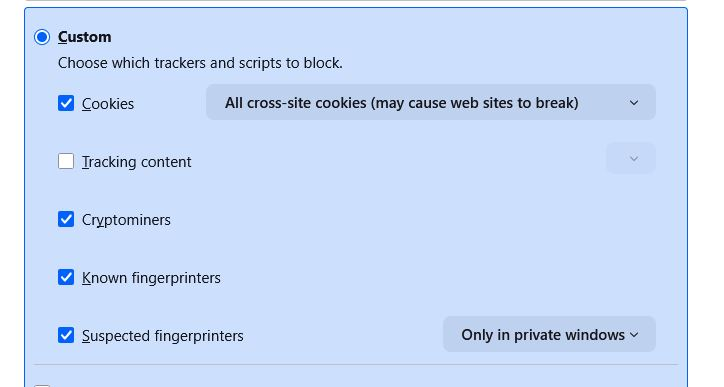
In troubleshoot mode, the same blank list. I haven't changed any settings. network.cookie.cookieBehavior is set to 1 I'm on windows 10 Home 22H2
The update to 147.0.1 seems to have caused it. Please advise.
Although I remain logged in to sites and cookies show in DevTools, the cookies list in settings>privacy>Cookies_and_Site_Data>manage_data shows as empty, no cookies listed.
In troubleshoot mode, the same blank list.
I haven't changed any settings.
network.cookie.cookieBehavior is set to 1
I'm on windows 10 Home 22H2
The update to 147.0.1 seems to have caused it.
Please advise.
Krejt Përgjigjet (1)
Can anyone help with this please? 147.0.2 update didn't resolve the issue.
The image shows my cookie settings as they are and were before the issue occurred.