


TB 140.6.0 will not get messages, will not save messages, & will not send messages

This may be a poor / wrong description, but the problem(s) is related to ? server settings ?
Using a Win 10 laptop TB 140.5.0, can receive, & save as a draft, but cannot send e-mail(s).
Using a Win 11 laptop TB 140.6.0 cannot get / receive e-mails random exceptions, unrelated to using Get Mail.
     "         "     "     "        "       "            "      save messages prompt mentions server.
     "         "     "     "        "       "            "      send messages     "              "             "
I tried to look at / check server settings, but have no understanding of what to look at / check / do. I try to screen shot/save what I see, but it times out (disappears) before I can accomplish (remember how) to activate save.
I've also been unsuccessful in transferring - saving book marks - profiles to the Win 11 laptop.
Season's GREETINGS to one & ALL!
Robin
Krejt Përgjigjet (3)
Hi, Robin,
Here is a link to a simple screenshot tool that has many features. and it's FREE: https://picpick.app/en/download/ Use that (or whatever) to create screenshots of your incoming server settings pane and your SMTP server settings pane, and I will attempt to provide assistance. Thanks.
Thanks for your reply!
SORRY it took so long
If I was successful, I've included the receive and send server screen captures.
Season's GREETINGS and well wishes.
Robin
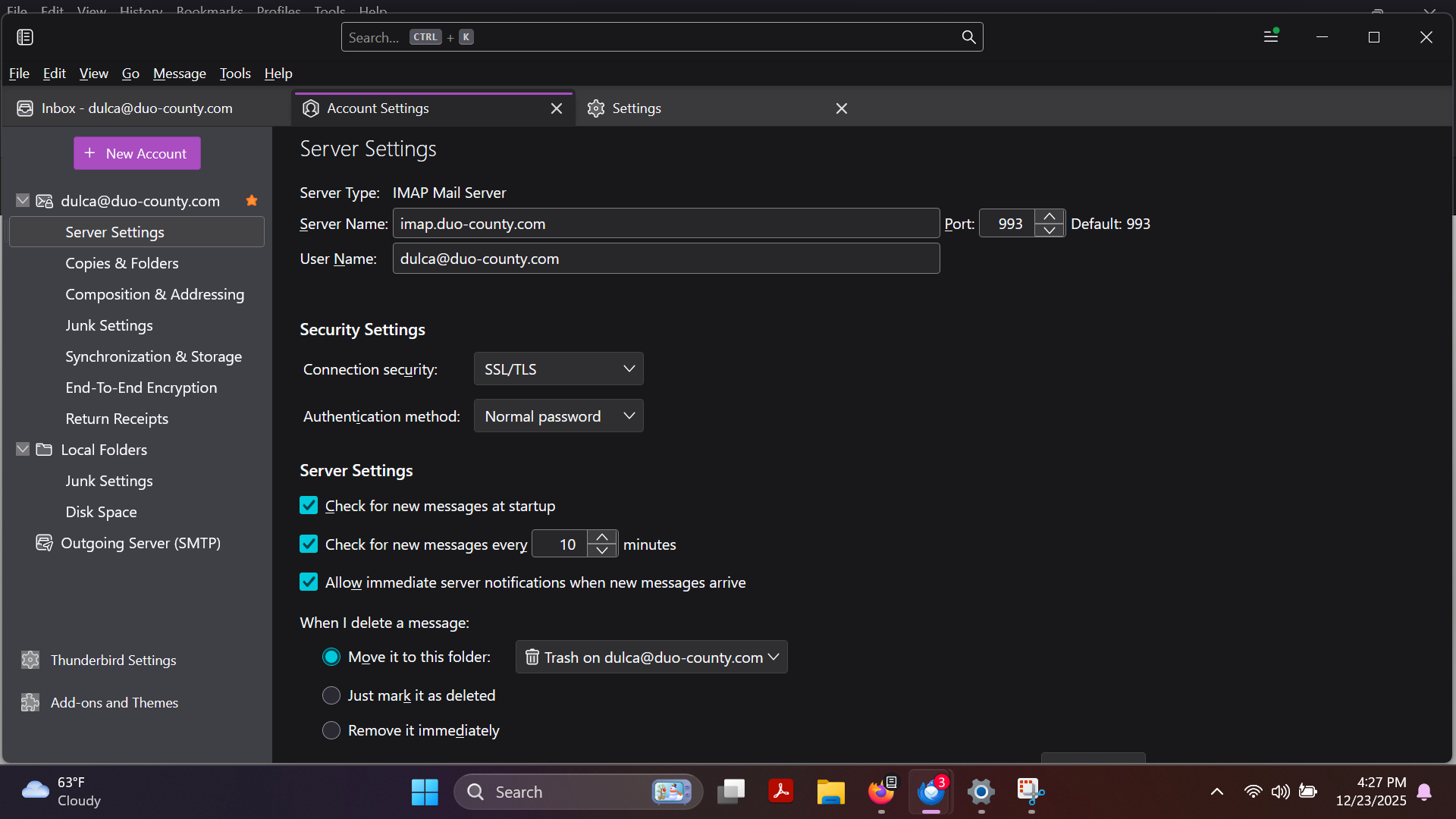
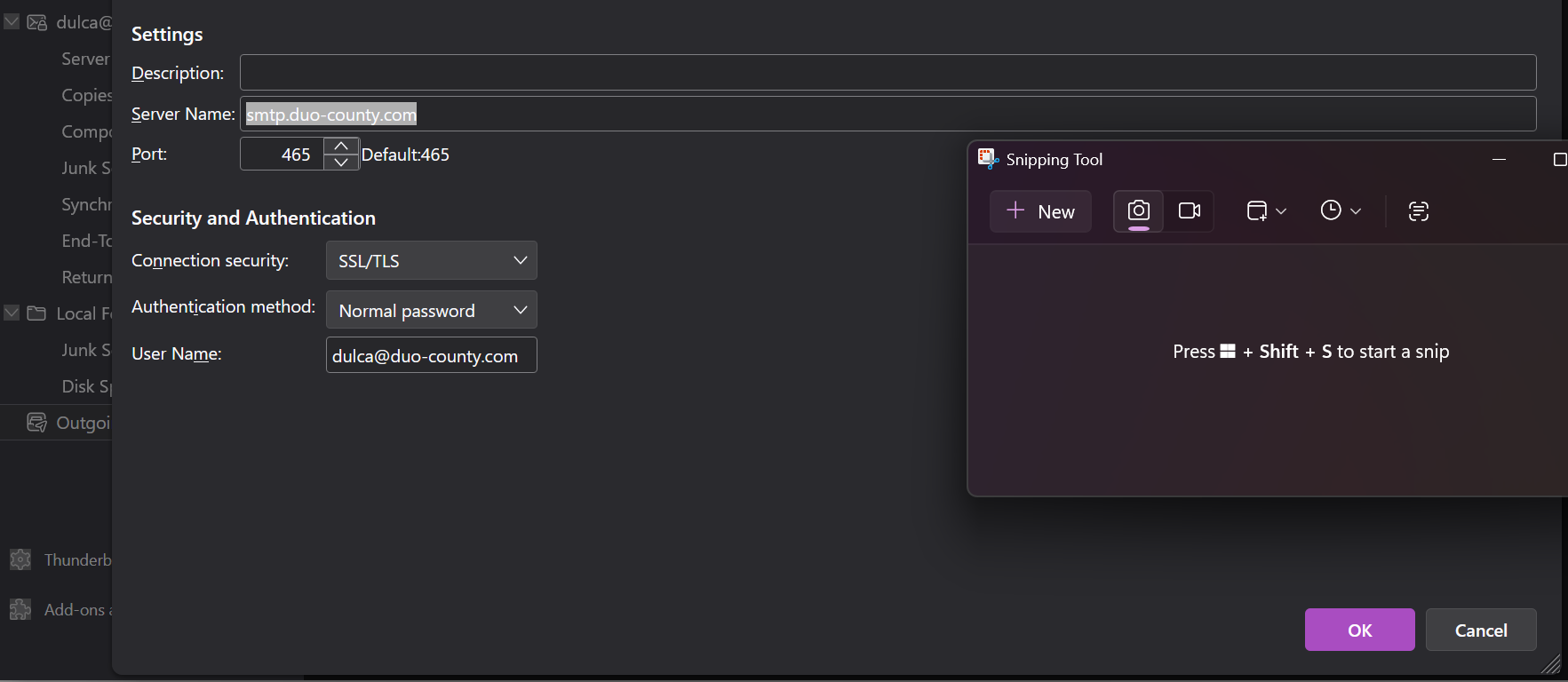
Robin,
This is a carry-over from your prior post - https://support.mozilla.org/en-US/questions/1545544 As Matt mentioned there, you need to get more information from your email provider and how their switch to Zimbra affects your email. Another, possibly simpler option, is to abandon that email provider and set up a new one. My personal suggestion is to consider outlook.com because that is free, well-supported, and Outlook provides a user-friendly online client functionality that eliminates the need for a client on the PC. Over the years, I have had several friends and colleagues make that switch and they have been fully content. Seriously, you have been chasing this problem a long time, and your email provider has not been there for you, yet changed things that seem unsolvable.