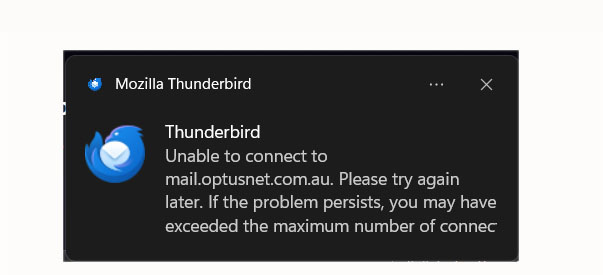
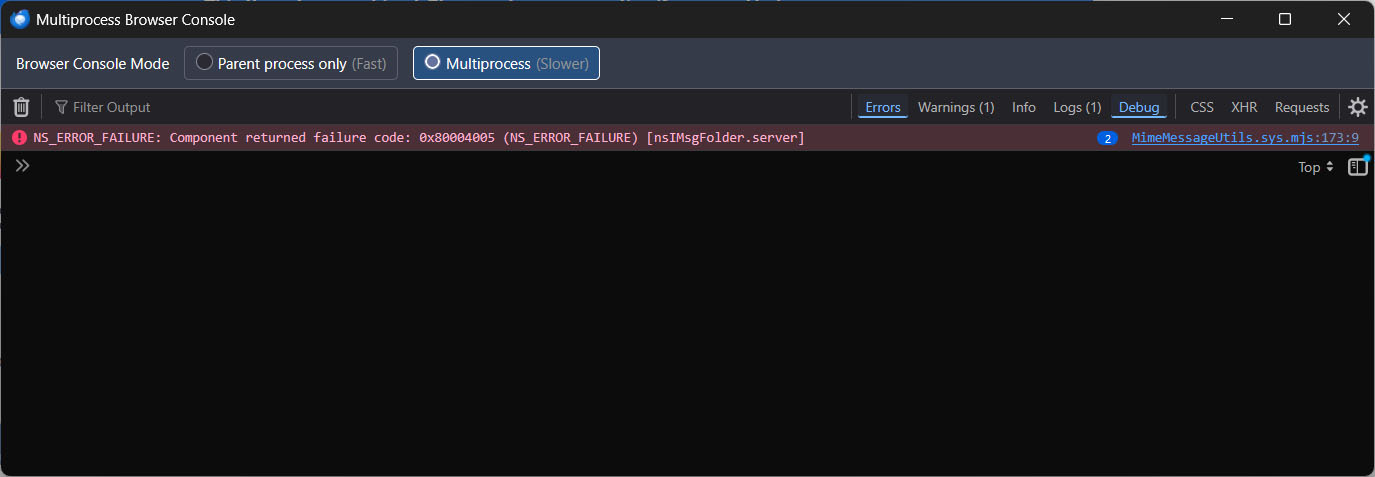
Optus (Australia) emails can't be sent or received my Optus wifi internet connection.

Optus (Australia) emails can't be sent or received by Thunderbird on my PC via my Optus wifi internet connection. I can use emails on my phone via mobile data with wifi turned off (different email client on the phone, though). Optus checked all the settings on my PC with me and they are all correct. They insist that it is a Thunderbird issue (doubtful, IMHO) and that I contact you. Is there an issue with Thunderbird connecting with Optus email? If so. is there any resolution to the issue? If not, can you confirm no problem from your end so I can get back to them (again!)
Krejt Përgjigjet (3)
Also tried bypassing the wifi and connected by ethernet. Same issue.
When you say cannot be sent or erceived is there any error message ? If yes, it would be helpful if you uploaded an image of what it says.
In the meantime check both of the following.
Firewall: Access Firewall and make sure Thunderbird program is set up as allowed, so nothing gets blocked by firewall. Do not just switch off Firewall, you should have Thunderbird set up as allowed.
VPN Check computer for a VPN which has been enabled. Many Anti-Virus products now offer a VPN and in some cases I've discovered it was auto enabled without user knowledge. Many servers do not like VPN as it hides the IP address. Servers then think you might be a hacker and so may block access. Switch off VPN or set up split tunnelling and get thunderbird to use it.
Hi, Checked my Anti-Virus settings, and Thunderbird is allowed. Checked Widows Firewall and it is disabled by the Anti-Virus program. Thunderbird would not connect. Turned off the Anti-Virus, and checked that Windows Firewall is allowing Thunderbird, still no connection. My Anti-Virus does not have a VPN. Disabled my VPN, and still no connection.
My Optus Webmail works, so Optus says it's a Thunderbird problem. Got them to escalate the issue, but they still said there was no problem on their end.
Attached are the pop up I get when trying to download new emails (Firefox Optus Error-4.jpg) and an error message, which, I admit I don't understand (Firefox Optus Error-3.jpg)