Windows 10 reached EOS (end of support) on October 14, 2025. If you are on Windows 10, see this article.

Kërkoni te Asistenca

Shmangni karremëzime gjoja asistence. S’do t’ju kërkojmë kurrë të bëni një thirrje apo të dërgoni tekst te një numër telefoni, apo të na jepni të dhëna personale. Ju lutemi, raportoni veprimtari të dyshimtë duke përdorur mundësinë “Raportoni Abuzim”.

Mësoni Më Tepër

Login to server smtp.office365.com with username failed

  • 1 përgjigje
  • 0 e kanë hasur këtë problem
  • 102 parje
  • Përgjigjja më e re nga sfhowes
  • Arkivuar

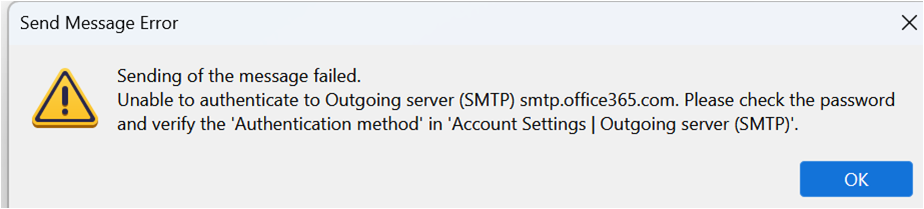
All the settings for both incoming and outgoing servers are correct. I can receive emails but cannot send any from Tbird. I keep getting an error message that says "Login to server smtp.office365.com with username failed". Additionally, the SEND folder is not visible in my email folders. I have confirmed that the outgoing server information in the account settings is correct, please see the screen shots.

Server Name - smtp.office365.com Port-587 Connection Security- STARTTLS Authentication method - OAUTH2 Username: my full email ID

Please can you help how can I resolve this error, thanks.
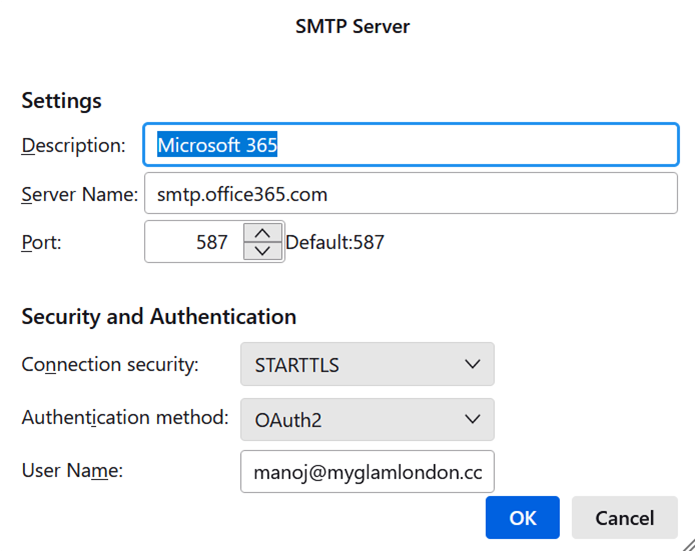
All the settings for both incoming and outgoing servers are correct. I can receive emails but cannot send any from Tbird. I keep getting an error message that says "Login to server smtp.office365.com with username failed". Additionally, the SEND folder is not visible in my email folders. I have confirmed that the outgoing server information in the account settings is correct, please see the screen shots. Server Name - smtp.office365.com Port-587 Connection Security- STARTTLS Authentication method - OAUTH2 Username: my full email ID Please can you help how can I resolve this error, thanks.
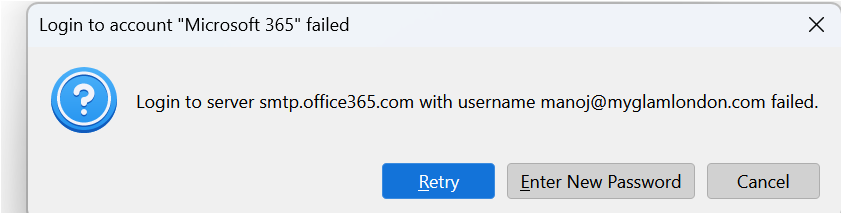
Foto të bashkëngjitura ekrani

Krejt Përgjigjet (1)

You shouldn't see the 2nd picture with the password prompt if the authentication is OAuth2, but there might be an obsolete password in Saved Passwords. Remove all entries for the account in Settings/Privacy & Security, Saved Passwords, restart TB, enter the account password in the OAuth window to allow access. Check that the incoming authentication is also OAuth2.