


Picture-in-picture window border-radius (rounded corners)?
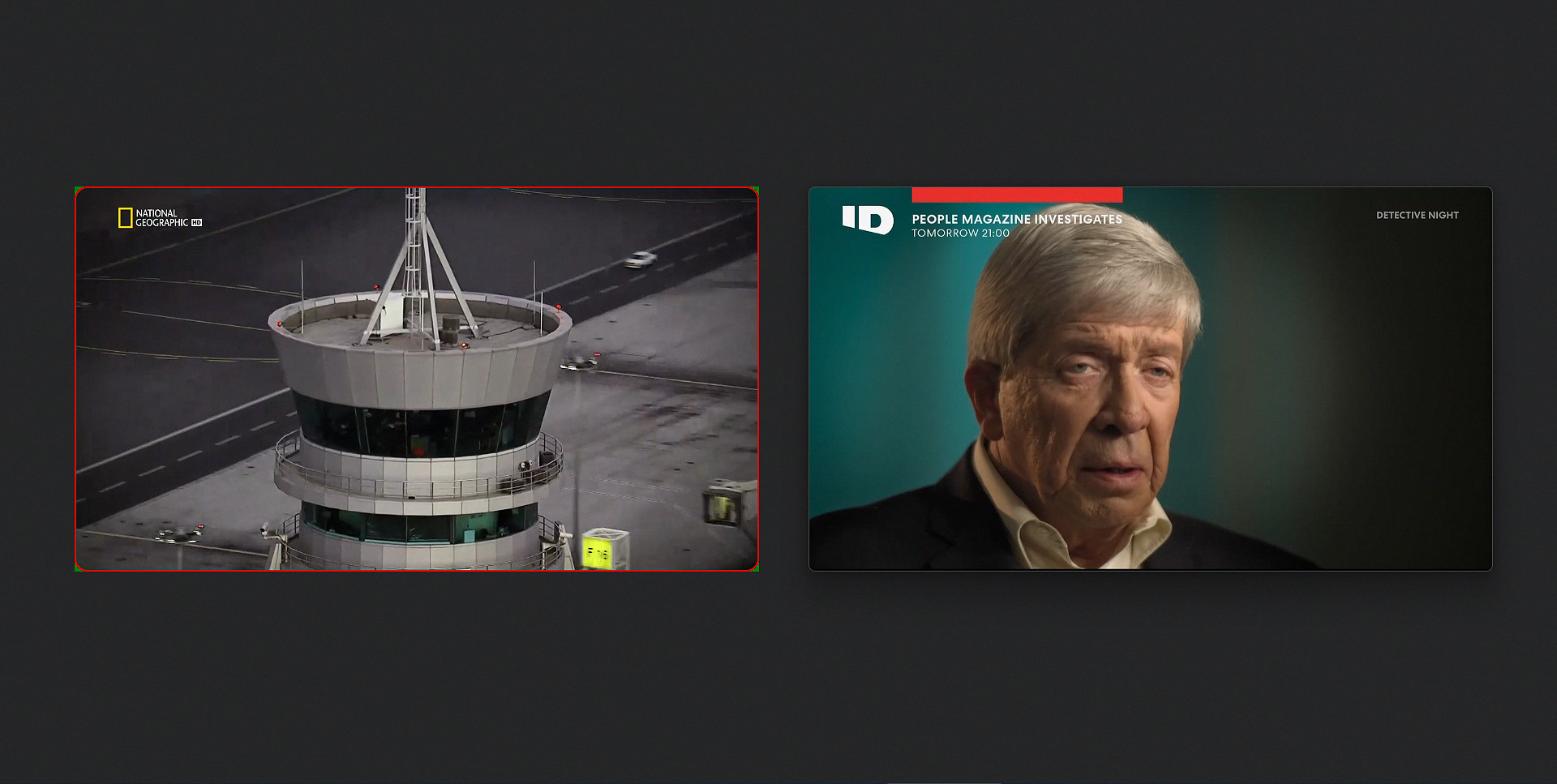
Hello. I just wanted to add 8-10px border-radius and a thin 1px border. Just like all chromium browsers already have and even Waterfox did it too. I tried to do different things already, but I couldn't find the way how to get rid of that background with square corners. See the attached image to better understand what I mean. My attempt on the left, and Chrome on the right. These square corners (green in this case) behind. Any ideas? Thanks in advance for any answer.
Krejt Përgjigjet (3)
Are you styling an image, or a whole page? Is there a page online demonstrating the problem?
Oh sorry, Picture-in-Picture. So this is a userChrome.css hack?
jscher2000 - Support Volunteer said
Oh sorry, Picture-in-Picture. So this is a userChrome.css hack?
Hello @jscher2000. Yes, this is the picture in picture floating window. And yes, a simple CSS code, something like this: body {
      background: green !important;
   }
.player-holder {
       overflow: hidden;
       outline: 2px solid red !important;
       outline-offset: -2px;
       border-radius: 12px !important;
   }
But it looks that this background cannot be modified just by CSS..
PS I don’t know why my question was published in this "Firefox for Enterprise" section.. I thought I chose the main Firefox section. Any ways to move this to the main Firefox section?