


Download failure

I tried to download Libre word processing three times and it said it downloaded but it did not. I hit the icon, it flashes on the screen and disappears. I noticed a help feature from Libre but it doesn't work either as the instructions are impossible to follow.
How can I get Libre Office downloaded so it works on my Windows 10 PC?
Thanks, Mark
Krejt Përgjigjet (3)

Are you getting it from here? Show us the issue.
https://www.libreoffice.org/donate/dl/win-x86_64/7.2.4/en-US/LibreOffice_7.2.4_Win_x64.msi
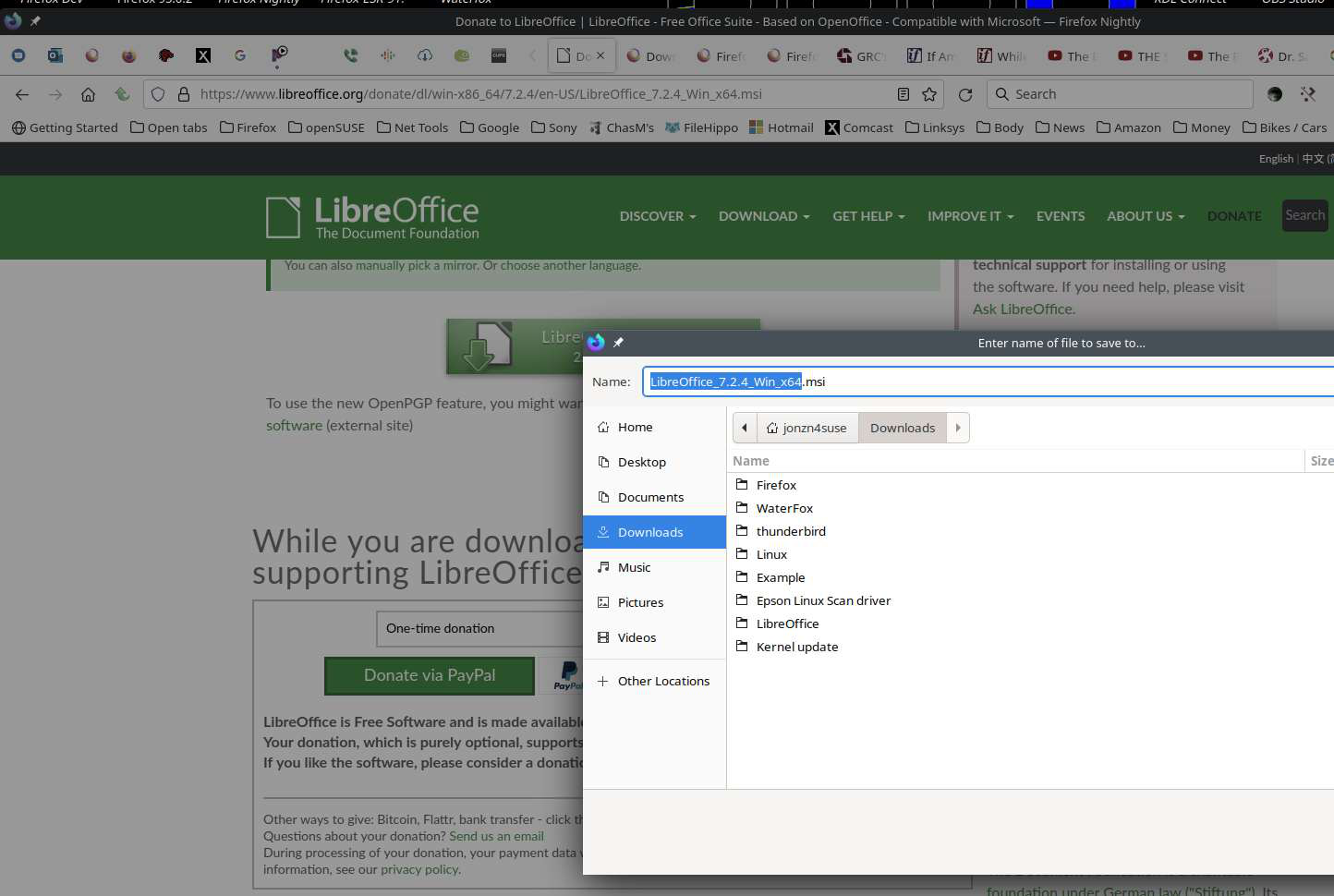
Ndryshuar nga jonzn4SUSE

Make sure you are not blocking content.
https://support.mozilla.org/en-US/kb/enhanced-tracking-protection-firefox-desktop also see https://blog.mozilla.org/security/2021/03/23/introducing-smartblock/
https://support.mozilla.org/en-US/kb/smartblock-enhanced-tracking-protection
Diagnose Firefox issues using Troubleshoot(Safe) Mode {web link}
A small dialog should appear. Click Start In Troubleshoot(Safe) Mode (not Refresh). Is the problem still there?
Many site issues can be caused by corrupt cookies or cache.
Warning ! ! This will log you out of sites you're logged in to. You may also lose any settings for that website.
- How to clear the Firefox cache {web link}
Go to the Mozilla Add-ons Web Page {web Link} (There’s a lot of good stuff here) and search for a download manager.
This download manager works separately from the browser.
The browser tells it what to download, and off it goes.
http://www.freedownloadmanager.org It is a powerful modern download accelerator and organizer for Windows and Mac.