


Is there a way to open the Bookmarks Library in a tab instead of a new window?

One can go to the Hamburger menu --> Bookmarks --> Show All Bookmarks or one can press Ctrl+Shift+B to show the bookmarks library in a new window. I prefer for it to open in a new tab, ala Google Chrome. Is this possible?
Krejt Përgjigjet (3)
You can create a new bookmark and paste this chrome:// protocol URI in the location field to open the Bookmarks Manager (Library) in a tab.
- chrome://browser/content/places/places.xul
Firefox uses the "chrome://" protocol to access its internal files and use chrome in other cases like userChrome.css (no relation with Google Chrome).
Ndryshuar nga cor-el
Thanks! Using that URL opens the bookmarks just as I'd like!
One problem though - when I click on a folder in the sidebar it disappears! If I click onto another folder it reappears. Not a huge issue, but not great for usability. Any idea why it does that?
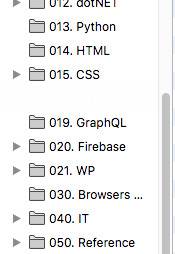
Sounds like a problem with the select color where the background color isn't changing to something like blue, but the text color changes to white making the text disappear. I'm not sure if there is a easy fix if this only happens on this chrome protocol page,
I assume that this works properly in the Bookmarks Manager (Library) and in the bookmarks sidebar?