


White border on Firefox window when using extended display.

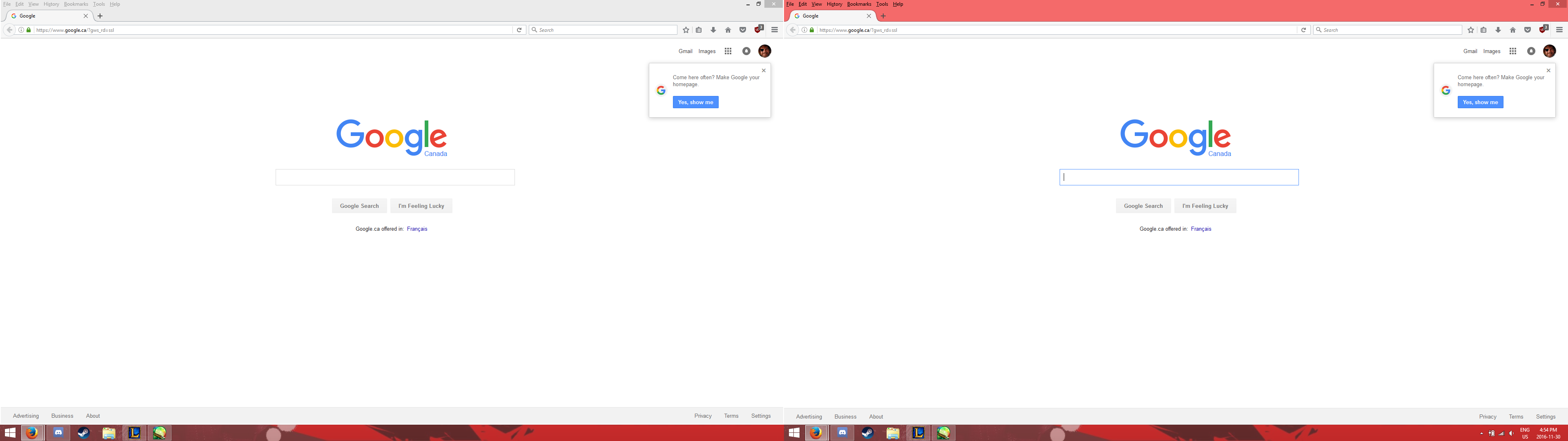
I'm using a multi-screen setup at home that consists of a laptop plugged into a monitor, and there's a white outline surrounding three sides of the the browsing window when maximized on the laptop screen, but not while on the monitor. Both displays are the same resolution, and this doesn't occur when the monitor isn't plugged in. Unplugging the monitor and plugging it back in seems to solve the problem, but I'm kind of curious why it happens and if there's anything that I can do to prevent it.
Krejt Përgjigjet (2)
Image didn't upload properly in the OP.
Any luck with disabling hardware acceleration?
- Options/Preferences -> Advanced -> General -> Browsing: "Use hardware acceleration when available"
You need to close and restart Firefox after toggling this setting.
You can check if there is an update for your graphics display driver and check for hardware acceleration related issues.