


password encryption when not set in TB

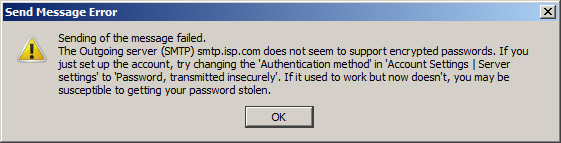
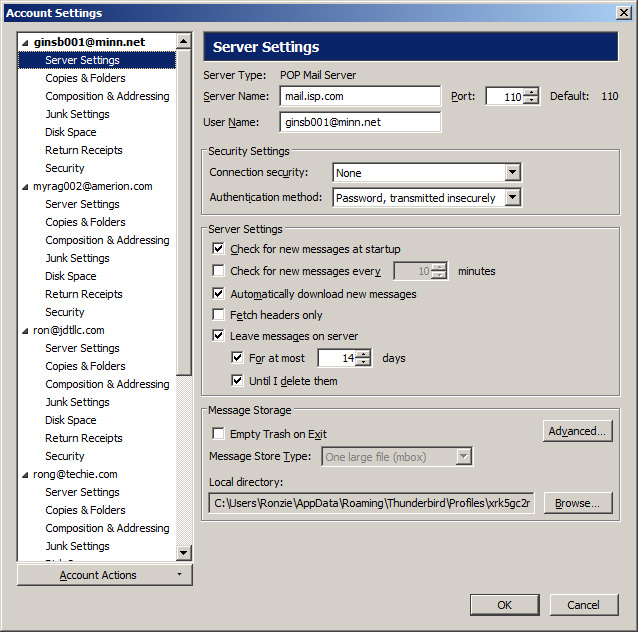
In POP3 mail settings, transmit insecure pw set and pop3 works. In smtp on sending I get error message stating an encrypted password is attempting to be used and is refused by by smtp server. I do not see a separate setting for password security in the smtp settings.
Zgjidhje e zgjedhur
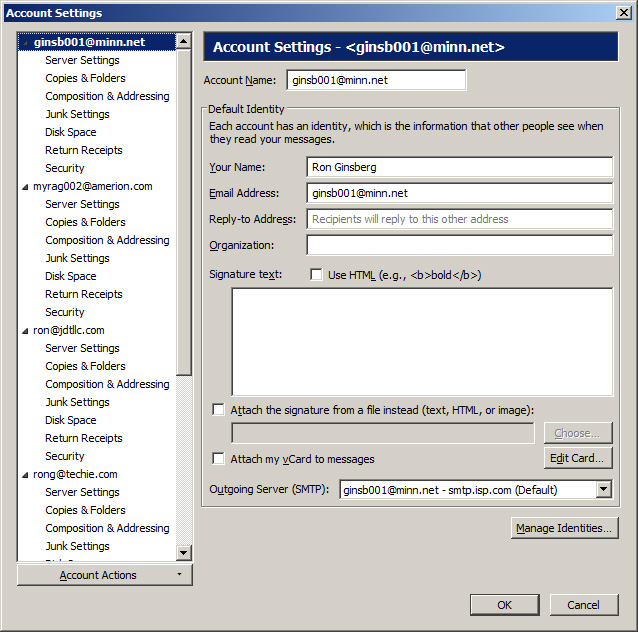
Go down to the very last account in the list, "Outgoing server (SMTP)". You'll find all your smtp settings there.
Lexojeni këtë përgjigje brenda kontekstit 👍 0Krejt Përgjigjet (4)
Open: tools / options / security / Passwords / saved passwords and show passwords Are your passwords for the smtp server equal to the pop ? You can change by right clicking on password
Thank you for replying. The passwords are equal.
The manual states there is a setting for password transmission type on the outgoing server. I only see it for the incoming (pop) server. Where is the password transmission type for the outgoing server.
Zgjidhja e Zgjedhur
Go down to the very last account in the list, "Outgoing server (SMTP)". You'll find all your smtp settings there.
Thank you. I did not scroll down far enough in that list. Too bad it was not placed higher up.
When I installed TB, all of these accounts were imported from Eudora 6 (paid). It all worked until two weeks ago. Perhaps upgrading to TB version 48 made that change as your original reply stating I could edit the passwords in the security options was not available in 35 but was in 48. I expect the default when that function was added was to transmit a secure password.
Thank you for your help.
Resolved.