


Can I use an alternative to Adobe Flash Player PLEASE?

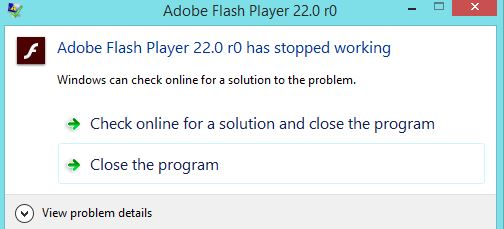
I am getting this message repeatedly, and would like to know if there is any other alternative to Adobe Flash Player that I can use as a plug-in for Firefox??
Krejt Përgjigjet (2)

Check out this link. https://addons.mozilla.org/en-US/firefox/search/?q=Player
If you have problems with current Shockwave Flash plugin versions then check this:
- see if there are updates for your graphics drivers
https://support.mozilla.org/kb/upgrade-graphics-drivers-use-hardware-acceleration
- disable protected mode in the Flash plugin (Flash 11.3+ on Windows Vista and later)
https://forums.adobe.com/message/4468493#TemporaryWorkaround
- disable hardware acceleration in the Flash plugin
https://forums.adobe.com/thread/891337 See also:
Many websites are moving away from content that requires the Flash player plugin, but it's still common for games and advertising, and video on some sites. So unfortunately, we're stuck with it for quite a while.
I agree with the recommendation above to disable the protected mode feature of the Flash player plugin, but there is an easier way.
This feature has security benefits, but seems to have serious compatibility issues on some systems. You can disable it using Firefox's Add-ons page. Either:
- Ctrl+Shift+a
- "3-bar" menu button (or Tools menu) > Add-ons
In the left column, click Plugins. On the right side, find "Shockwave Flash" and click the More link. Then uncheck the box for "Enable Adobe Flash protected mode" and try that for a day to see whether it helps.