


My addresses are mixed up in a message page; how do I make them aphabetical again?
I don't know why suddenly the addresses in an email message are mixed up. I can't find any way to sort them by last name again.
All Replies (5)

Please provide a screen shot - you can redact anything you think is sensitive.
I can't quite picture what you describe - you mention "addresses in an email message", suggesting that you mean the To, From, etc. addresses you see at top of a particular message. But then you mention sorting them, which doesn't apply to single messages.
You may have a corrupt folder index. Try right-clicking on the folder name in the Folders List and choose Properties, then Repair Folder.
Let me try to explain better. In the address book the names are in alphabetical order by last name. No problem there. But when I bring up a message blank to compose and send an email, the names are not in alphbetical order but mixed up. I can't find any way to make them back into alphabetical order. When I choose properties, a page comes up with only the name of the alpha list, but not Repair Folder.
OK, I get what you're saying now. I wonder if they're actually being sorted by either email address or what address book they're in, but the columns are hidden so it's not obvious.
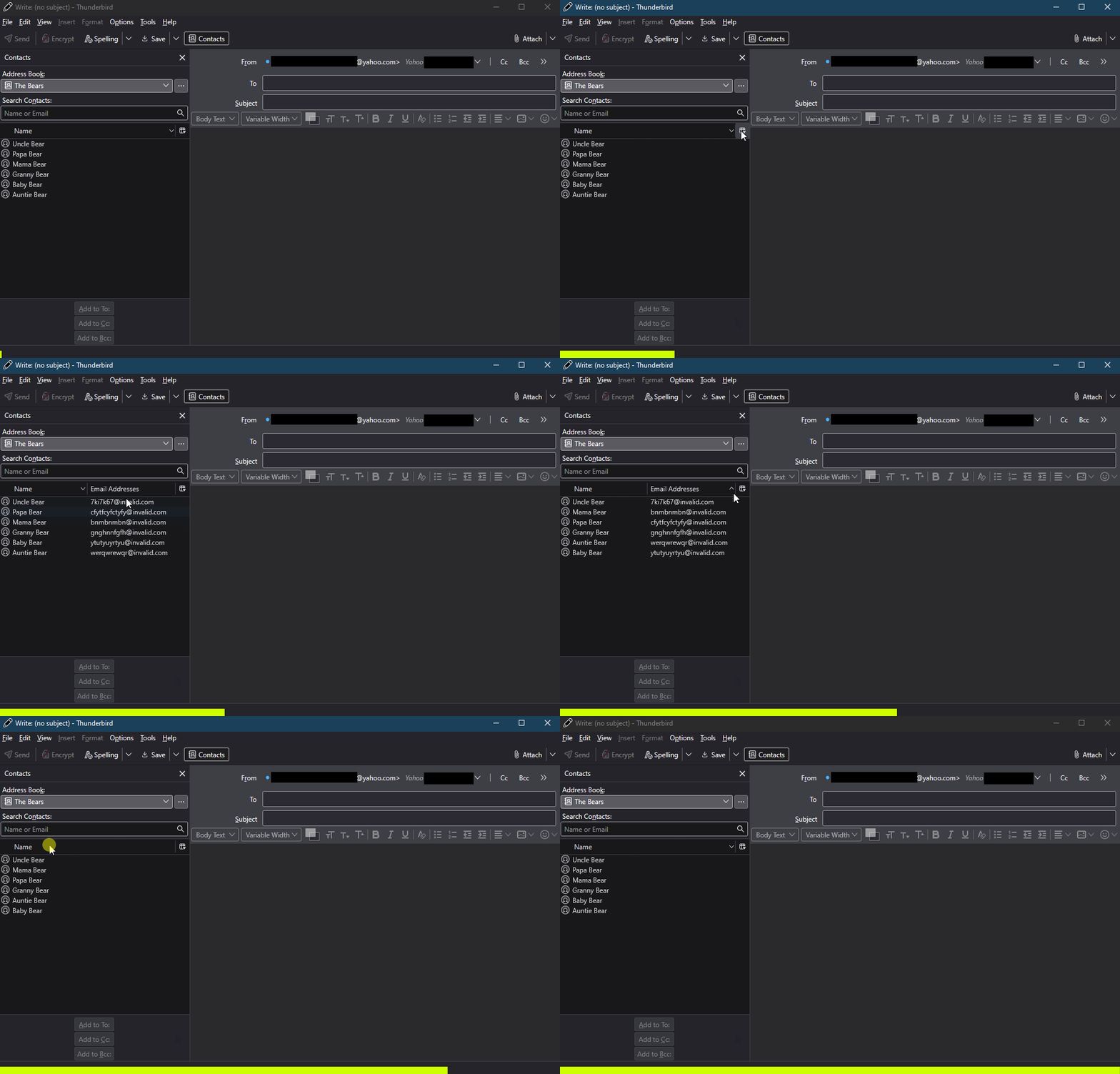
While composing a message, click on the little "columns" icon at on the right side of the header bar just above the contacts list. There can be up to three columns available, Name, Email Addresses, and Address Book. You probably want just Name, so uncheck the ones you don't want, or check "Restore Default Columns" which leaves you with only Name. Any of those columns can be sorted in either ascending or descending order by clicking on that column header - the order will be indicated by an up or down arrow.
I find it unfortunate that the Name sort here only does it by first name rather than last, but I can deal with it.
My "Repair Folder" suggestion was for when I though you were talking about the addresses showing in a message or messages list. It doesn't apply to your Address Book situation, so ignore that one.
Modified by Lin
Thanks for trying, but I see no columns icon unless it is the one to right of the scissors, which is unavailable in my messages.
Please see the attached animation showing the address list columns at work in the Write window.
I don't see a "scissors" icon. A screen shot from you might make things clearer.
Modified by Lin