


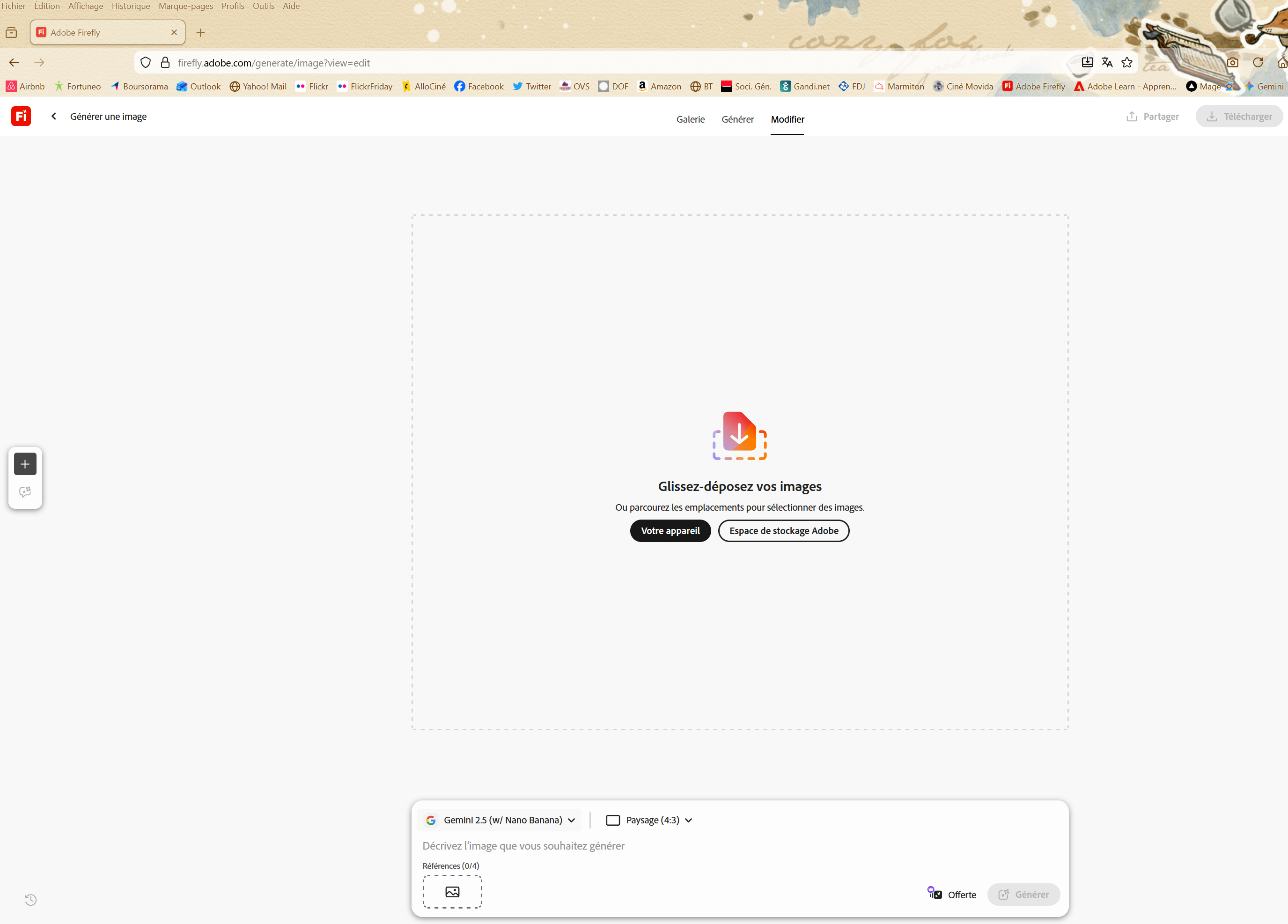
The Adobe Firefly website does not work with Firefox.

Hello, I'm using Firefox 147.0.4 on Windows 11. When I open the Adobe Firefly website and I try to upload a file to the Adobe server using drag and drop or by browsing the Windows file system, nothing happens ... There's no error message, but the file isn't uploaded. Of course, this site works perfectly with Opera or Edge... On the Adobe forums, many users have the same problem with Firefox, and Adobe's response is always the same: change browsers ! Thank you for keeping me informed about the resolution of this problem, as I don't want to change browsers ! My email address is [edited email from community support forum]
Have a great day, Sincerely,
Mr. Fernandez
Изменено James
Все ответы (1)
Hi,
Sorry to hear that. Here are some standard troubleshooting steps that may resolve the issue:
- Please check if you have Enhanced Tracking Protection (ETP) enabled. You can do that by clicking the shield
 icon in the left part of the address bar.
- If ETP is enabled, try disabling it.
- If the problem is not fixed, try clearing Firefox cache.
- If it does not help, try clearing cookies and data for the website you experience troubles with (warning: you will be logged out on this website).
- If it also does not help, try running Firefox in Troubleshoot Mode. If the problem doesn't persist, please follow the steps from this article to troubleshoot further.
- If nothing from the above helps, try creating a new Firefox profile and check if the issue persists there. If it doesn't, you can start copying files from your old profile to the new one to identify which one causes the issue. See this article on what files to copy.
- Finally, if creating a new profile hasn't helped, please check if the issue persists in other browsers (e.g. Chrome, Edge, Opera or Safari).
- If it does, it is most likely an issue on the website's side. You may want to inform the website owner or administrator about that.
- If it doesn't, that's a compatibility issue. Please report it on WebCompat, so that our team there may be able to look into it. We'd also appreciate posting a link to your report here.
Does any of the above help? Looking forward to your update on how it goes!