


Join us to show up for other Firefox users 🦊. Earn fun badges and Mozilla swag vouchers! Find out more: https://mzl.la/askafox150

Windows 10 reached EOS (end of support) on October 14, 2025. If you are on Windows 10, see this article.

Поиск в поддержке

Избегайте мошенников, выдающих себя за службу поддержки. Мы никогда не попросим вас позвонить, отправить текстовое сообщение или поделиться личной информацией. Сообщайте о подозрительной активности, используя функцию «Пожаловаться».

Подробнее

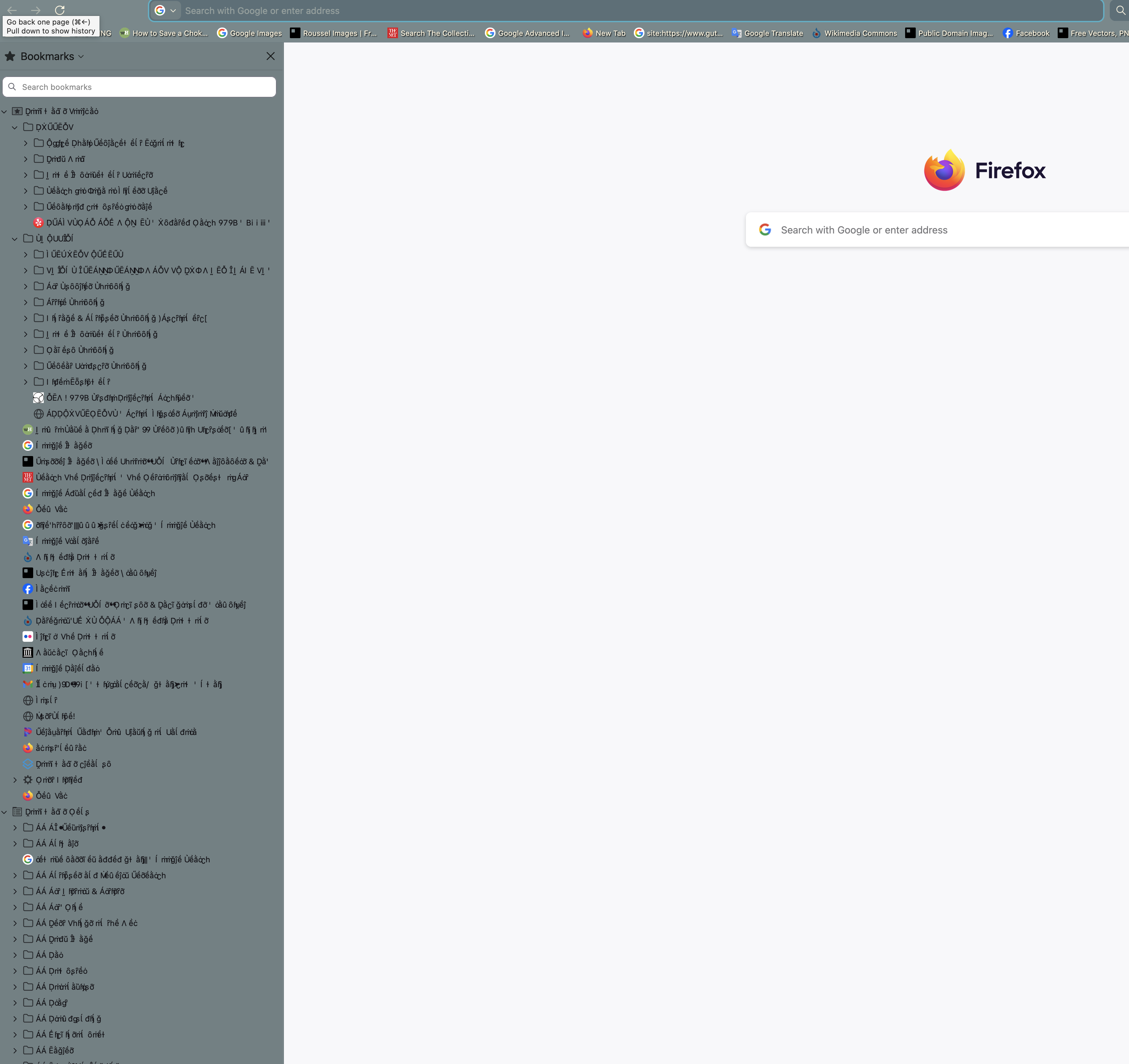
Fonts display corrupted on Bookmark Sidebar

  • 2 ответа
  • 1 имеет эту проблему
  • 151 просмотр
  • Последний ответ от mizfrancesca
  • Открыта

Hi! I'm having a really weird problem with fonts in Firefox on my Macbook Pro M1 14-inch 2021. Specifically, the fonts in the bookmark sidebar appear to be corrupted and replaced with nonsense characters that have a lot of accents. I've tried rebooting, clearing all Firefox cookies and site data, reinstalling Firefox from an earlier version on my Apple Time Machine (from a time when I didn't have this problem), checking to see if the problem persisted when all extensions were disabled (it did, even after restart with all extensions disabled), and a reboot in safe mode. The reboot in safe mode temporarily fixed the problem and I was pretty excited, but it came back. I tried updating my Mac from Sequoia to the most recent OS (Tahoe 26.2), and the problem was still there, so I tried rebooting in Safe Mode again and the problem went away, but only while I remained in Safe Mode. This time the problem came back when I reopened in regular mode. So whatever the problem is, it's something that Safe Mode counteracts. Can someone help me figure out what's wrong?
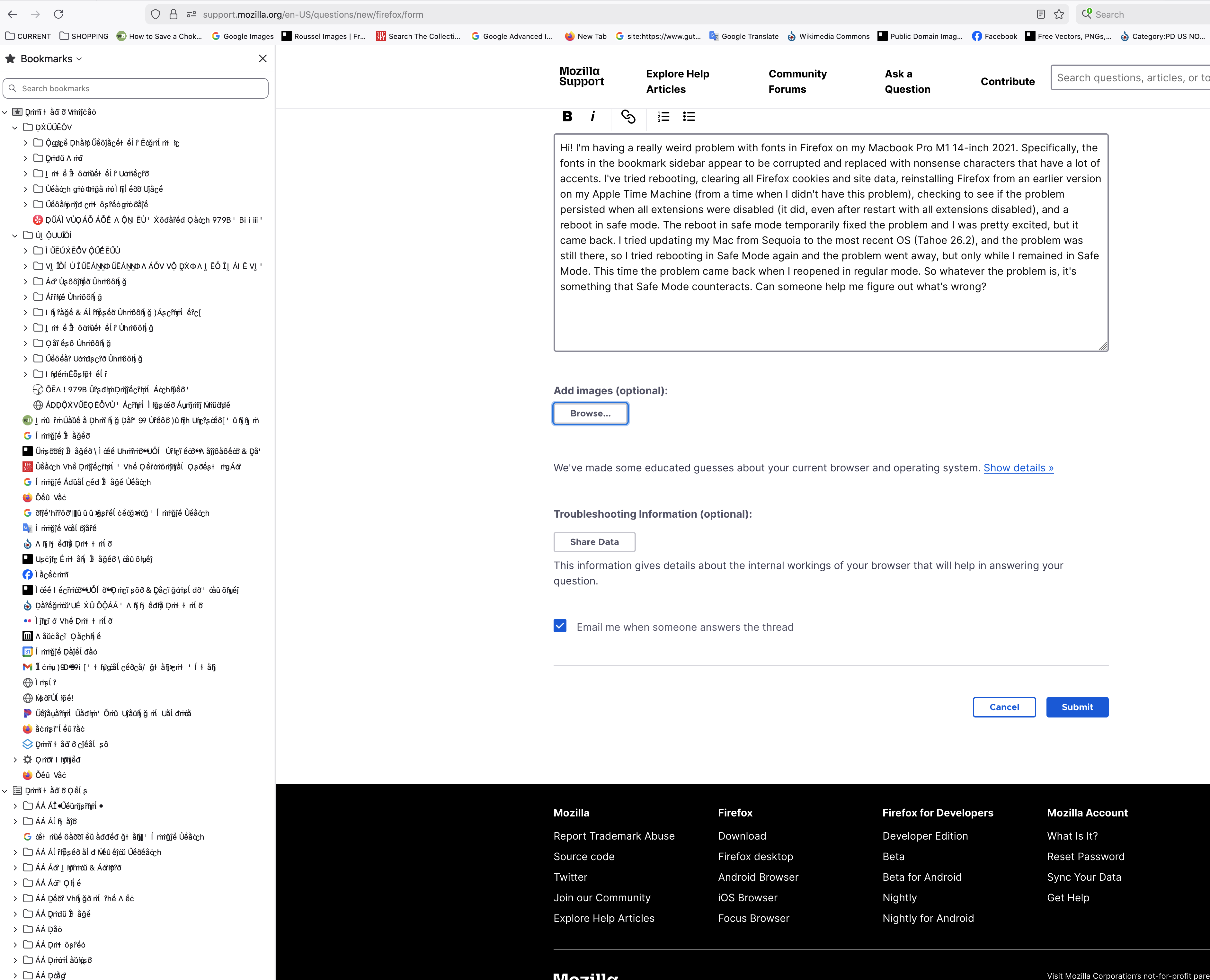
Hi! I'm having a really weird problem with fonts in Firefox on my Macbook Pro M1 14-inch 2021. Specifically, the fonts in the bookmark sidebar appear to be corrupted and replaced with nonsense characters that have a lot of accents. I've tried rebooting, clearing all Firefox cookies and site data, reinstalling Firefox from an earlier version on my Apple Time Machine (from a time when I didn't have this problem), checking to see if the problem persisted when all extensions were disabled (it did, even after restart with all extensions disabled), and a reboot in safe mode. The reboot in safe mode temporarily fixed the problem and I was pretty excited, but it came back. I tried updating my Mac from Sequoia to the most recent OS (Tahoe 26.2), and the problem was still there, so I tried rebooting in Safe Mode again and the problem went away, but only while I remained in Safe Mode. This time the problem came back when I reopened in regular mode. So whatever the problem is, it's something that Safe Mode counteracts. Can someone help me figure out what's wrong?
Приложенные скриншоты

Все ответы (2)

Change Theme

Unfortunately that didn't help -- I tried changing the theme and it just changed the color behind the weird text
Задать вопрос

Для ответа на сообщения вы должны войти в свою учётную запись. Пожалуйста, задайте новый вопрос, если у вас ещё нет учётной записи.