


Chinese text can't display.

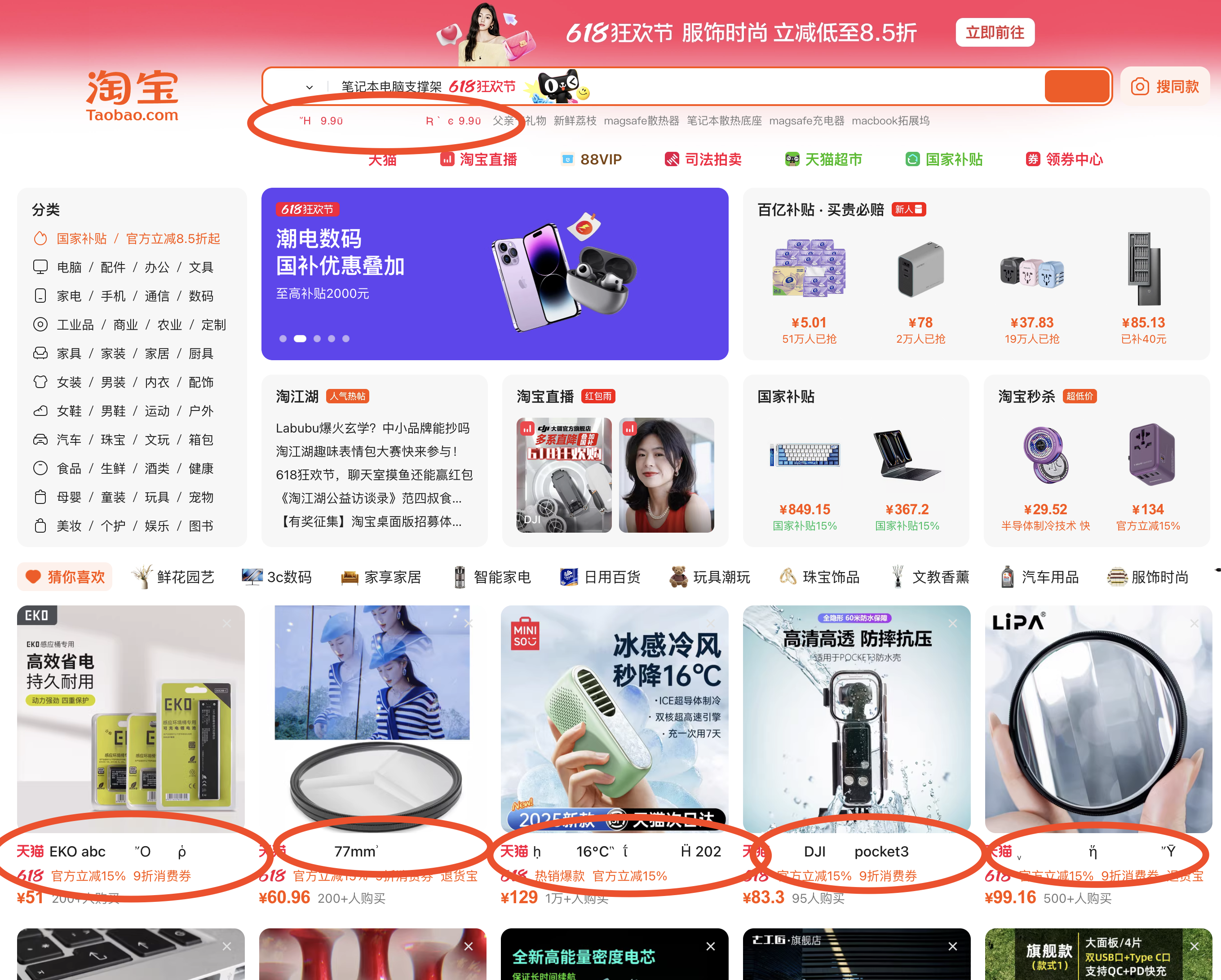
When I go to taobao.com, the Chinese text on the product couldn't display normally. Some of the Chinese text are showing normally but some are not.

Выбранное решение
Denys said
kaitowai said
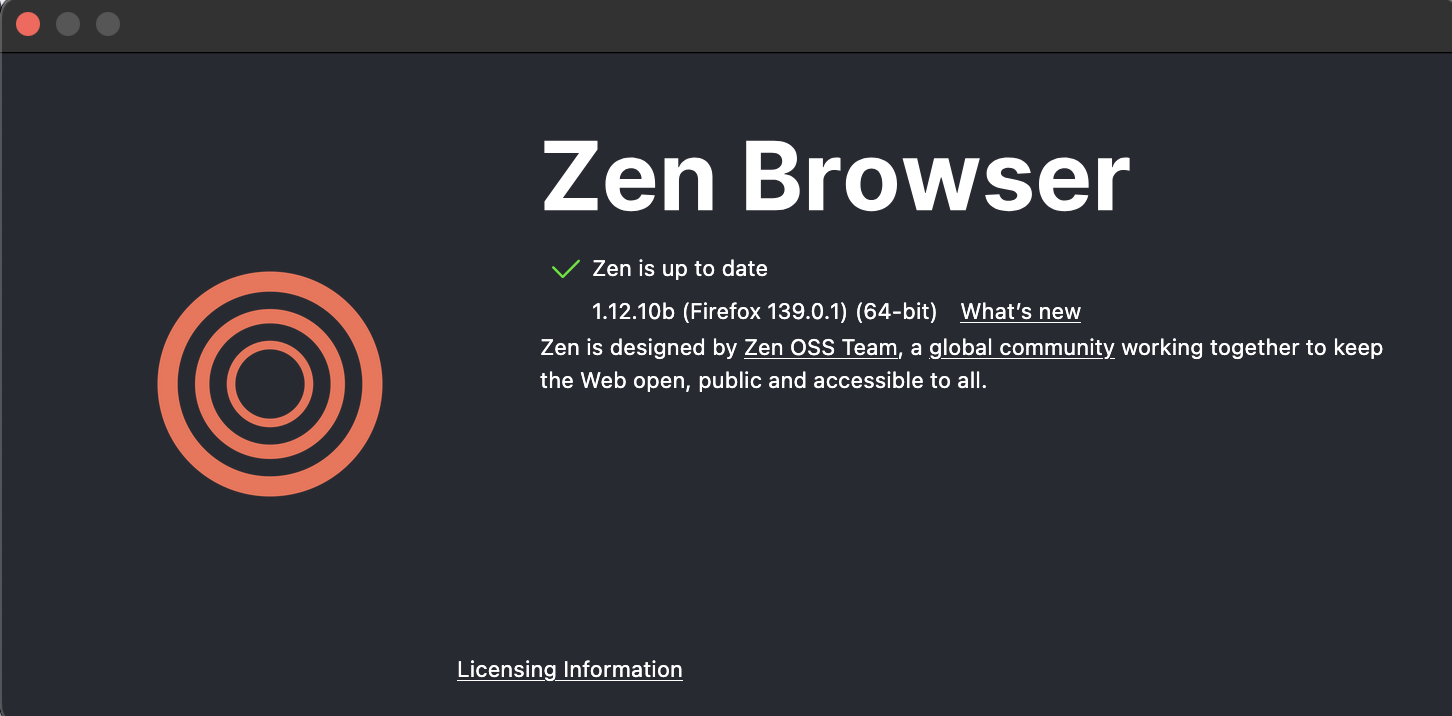
I'm using MacOS Monterey12.7.6Are you using Zen Browser?
Assuming you do, I'm going to mark this thread as off-topic and lock the thread since it is not a subject covered in the support forum. This forum is intended to help users with Mozilla products, such as Firefox, while Zen Browser is an independent project. Please see Mozilla Support rules and guidelines.
Все ответы (9)
Hello,
Could you please clarify, what text is not displayed correctly, and does the problem persist in other browsers?
Denys said
Hello, Could you please clarify, what text is not displayed correctly, and does the problem persist in other browsers?
There is some other Chinese site couldn't show texts too. I've tried other browser like Chrome and safari don't have this problem.

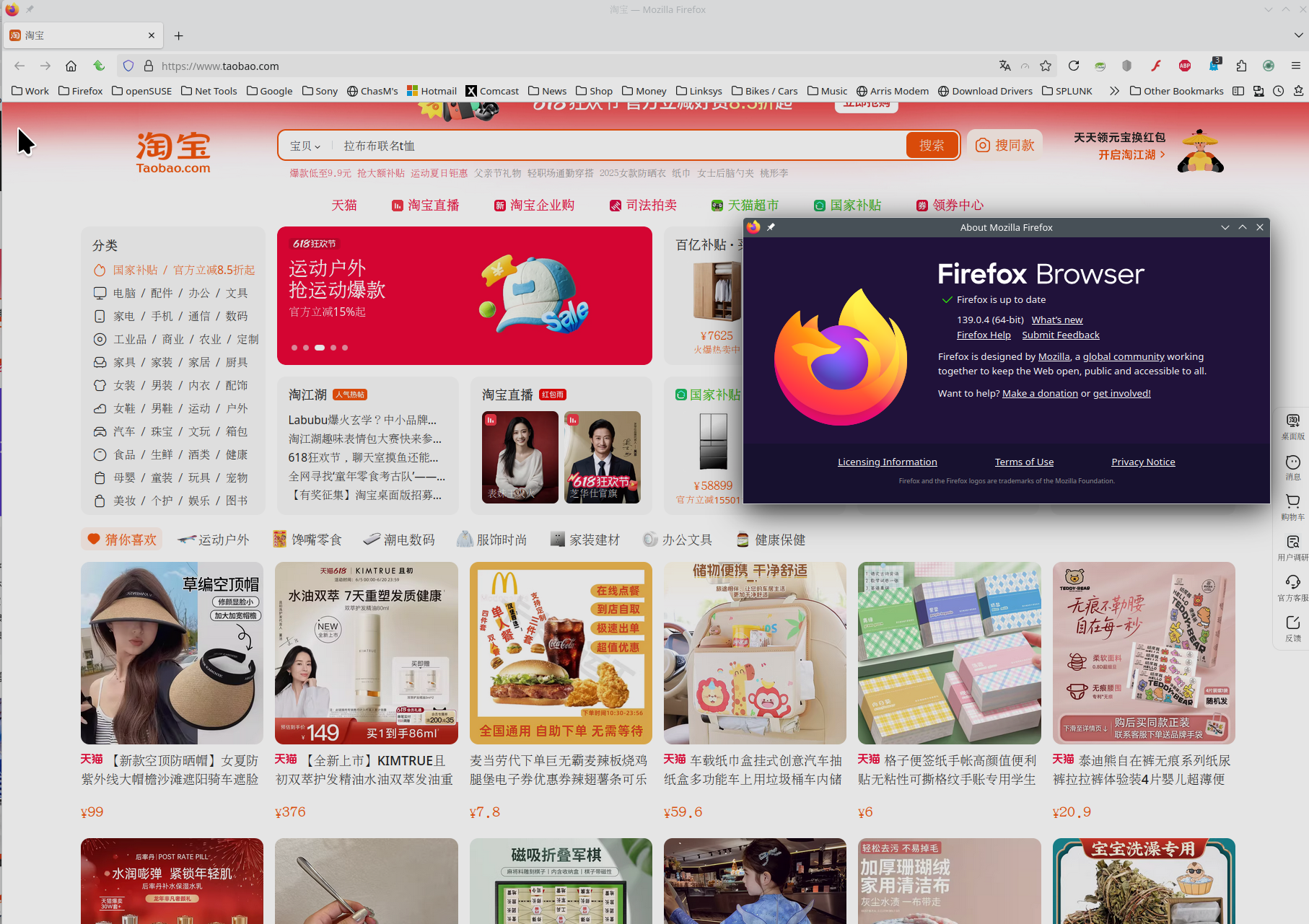
What OS? What version of Firefox? Did you try with Firefox in Troubleshoot Mode? https://support.mozilla.org/en-US/kb/diagnose-firefox-issues-using-troubleshoot-mode#search Here is what I see on Linux. see screenshot
On Windows 11, I have no problems with that as well (see the screenshot).

jonzn4SUSE said
What OS? What version of Firefox? Did you try with Firefox in Troubleshoot Mode? https://support.mozilla.org/en-US/kb/diagnose-firefox-issues-using-troubleshoot-mode#search Here is what I see on Linux. see screenshot
I'm using MacOS Monterey12.7.6
Here is what I see on Linux / firefox 128.11.0


Выбранное решение
Denys said
kaitowai said
I'm using MacOS Monterey12.7.6Are you using Zen Browser?
Assuming you do, I'm going to mark this thread as off-topic and lock the thread since it is not a subject covered in the support forum. This forum is intended to help users with Mozilla products, such as Firefox, while Zen Browser is an independent project. Please see Mozilla Support rules and guidelines.