


When I type in Amazon the .co.uk site is the first option and I don't know why

I believe I had originally installed Firefox while I was in the UK. Since then I've moved to the US. When I type "amazon" in the location box, the first option is "amazon.co.uk". I've looked for options to change this to amazon.com. I cannot remove it (there's no "..." to the right). I've downloaded and reinstall Firefox now that I'm in the US. I made sure my default language is English (US).
One thing I can't done is completely uninstall Firefox and then reinstall. I'd rather not lose any settings and so am saving that for the last resort.
Anything else I can try?
Выбранное решение
Search your history (Ctrl+H) for the unwanted site and right-click > Forget About This Site.
Прочитайте этот ответ в контексте 👍 0Все ответы (6)
Who are you using for DNS? https://www.google.com/search?client=firefox-b-1-d&q=Who+are+you+using+for+DNS
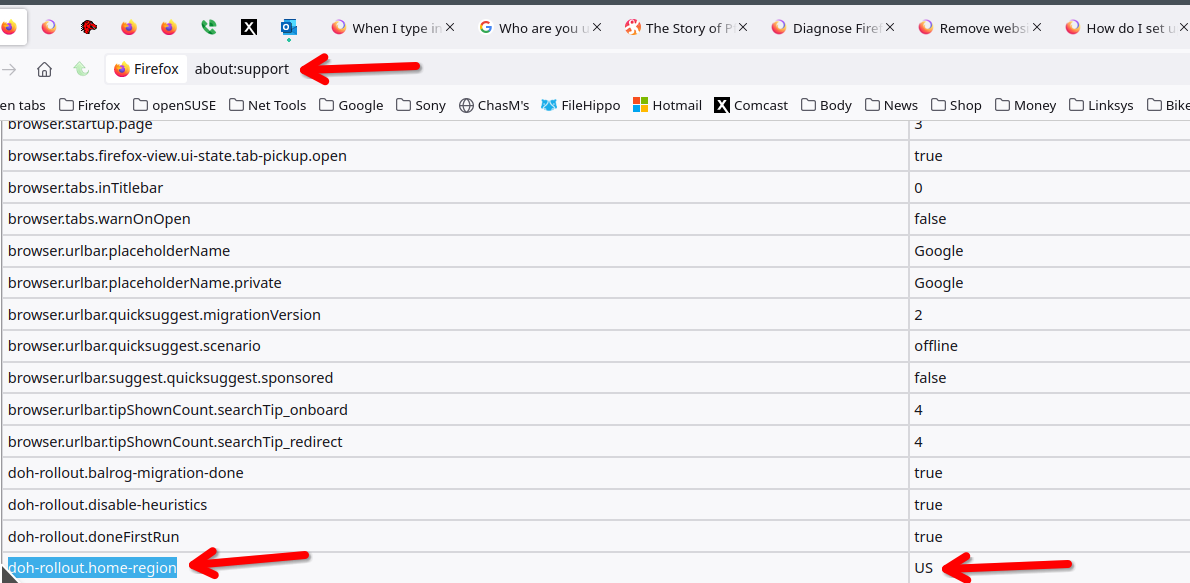
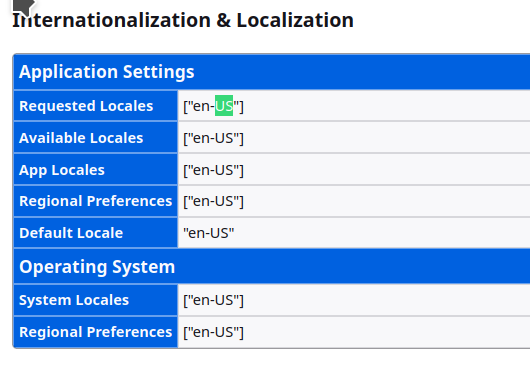
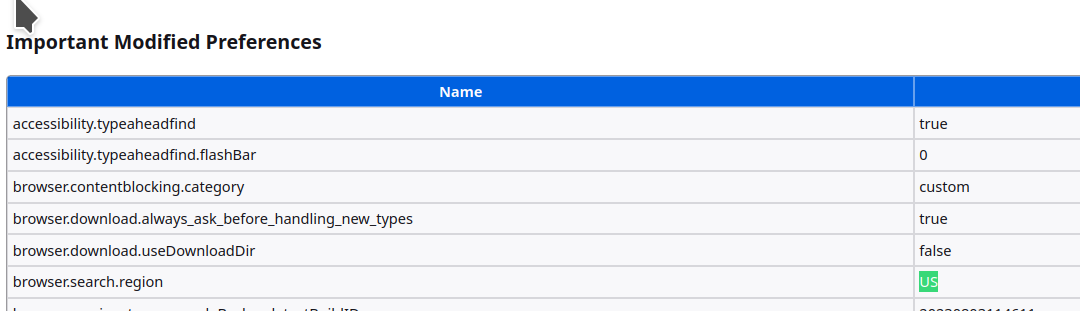
What is the setup on your router? Also on the about:config page, check these sections. see screenshots
Изменено jonzn4SUSE
Go to about:config in the address bar and change browser.search.region to US then restart the browser.
Thanks, all.
browser.search.region was already US
But doh-rollout.home-region was UK.
Unfortunately changing that to US and restarting didn't change anything.
I'm not sure how to get to the second screenshot.
My router is new (I didn't bring it from the UK) but in any event my DNS appears to be US Cloudflare.
Выбранное решение
Search your history (Ctrl+H) for the unwanted site and right-click > Forget About This Site.
That did it, thank you. I "forgot this site" and then deleted all instances of it. Much appreciated.