


Youtube's video layout does not appear properly when using Firefox.

http://img.photobucket.com/albums/v34.../Picture1-2-1-1.png This is what Youtube videos look like when I watch them; the option buttons normally under the video are now hidden by the video. They are still clickable, but pretty much unviewable. This only appears when I'm using Firefox. I'm on Firefox 3.6.12, and on Mac 10.5.8. My plugins for flash and such are all up to date, and I disabled any add-ons relating to Youtube to see if they were effecting it. No results.
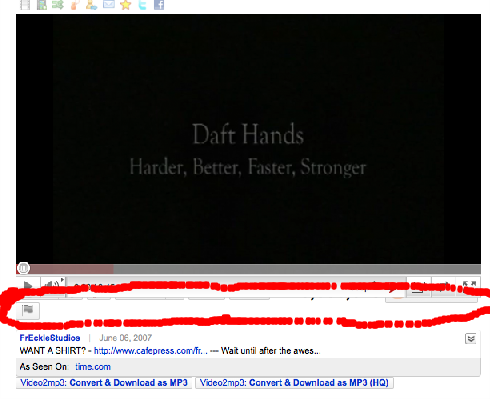
[http://img.photobucket.com/albums/v344/Hoofbeats/Picture1-2-1-1.png]
This is what Youtube videos look like when I watch them; the option buttons normally under the video are now hidden by the video. They are still clickable, but pretty much unviewable. This only appears when I'm using Firefox.
I'm on Firefox 3.6.12, and on Mac 10.5.8. My plugins for flash and such are all up to date, and I disabled any add-ons relating to Youtube to see if they were effecting it. No results.
Todas as respostas (1)
this is caused by kwiclick. disable that addon and it's fixed.
kwiclick adds the little icons on top of the video that pushes it down, covering the lower buttons and viewcount. you can see the icons in OPs picture.