


The new "custom urls for firefox startup" is being blocked by Google / Youtube

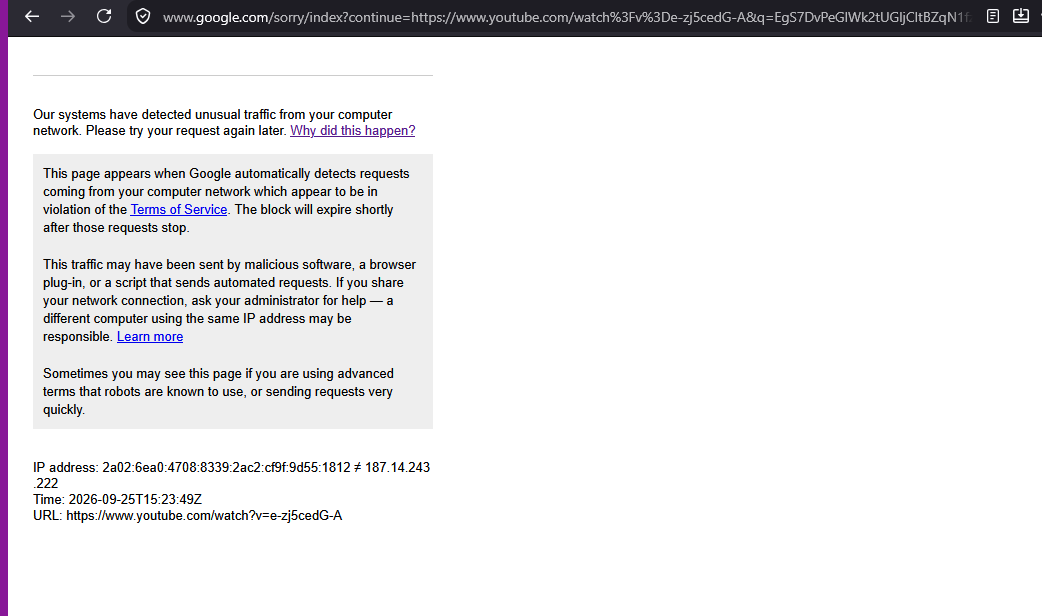
I have setup my Firefox browser to start on a number of pages, using the settings provided in the browser. Recently Google / Youtube started complaining, that my browsing is suspicious
"This page appears when Google automatically detects requests coming from your computer network which appear to be in violation of the Terms of Service. The block will expire shortly after those requests stop."
Which came instead of this url URL: https://www.youtube.com/watch?v=e-zj5cedG-A
I worked around it, by copying the url and pasting it in the browser again But today, it returns the error no matter how many times I manually paste the url in the browser.
I have effectively been blocked from all my startup Youtube pages
Todas as respostas (4)

I note you have a specific video to watch every time you open Fx is that intentional, and it may seem like a bot?
Yes, that is intentional. I have ie. a playlist of music that I always listen to, and I want it to start from the beginning each time - if I decide to listen to it. Otherwise I'll just close the tab for the session. I also have some tutorials that I follow, and this is a reminder of how far I got. Similarly I'll close the tab if I don't intend to move on in the tutorial.
Obviously, there are other ways to achieve the same for me. And I do have many bookmarks that work as intended.
But there's no reason why I shouldn't be allowed to have a "startup session" in my browser, that I can rely on.
Modificado por sigurd knarhøi a
And, mind you, this complication only affects my Youtube tabs.
Yes, batch–opening many pages from the same site at the same time might trigger their bot protections.
Usually it's in the dozen(s) at least, but given how heavy YT is it might trigger faster given the amount of resources it opens…