


I can add an account on Thunderbird, but how do I delete an account that I no longer use?

I have an email account on Thunderbird that I no longer use that I want to delete that account. I can very easily add an account to Thunderbird, but I can't seem to find any way to delete one. Is it even possible to delete an account?
Todas as respostas (5)

Edit > Account Settings > Account Actions > Remove Account
Under the edit menu, there is no option to select account settings, account actions or remove account. I am using iMac with iOS 26.6.1. Please see attached image.
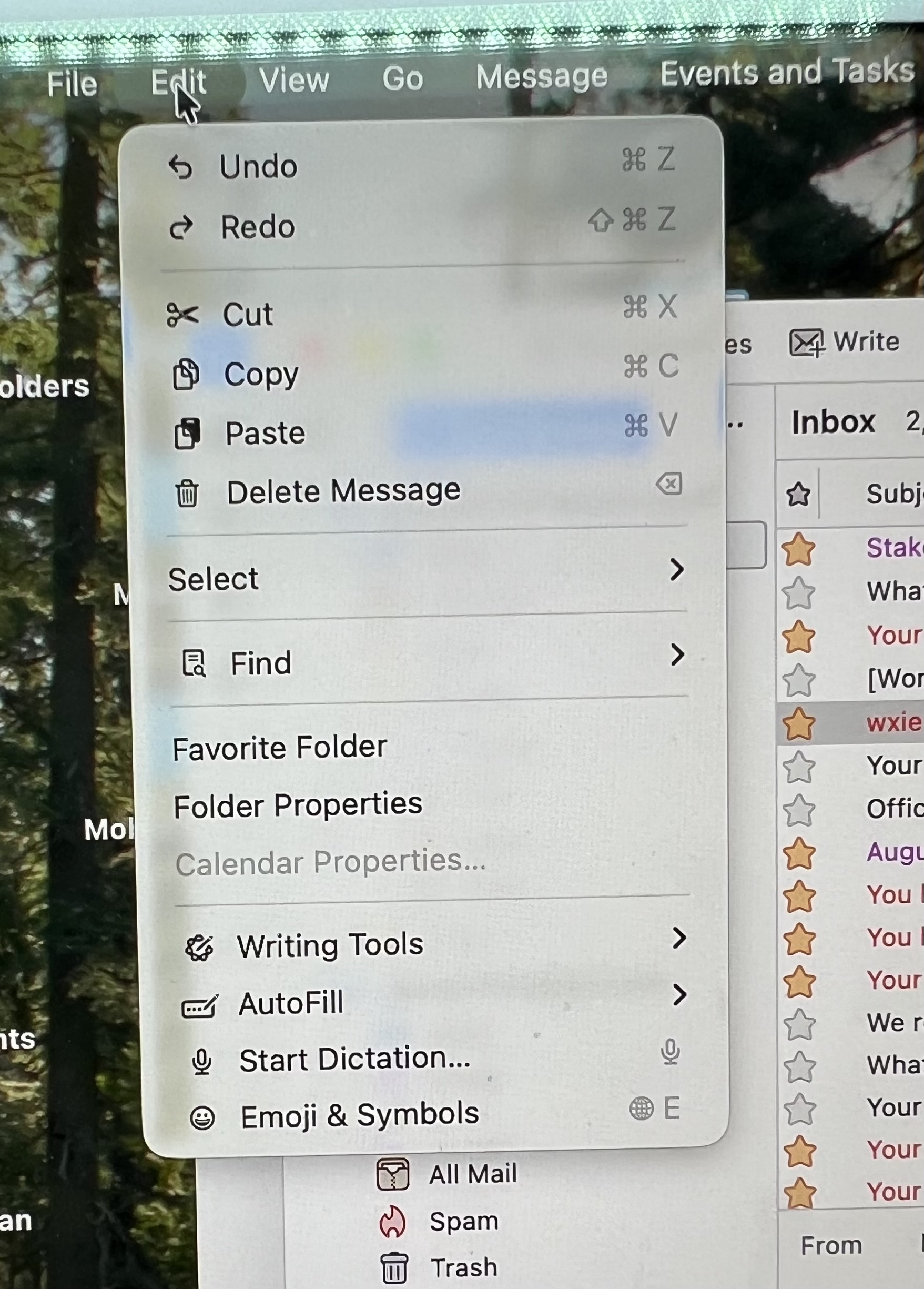

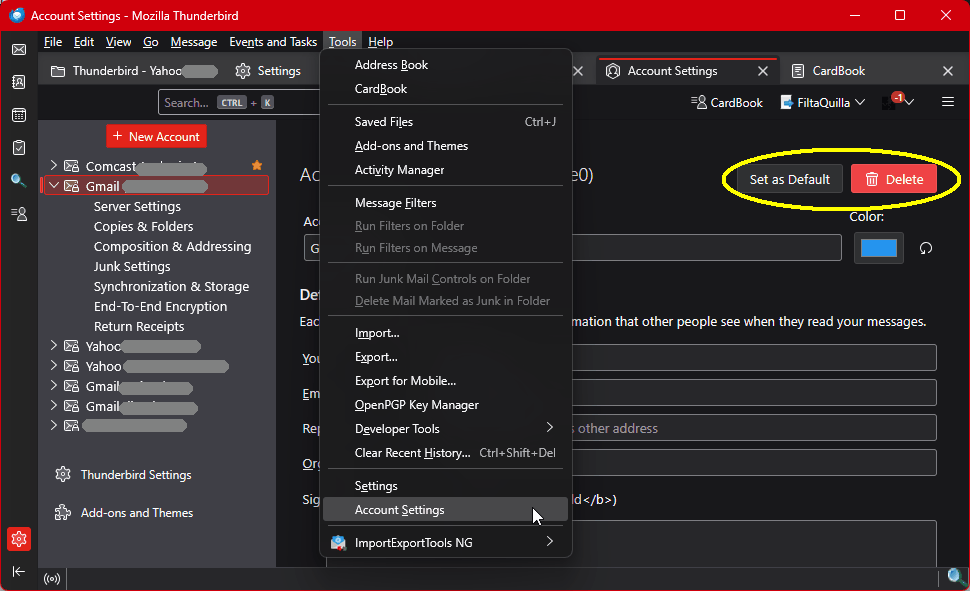
<Account Settings> is found in the Edit menu in Linux. It's found in the <Tools> menu in Windows. I don't have any Apple products to check for you, but you can explore the menus for yourself. It's in there.
Modificado por Lin a
FYI On Apple account settings is found under Thunderbird in the menu bar. I selected account settings there. I scrolled down the email accounts on the left and selected the email account that I wanted to delete. After I selected it, there was a red "Delete" button in the upper right which allowed me to delete it.
Good. You can mark your answer as a solution to help others. Thank you.