


Thunderbird emails have the wrong "From" on my pc

Within the past day or so, which means 7-18-26 or later, some of my email messages on thunderbird for my pc have a "From" description that is not correct. I look at the messages, and the "From" is entirely different than the "From" description when looking at the email message list. I have never encountered this problem before. I'm using thunderbird 152.0.1 64-bit on my pc.
Todas as respostas (4)
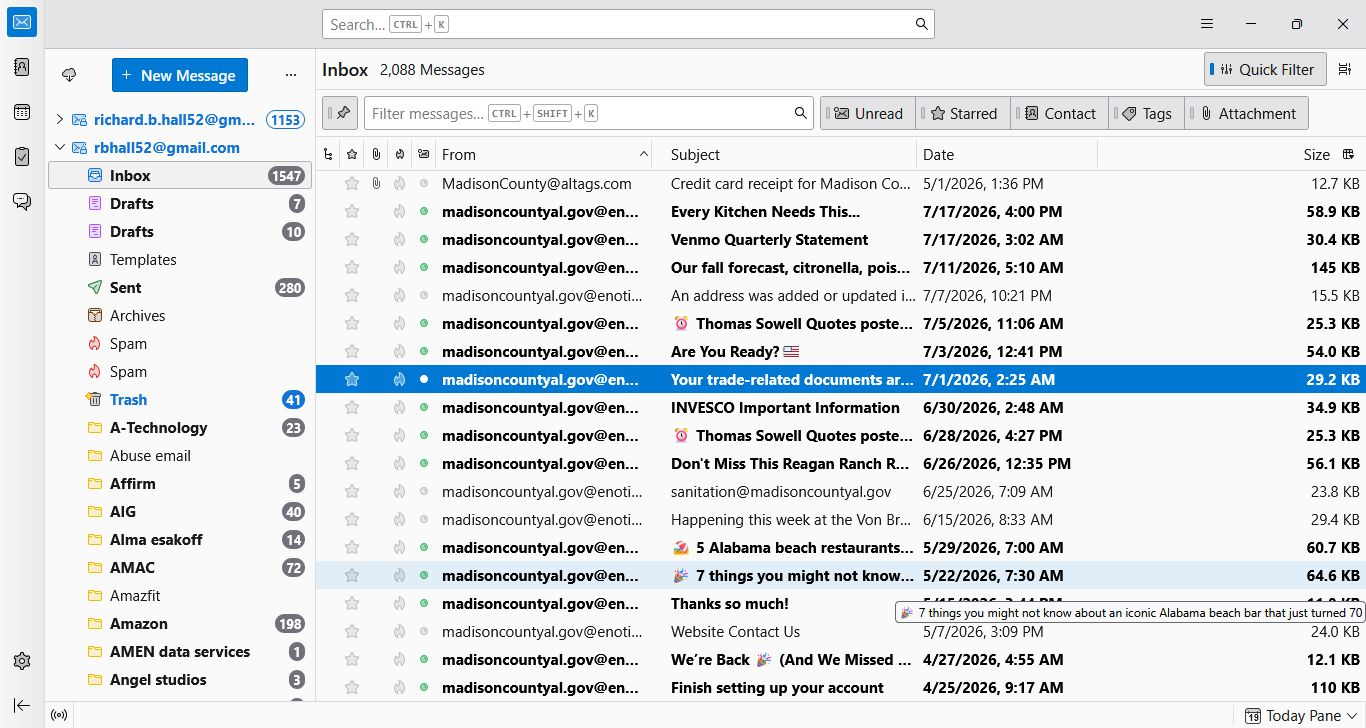
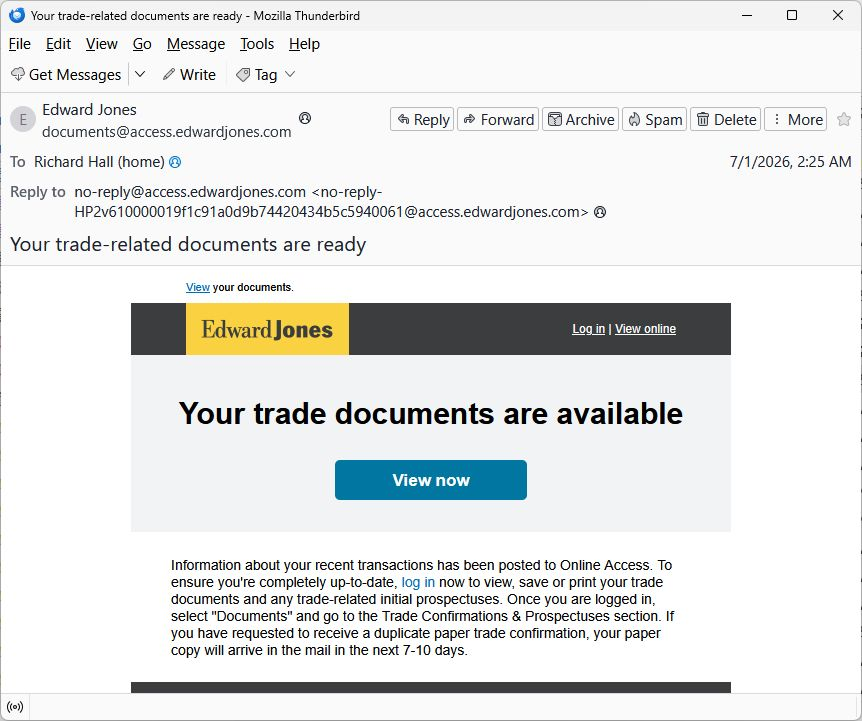
Here are two screen shots showing my problem. The first picture shows the email listing with the "From" showing madisoncountyal.gov. The second picture shows the same message opened, and it clearly shows the correct "From", which is documents@access.edwardjones.com .

Try R. click Inbox > Properties > click 'Repair folder' button, then R. click Inbox > Compact.
I'm afraid I still have the same problem after repairing and compacted the inbox.

Shutdown Thuderbird. And then delete the msf of your folder. And restart Thunderbird to see if it would fix
msf file is in the local directory that is defined in "Server Settings" of the Account at the very end.
Modificado por Michel T a