


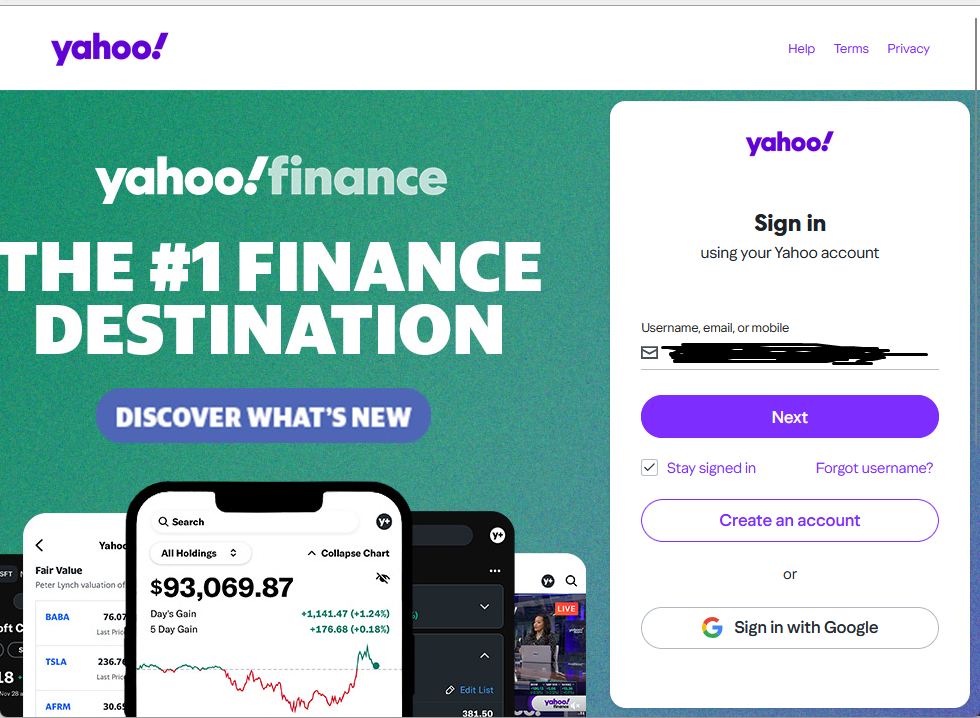
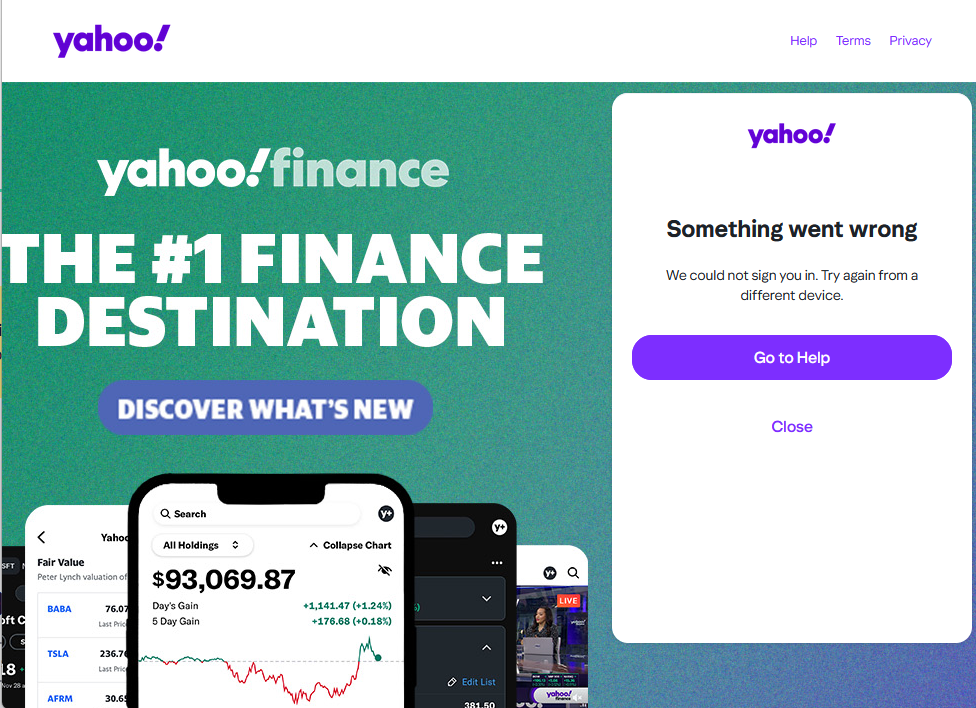
yahoo login popup with Thunderbird 147 - "something went wrong"

hi today thunderbird started showing yahoo popup login and after adding credentials i always get "something went wrong.We could not sign you in. Try again from a different device." Also popup once closed it opens instantly.
i can sign in normally from browser. thunderbird version is 147
is there any fix about this?
thanks for any help
regards
Modificado por Wayne Mery a
Todas as respostas (20)
EDIT: Now its working.
Modificado por study-speller-grub a
Wayne Mery said
What was the problem??
every few minutes a pop up of yahoo login appears, i ad the credentials and i get the error "something went wrong.We could not sign you in. Try again from a different device."
Sorry, what I mean is, what solved it for you?
If you didn't change anything to make it work, then the fault is likely the server.
i didnt do anything ..could be server problem and "fixed" itself after some days but is this going to happen every time there is a new thunderbird update? this didnt happen before..last 2 updates started doing it and cant use it as it popups every few minutes...
> cant use it as it popups every few minutes.
So "EDIT: Now its working." is incorrect?
well it was 1 month ago and fixed itself..so now after the new update again same problem ..is there a way to disable yahoo for the time being so i can be able to use thunderbird with rest emails?
have removed the "solution" mark from previous reply
Modificado por study-speller-grub a
Well it was 1 month ago and fixed itself so it was marked as solved-not by me-
and now after the new update have same problem..this was never happened before. it started from v147 maybe on major only (147+148) and not on small updates 147.1 etc.
pop ups appear every few minutes and you need to close it 3-4 times to close for good-until it reappears-
Is there any way to just disable yahoo mails so ill be able to use the application with rest emails?

If you have not yet been successful, please tell us:
1. With the password that failed with Thunderbird, can you log into the account(s) using the mail provider’s web interface (webmail)? (Note: you must use the account password, not an "app password" that was created by Yahoo) 2. What are the full domain name(s) of all the affected account(s)? (for example yahoo.co.uk) 3. Are cookies enabled in Thunderbird at Settings > Privacy & Security > "Accept cookies from sites …" 4. Are you able to login using Thunderbird after you do the following?
- At the top right of the Thunderbird window, click the menu button ≡ > Settings > Config Editor
- find mailnews.oauth.usePrivateBrowser (screen shot below - you can paste it into the search field)
- click the two-headed arrow icon to toggle false to true
- restart Thunderbird (make sure it has fully shut down before starting it up)
- retry the login
Report back if you were not successful after step 4 …

@christ1 Thank you for your reply.
1) tried with edge and logged in perfectly 2) mail is yahoo.co.uk 3) yes are enabled 4) not working same result
1. Can you see the entire OAuth dialog panel - no action buttons are missing? 2. No authentication dialogs are hidden behind what you currently see? 3. You don’t have the preference javascript.enabled set to false in Settings > Config editor? 4. Are you in the country in which you normally use the account? (rule out geoip) 5. Related to #4 above: are you using a VPN? 6. Is the authentication method in Account Settings set to OAuth2? 7. Are you using MFA/2FA? (enabling multi-factor authentication / two-factor authentication in your mail provider settings might be blocking you) 8. Are you running a local web server on your computer, or any other service which may occupy TCP port 80? 9. If you are using Windows, does it help to start Windows in Safe Mode? See https://support.microsoft.com/en-us/windows/windows-startup-settings-1af6ec8c-4d4a-4b23-adb7-e76eef0b847f If you feel the instructions are too complicated, printing them often helps.
Modificado por christ1 a
1) i believe nothing is missing as i can click buttons normally 2) no 3) its True 4) yes 5) no vpn 6) yes 7) no 8) no 9) havent tried..
also something strange that happens today -havent tried since yesterday- is that it doenst give me the option to enter password..it just goes from username to the error and same happens on edge/firefox. havent changed anything from yesterday..havent restarted modem/pc
UPDATE: just tried again now
with thunderbird still same error, cant login with browser -edge- managed to login fine
The test using a browser to webmail doesn't use oauth afaik. Using the browser is only to confirm that you have the correct password.
To test whether something is listing on port 80, in a command/dos window - netstat -an | findstr LISTEN | findstr ":80[^0-9]"
But I think you need to try Windows Safe Mode.

study-speller-grub said
1) i believe nothing is missing as i can click buttons normally 2) no 3) its True 4) yes 5) no vpn 6) yes 7) no 8) no 9) havent tried.. also something strange that happens today -havent tried since yesterday- is that it doenst give me the option to enter password..it just goes from username to the error and same happens on edge/firefox. havent changed anything from yesterday..havent restarted modem/pc
same problems like you. tried everythings, also safe mode...
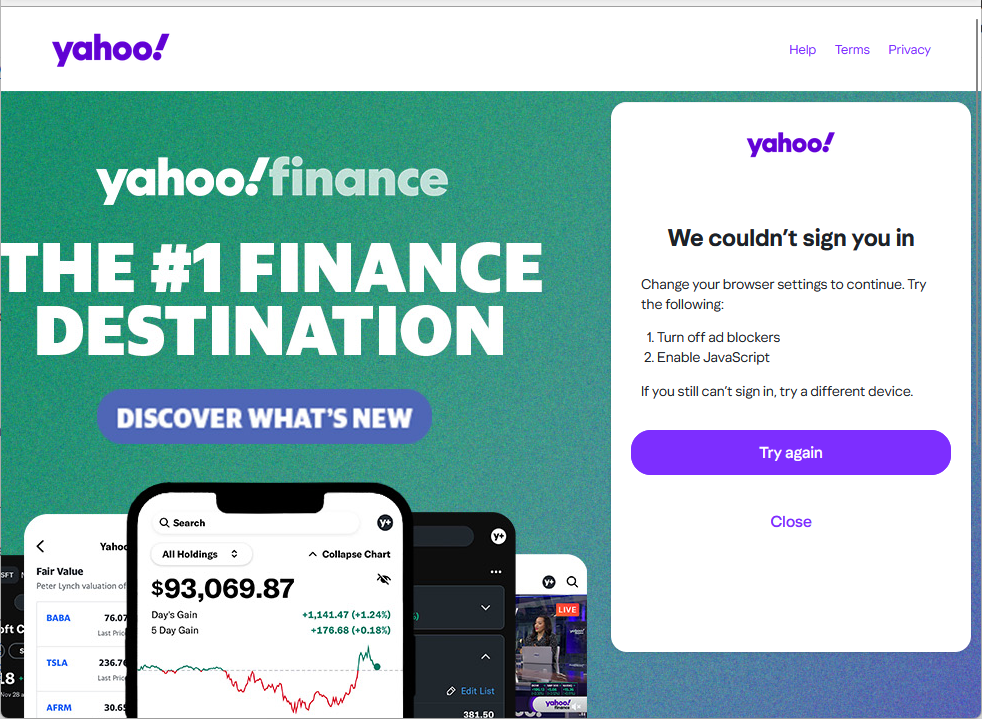
today decided to try again to login and the first try i got a different error as shown in photo. Second try back to normal error.
@megalo9999 although this problem is annoying im a bit happy that someone else has same problem..its not only me
study-speller-grub said
today decided to try again to login and the first try i got a different error as shown in photo. Second try back to normal error. @megalo9999 although this problem is annoying im a bit happy that someone else has same problem..its not only me
The problem is that a lot of people have this f*****g bug with version 148 and the moderator ask a lot of things do try to us.... But the problem is 148....until the day before i made the update,with 147 ,works all perfect.... And now a lot of people have this problem.... The only solution is to fix the problem with an update or give to all people the chance to roll back to 147 in a simple way!!!!
If this continues without answer and solve,i Will change Forever my client mail...just a shame after 20 years of thunderbird use.... But i can't become mad for a stupid software....
just saw some reddit posts regarding same problem with yahoo / aol mails so i guess lots of people are having same problem and no solution has been found yet
Modificado por study-speller-grub a
UPDATE: Decided to try again today and finally i got the verification code method sent to another email and managed to login. After verification yahoo also asked me for thunderbird access. so for now it works. Also i dont know if this has something to do but at the same time before trying thunderbird i first opened edge to login to yahoo
Modificado por study-speller-grub a