


Windows 10 reached EOS (end of support) on October 14, 2025. If you are on Windows 10, see this article.

Pesquisar no apoio

Evite burlas no apoio. Nunca iremos solicitar que telefone ou envie uma mensagem de texto para um número de telefone ou que partilhe informações pessoais. Por favor, reporte atividades suspeitas utilizando a opção "Reportar abuso".

Saber mais

I can't sign into my Proton mail account via Thunderbird for Android - "Checking incoming server settings failed"

  • 2 respostas
  • 1 tem este problema
  • 168 visualizações
  • Última resposta por Wayne Mery
  • Arquivadas

I am trying to sign into my Proton mail account. On the Thunderbird app, I tap the Menu and select Settings. Then, I select Add account, type my Proton email address, and tap Next. The "Configuration found" screen is displayed. I proceed to type my Proton password correctly and tap Next. Then, there is an error that says "Checking incoming server settings failed". Does this mean Thunderbird does not fully support Proton mail?
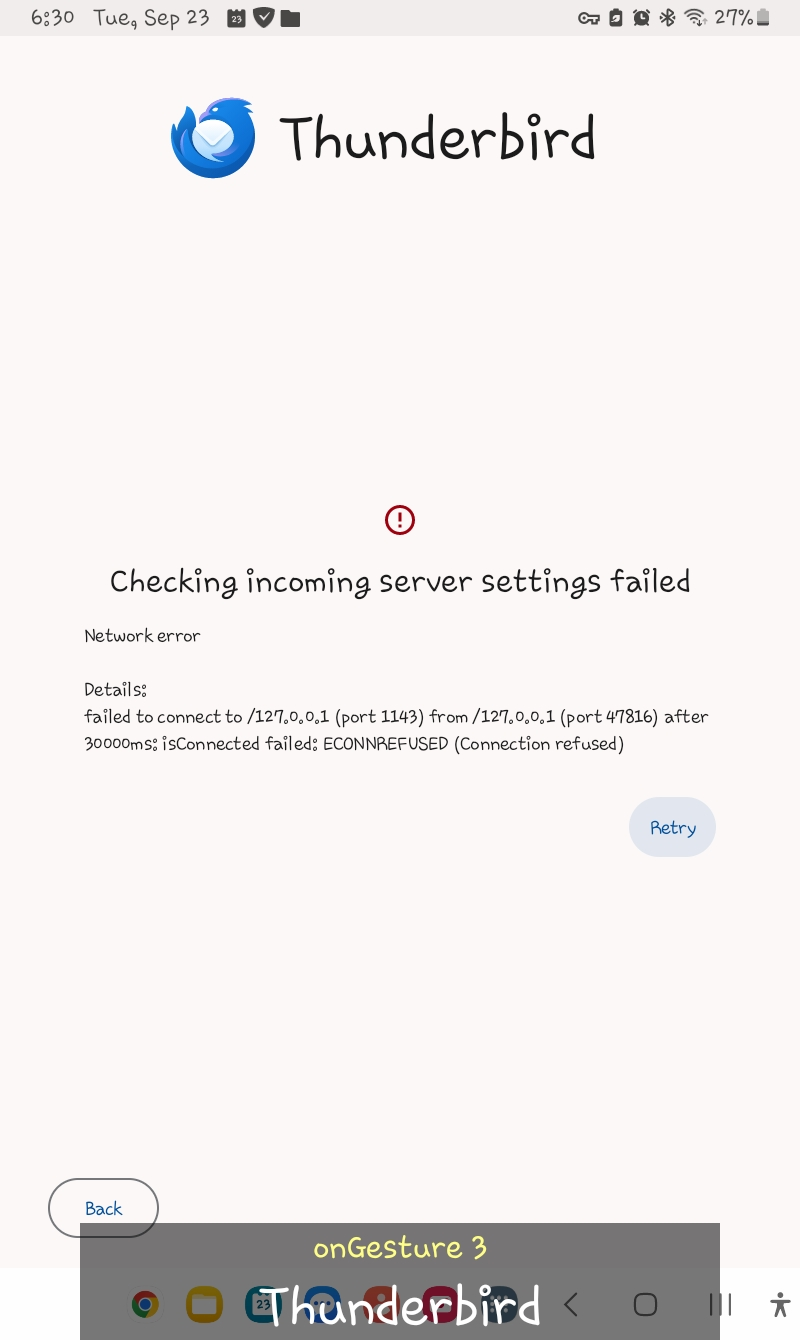
I am trying to sign into my Proton mail account. On the Thunderbird app, I tap the Menu and select Settings. Then, I select Add account, type my Proton email address, and tap Next. The "Configuration found" screen is displayed. I proceed to type my Proton password correctly and tap Next. Then, there is an error that says "Checking incoming server settings failed". Does this mean Thunderbird does not fully support Proton mail?
Capturas de ecrã anexadas

Modificado por Wayne Mery a

Todas as respostas (2)

Hello, Proton mail doesn't support direct IMAP. You need to use the proton bridge: https://proton.me/support/protonmail-bridge-clients-windows-thunderbird

Modificado por Bogomil Shopov - Бого a

The bridge does not exist for Android afaict. You will need to convince the proton folks to provide one.