


Quick filtering works properly only in Troubleshooting mode

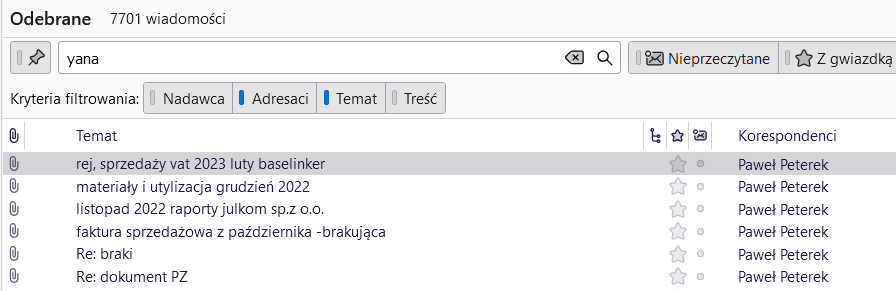
Hi, I don't remember exactly from which release it started, but for a couple of months, quick filtering has not been working properly. For example, when typing the sender's name, the results show emails from other senders, and the sought name can be found in the 'Copy' field or in the message text. However, quick filtering works as before, fully correctly in Troubleshooting mode 😳 Attached screenshots with quick filtering results shown when opening TB in 'Normal' and in Troubleshooting mode.

Todas as respostas (9)
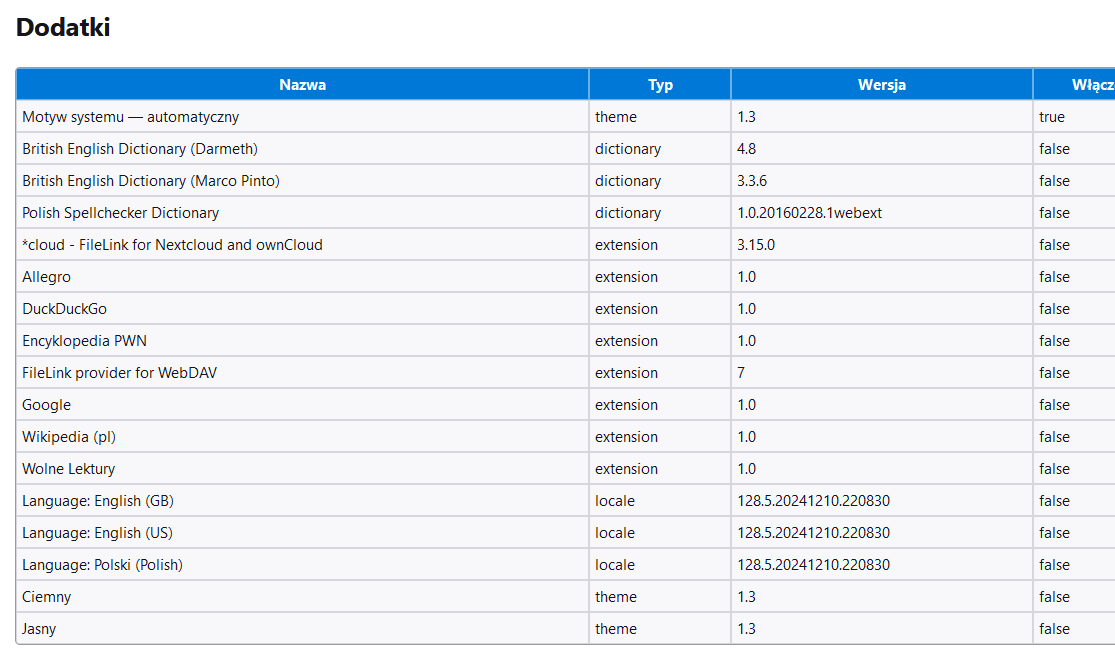
1. what addons/extensions are listed in Help > Troubleshooting information? 2. what hapens after you repair the folder? right+click > Properties > Repair
Ad. 1 Screenshot attached Ad. After repairing the folder, all messages newer than 16.09.2024 disappeared. Can they be restored?
Ad. 2. And nothing changed, quick filtering still shows the same results as before. All disappeared messages were restored now.
Is your Inbox for a pop account? Or an imap account?
An imap account.
If I understand correctly, the repair caused messages to disappear. Did they disappear from the quickfilter result, only? Or were they still gone after you reset the quickfilter?
And you said that later the messages were restored. What did you do to restore them?
Yes, you are correct. The command to repair the folder caused disappearing newer messages. They disappeared from the folder completely, and even after turning off the quick filter field, there were no messages newer than 16.09.2024. I'm sorry, I was not precise enough in the previous message. The messages have been restored. Just in case I made a backup of TB personal folder, however, using it turned out to be unnecessary, as the messages reappeared after some time. It looked as if they were downloaded again from the server, because I received several notifications about new messages that I had read when they originally arrived.

The filter works on the recipient but not the sender. Quick Filter is one of Thunderbird's most important features. I hope this can be fixed quickly. I can document specific instances if needed. I'm on 128.5.2esr (64-bit) Windows 11.
Please file a bug report https://bugzilla.mozilla.org/enter_bug.cgi?product=Thunderbird and post the link here. Thanks.