


Windows 10 reached EOS (end of support) on October 14, 2025. If you are on Windows 10, see this article.

Pesquisar no apoio

Evite burlas no apoio. Nunca iremos solicitar que telefone ou envie uma mensagem de texto para um número de telefone ou que partilhe informações pessoais. Por favor, reporte atividades suspeitas utilizando a opção "Reportar abuso".

Saber mais

support with webpage difficulty

  • 2 respostas
  • 0 têm este problema
  • 62 visualizações
  • Última resposta por jonzn4SUSE
  • Arquivadas

When I go on eBay the first website page is fine. However when I click on a link to a product I get weird web pages with a heading "breadcrumb" and the page comes out with only a few images and this strange lot of directional arrows. When I paste the webpage address into another webpage exactly the same problem. When I paste the address into Chrome, no problem, the page comes up correctly with all the images and not this weird page I get with Firefox. I prefer to use Firefox and I would really rather not have to change to Chrome or MS Edge.

I didn't always have this problem, it seemed to have been more recently and seems to be only with eBay. I imagine it's something in the settings that somehow switched and I need to switch it back.

Thank you for all those at Mozilla support, I look forward to a reply. My email address is alesich@optusnet.com.au regards, Bert
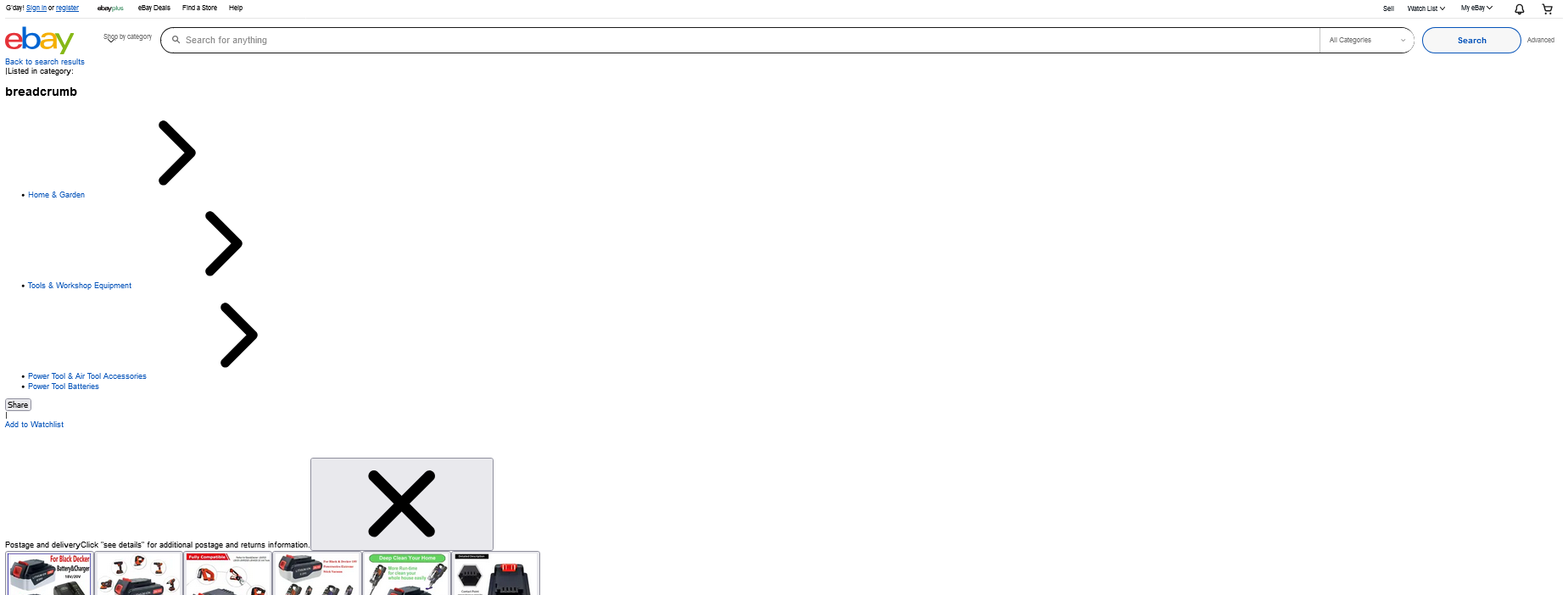
When I go on eBay the first website page is fine. However when I click on a link to a product I get weird web pages with a heading "breadcrumb" and the page comes out with only a few images and this strange lot of directional arrows. When I paste the webpage address into another webpage exactly the same problem. When I paste the address into Chrome, no problem, the page comes up correctly with all the images and not this weird page I get with Firefox. I prefer to use Firefox and I would really rather not have to change to Chrome or MS Edge. I didn't always have this problem, it seemed to have been more recently and seems to be only with eBay. I imagine it's something in the settings that somehow switched and I need to switch it back. Thank you for all those at Mozilla support, I look forward to a reply. My email address is alesich@optusnet.com.au regards, Bert
Capturas de ecrã anexadas

Todas as respostas (2)

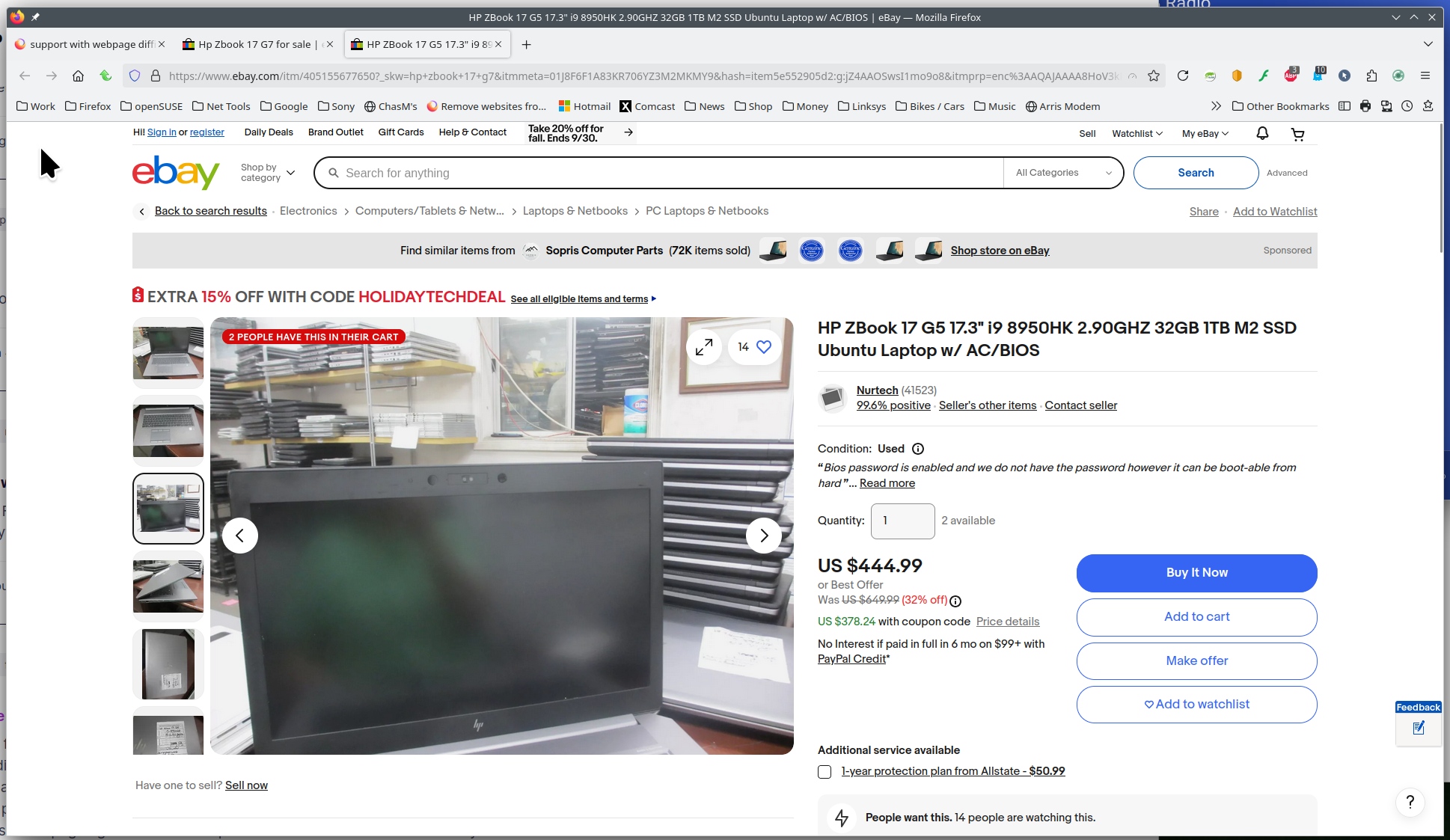
Did you try Firefox in Troubleshoot Mode? I'm not seeing any issues. see screenshot I did a search for HP Zbook 17 G7.

What security software are you running?
Modificado por jonzn4SUSE a

......

Modificado por jonzn4SUSE a