


1 VIDEO WILL NOT SHOW UP ON YOU TUBE BUT DOES ON GOOGLE CROME

I UPLOADED VIDEO ON YOUTUBE LAST NIGHT THAT WILL NOT SHOW UP BUT DOES SHOW UP ON PHONE AND GOOGLE CROME
Solução escolhida
The featured video appears on the channel page for me.
Try clearing site cookies and disabling Tracking Protection for the site.
Does it still happen in Developer Edition?
Do not sign in to your youtube account or sync account when testing.
Ler esta resposta no contexto 👍 1Todas as respostas (20)
You can reload webpage(s) and bypass the cache to refresh possibly outdated or corrupted files.
- hold down the Shift key and left-click the Reload button
- press "Ctrl + F5" or press "Ctrl + Shift + R" (Windows,Linux)
- press "Command + Shift + R" (Mac)
refreshing did not work :(
Is the video public? If so, give us a link to your channel.
Hi yes video is public Here is video: https://youtu.be/UoNFQN2JtUA?si=-yf86J7UvpCXfHmk it shows up on Google Chrome but not on Firefox- also Firefox says I do not have access to my "community page" on YouTube. Clearly it seems its a Firefox issue but can't seem to solve it. Thank you for any help!
I see the video. see screenshot. Show us what you're seeing.
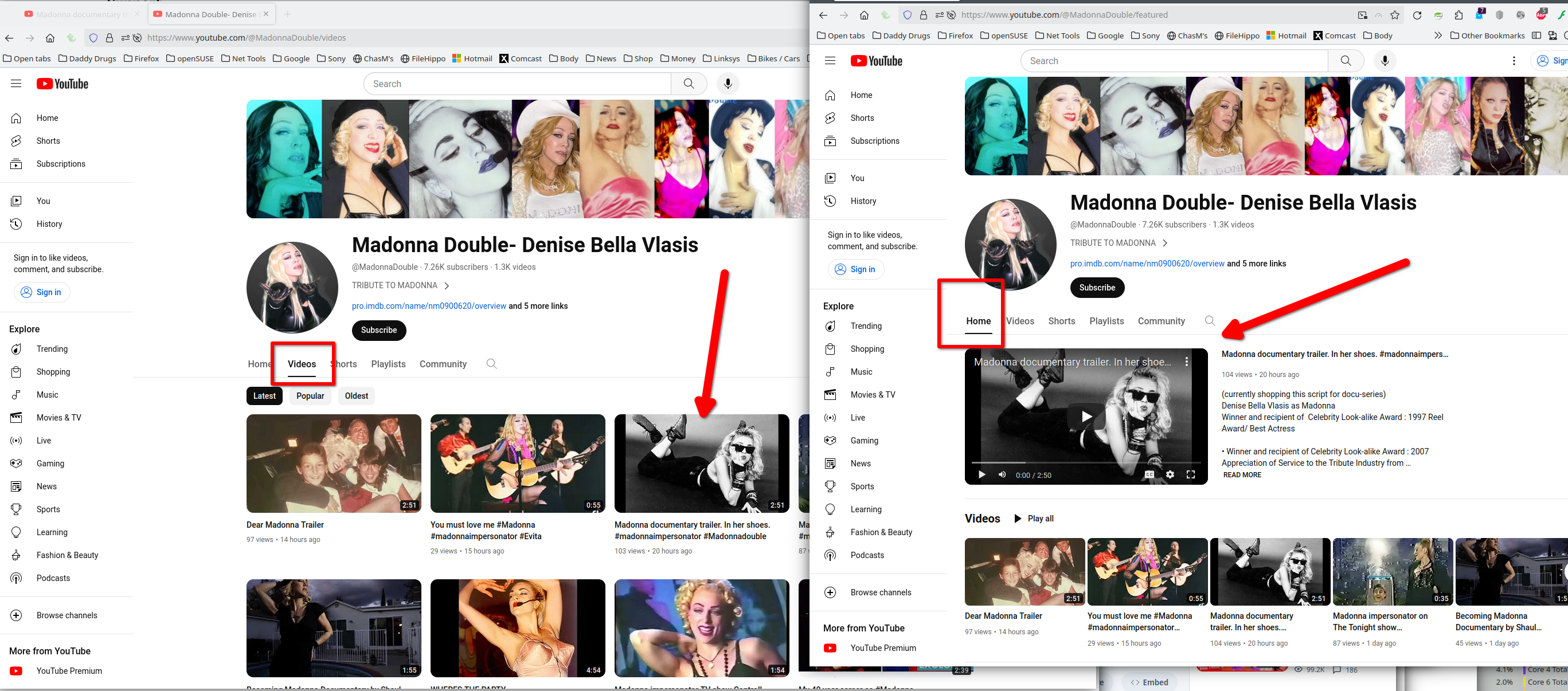
here is screen shot from FIREFOX browser video does not show up as my featured video as it should and does not show up at all also will not let me access "community" tab
everything works fine on GOOGLE CHROME
this just started happening last night - glitching like this- it worked before yesterday thanks

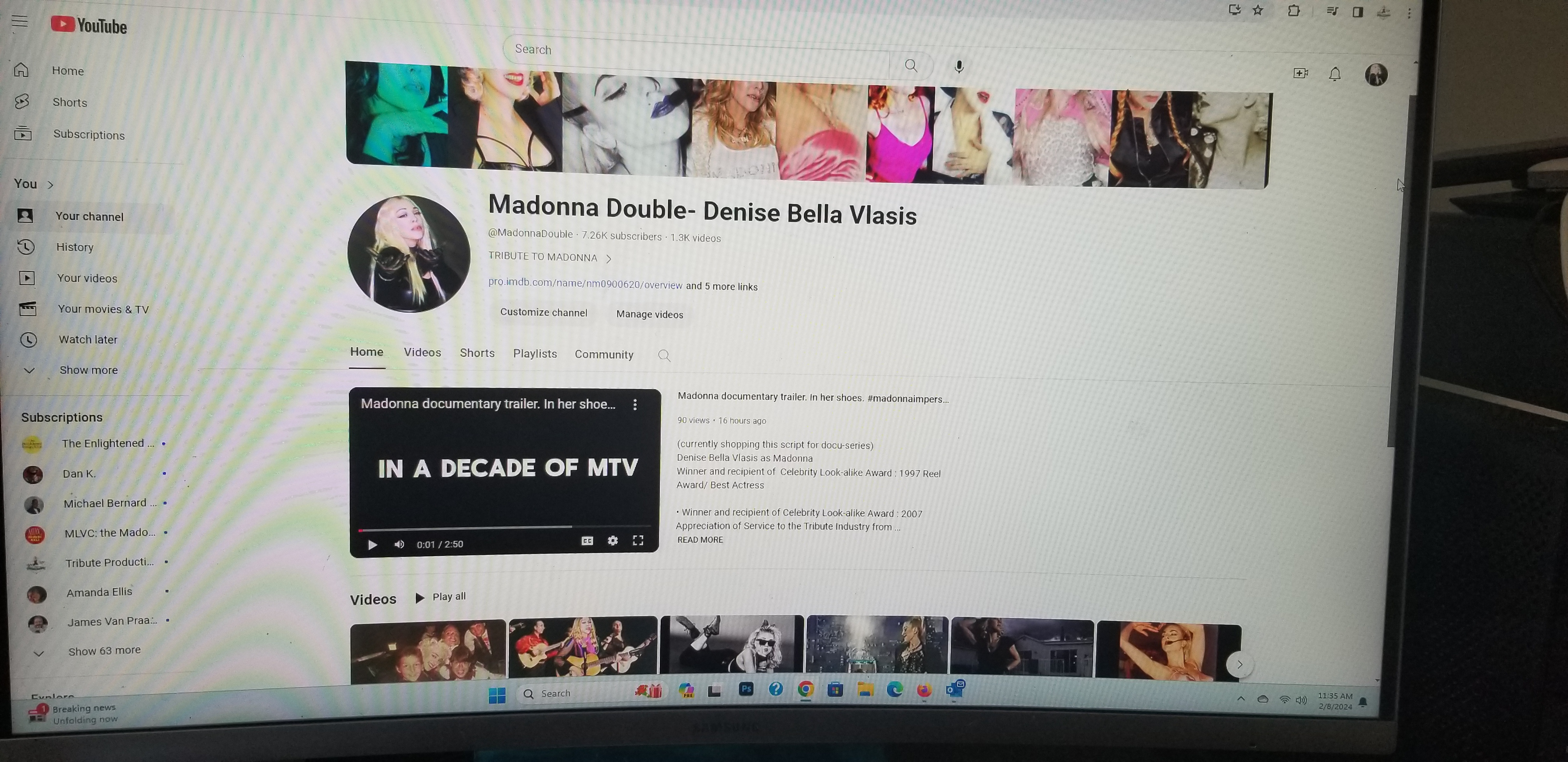
THIS IS HOW IT LOOKS ON GOOGLE CHROME IT IS WORKING so something is off with Firefox since yesterday
Thanks for the screenshot. Do you have the same issue with Firefox in Safe Mode? https://support.mozilla.org/en-US/kb/diagnose-firefox-issues-using-troubleshoot-mode#w_how-to-start-firefox-in-4troubleshoot-modesf5safe-modesf
let me see if I can figure out how to use safe mode
Disregard.
Modificado por jonzn4SUSE a
the video only shows up in GOOGLE CHROME that 2nd screen shot is CHROME
I tried Safe mode and no change
Can you login into another windows account and try the again. Also, try a different version of Firefox and see if it makes a difference. https://www.mozilla.org/en-US/firefox/channel/desktop/
Make sure to install in a different directory than your current install.
Modificado por jonzn4SUSE a
What security software are you running?
Maleware Bytes and I checked those settings
Can you disable Maleware Bytes, reboot the computer and try again?
My favorite album from her is Bedtime Stories. ;-))
haha I love it!!! yes an amazing album trying to disable Maleware I also refreshed Firefox but no luck you have been so kind thank you!!
We try. How about a different Windows account? Did you try a different version of Firefox?
Modificado por jonzn4SUSE a
I am trying a new firefox now