


Bars, Tabs and Icons

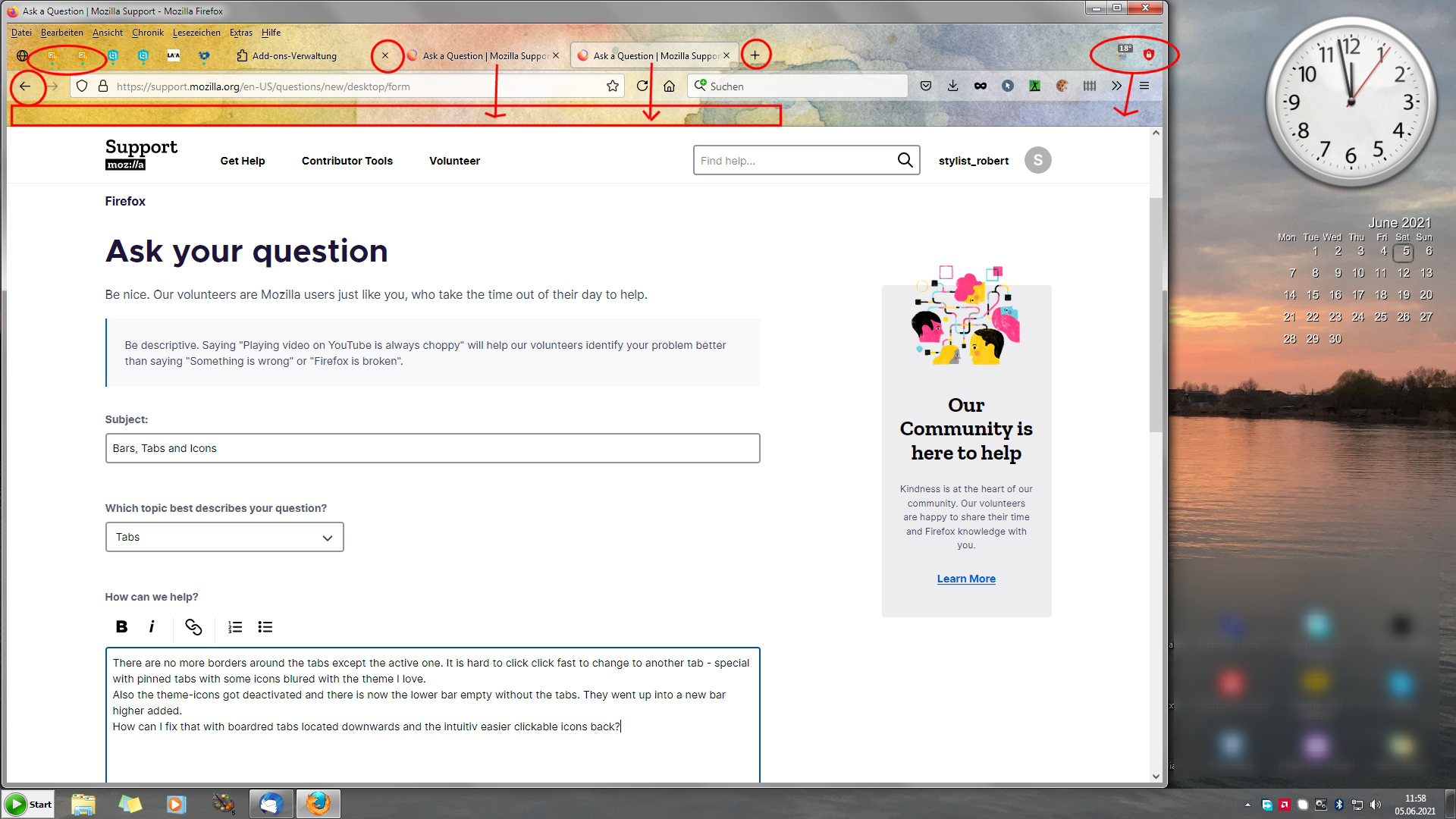
There are no more borders around the tabs except the active one. It is hard to click click fast to change to another tab - special with pinned tabs with some icons blured with the theme I love. Also the theme-icons got deactivated and there is now the lower bar empty without the tabs. They went up into a new bar higher added. How can I fix that with boardred tabs located downwards and the intuitiv easier clickable icons back?
Todas as respostas (1)
I have this same problem and major gripe. I HATE whenever an "update/upgrade" is released. It generally means all my settings, passwords, bookmarks, etc. get trashed and I have to start over.
I did find a partial fix I can live with. . . almost. Going into about:config and setting browser.proton.enabled to false returns the vertical bars. Resetting my theme to Light A theme with a light color scheme. Author Mozilla Version 1.2 takes away any choice of graphic background, but it does return visible tabs for all the tabs.
Until they fix this trash, this may help you.