


Active Login
Hi Firefox,
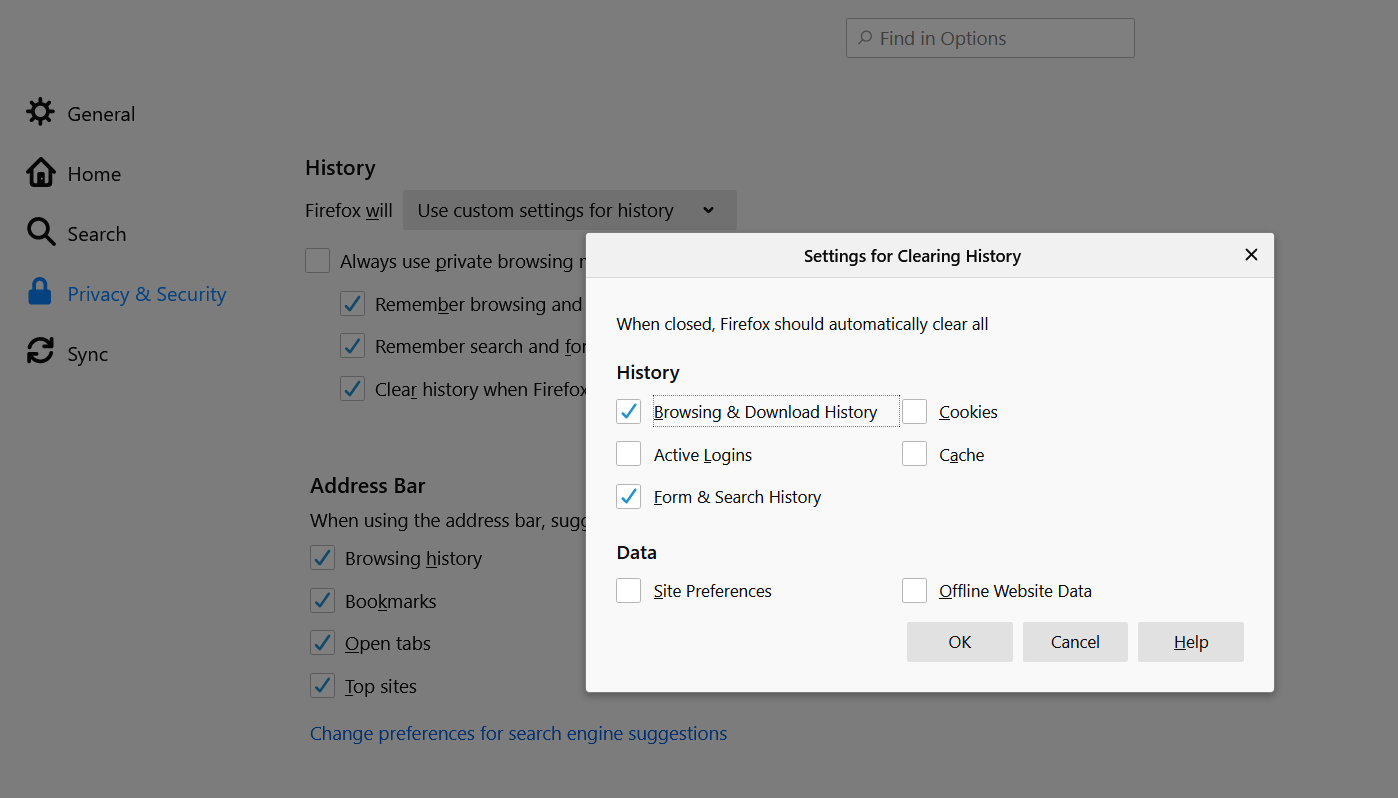
I have some trouble with Firefox Sync. Since I use 2 laptop 1 month ago my active login always close and must to repeat login. My Firefox setting has auto clear browsing history after I close the browser but I uncheck the active login button. Before that I never meet with this case, even when I use 3 more device.
Regards, Lukman H
Solução escolhida
Hi Lukman, Firefox recently enabled a new form of protection against first-party tracking cookies. They get purged if you haven't visited the site for 30 days. Firefox computes the last visit date from -- you guessed it -- your browsing history. This purge may happen every 24 hours.
Assuming you want to keep clearing history when Firefox closes, you probably need to turn off this new cookie-clearing feature for now (until they come up with another approach). Here's how:
(1) In a new tab, type or paste about:config in the address bar and press Enter/Return. Click the button accepting the risk.
(2) In the search box in the page, type or paste purge and pause while the list is filtered
(3) Double-click the privacy.purge_trackers.enabled preference to switch the value from true to false
Please let us know whether that solves it for you.
Ler esta resposta no contexto 👍 1Todas as respostas (2)
Solução escolhida
Hi Lukman, Firefox recently enabled a new form of protection against first-party tracking cookies. They get purged if you haven't visited the site for 30 days. Firefox computes the last visit date from -- you guessed it -- your browsing history. This purge may happen every 24 hours.
Assuming you want to keep clearing history when Firefox closes, you probably need to turn off this new cookie-clearing feature for now (until they come up with another approach). Here's how:
(1) In a new tab, type or paste about:config in the address bar and press Enter/Return. Click the button accepting the risk.
(2) In the search box in the page, type or paste purge and pause while the list is filtered
(3) Double-click the privacy.purge_trackers.enabled preference to switch the value from true to false
Please let us know whether that solves it for you.
Hi jscher2000, thanks for your help. I have tried the method since u wrote this answer and testing for a couple of days. Until this time my active login come to normal, I tried it on another PC too and both work fine.
Thank you