


websites displaying old html text

Another laptop I have, running the same version of Windows 8.1 x64 and FireFox V43, has no problems displaying the variety.com webpage.
http://variety.com/2015/film/news/star-wars-force-awakens-reviews-premiere-reactions-1201661338/
Website displays properly in MicroSUCK Internet Explorer?
I am ENTIRELY stumped by this!
Thanks for your help, RangeAntelope
BTW, your webpage would NOT upload the .jpg screenshot - it just kept spinning & spinning & spinning!??
Solução escolhida
cor-el said
You should never set trust bits on certificates that have a software security device designation. Try try above posted advice and delete this certificate. Alternatively you can try to rename or delete the cert8.db file in the Firefox profile folder. You can use this button to go to the current Firefox profile folder:
- Help > Troubleshooting Information > Profile Directory: Show Folder (Linux: Open Directory; Mac: Show in Finder)
- http://kb.mozillazine.org/Profile_folder_-_Firefox
I did as you requested and Deleted the GoDaddy certificate. I then went to variety.com and deadline.com and both are displaying normally.
Ler esta resposta no contexto 👍 0Todas as respostas (12)
If you can't inspect the certificate via "I Understand the Risks" then try this:
Open the "Add Security Exception" window by pasting this chrome URL in the Firefox location/address bar and check the certificate:
- chrome://pippki/content/exceptionDialog.xul
In the location field of this window type or paste the URL of the website.
- retrieve the certificate via the "Get certificate" button
- click the "View..." button to inspect the certificate in the Certificate Viewer
You can inspect details like the issuer and the certificate chain in the Details tab of the Certificate Viewer. Check who is the issuer of the certificate. If necessary then you can attach a screenshot that shows the certificate viewer.
RangeAntelope said
cor-el saidIf you can't inspect the certificate via "I Understand the Risks" then try this: Open the "Add Security Exception" window by pasting this chrome URL in the Firefox location/address bar and check the certificate:In the location field of this window type or paste the URL of the website.
- chrome://pippki/content/exceptionDialog.xul
You can inspect details like the issuer and the certificate chain in the Details tab of the Certificate Viewer. Check who is the issuer of the certificate. If necessary then you can attach a screenshot that shows the certificate viewer.
- retrieve the certificate via the "Get certificate" button
- click the "View..." button to inspect the certificate in the Certificate Viewer
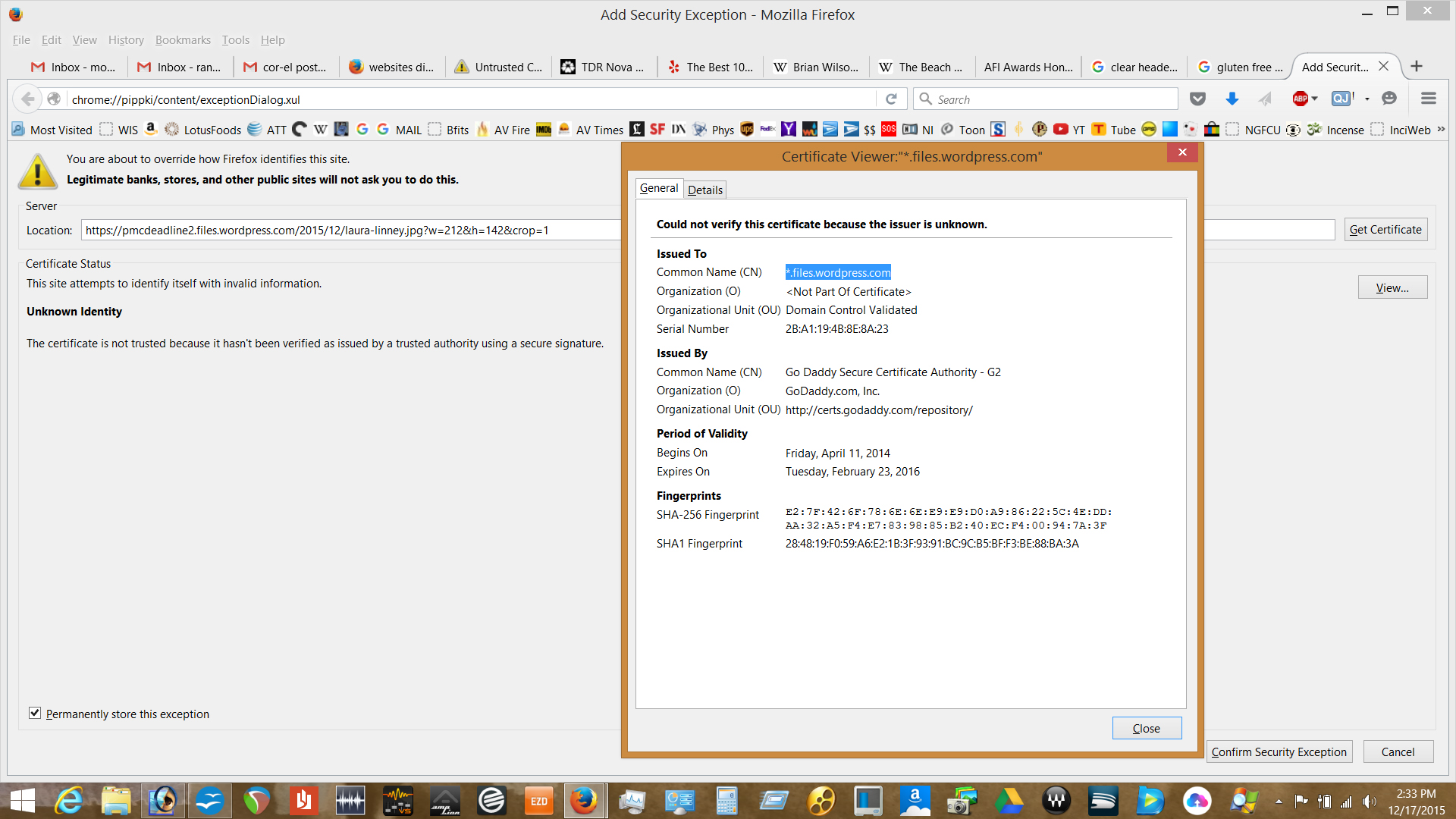
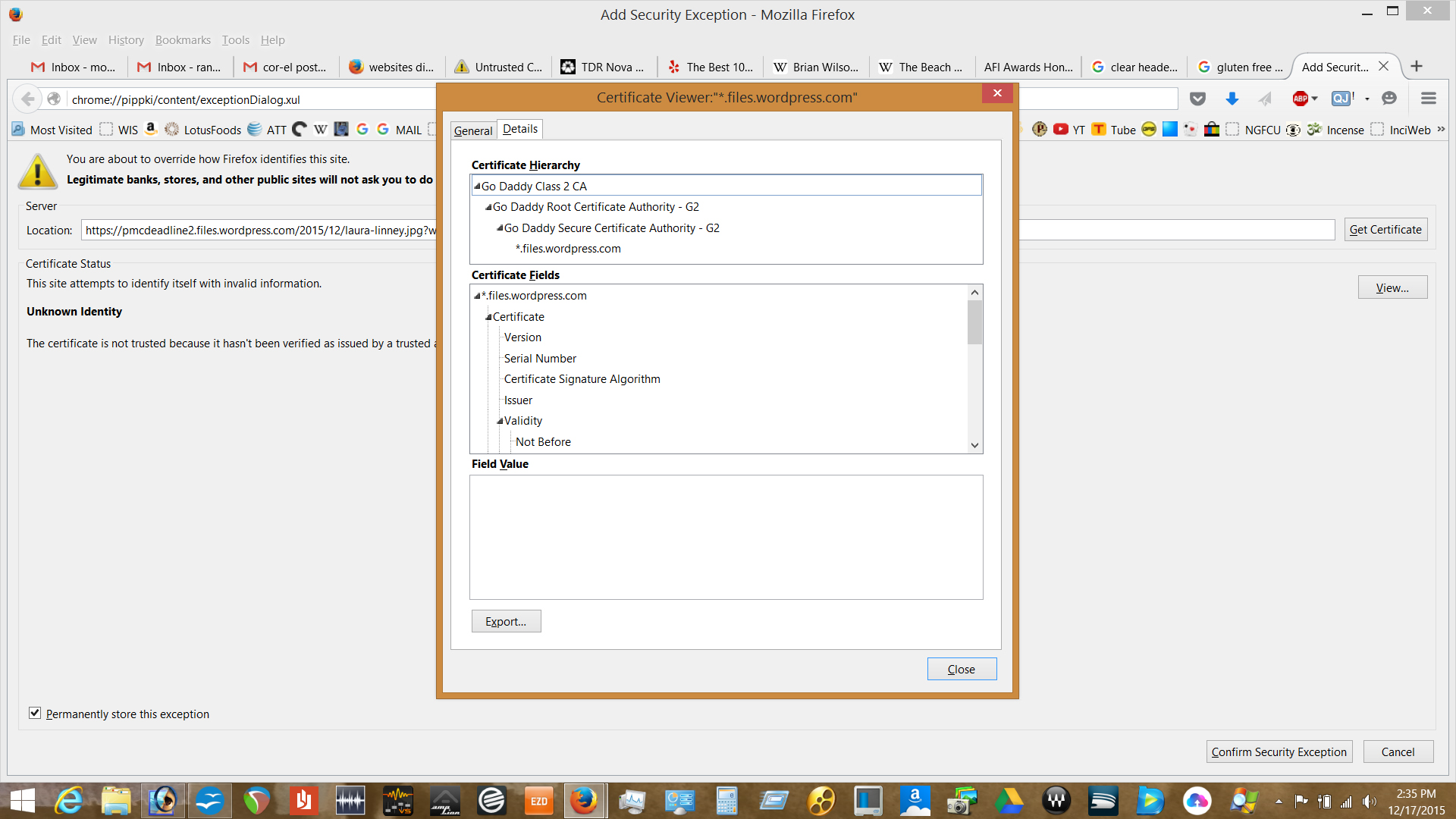
Do you see any of the Go Daddy certificates that show in the screenshot as "Software Security Device" in the Certificate Manager?
Especially check this certificate: Go Daddy Root Certificate Authority - G2 That certificate shows as chained to another certificate that isn't a built-in root certificate and thus doesn't have trust bits set. Trust bits should only be set for built-in root certificates.
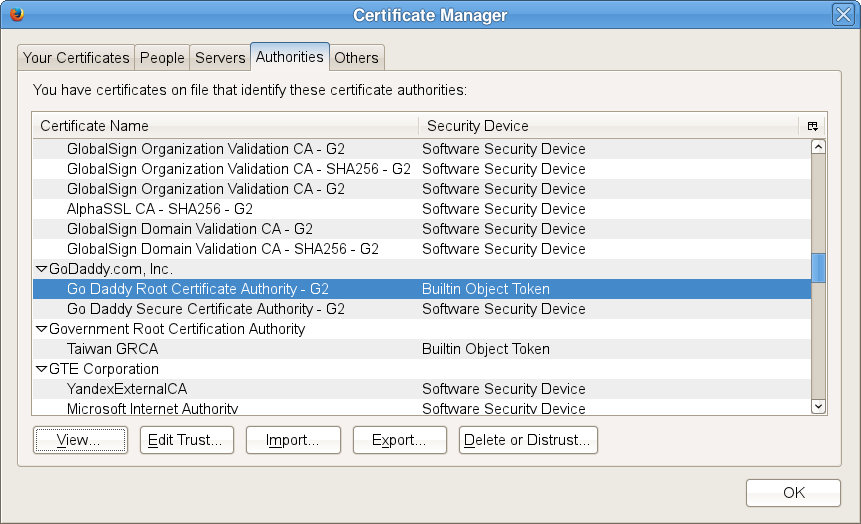
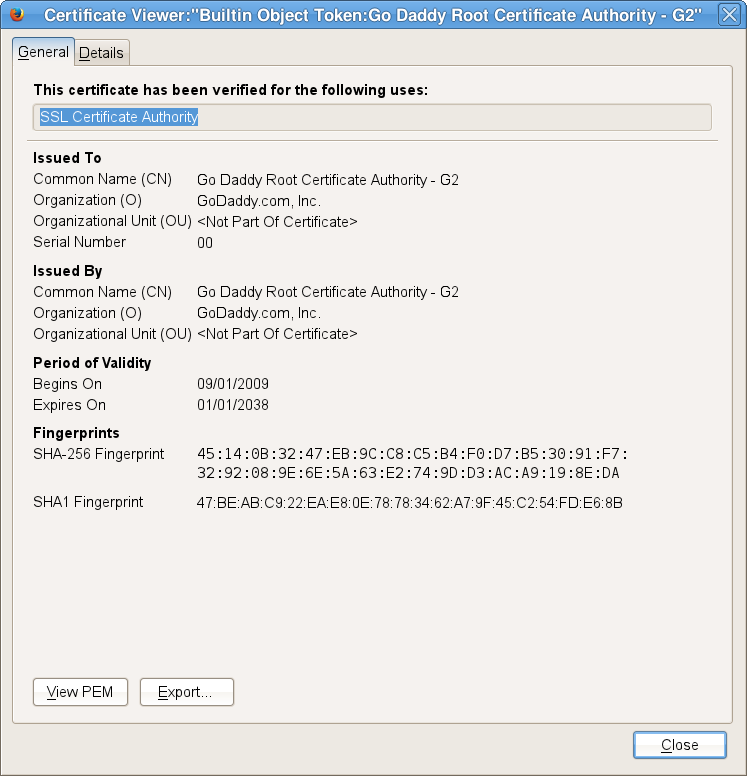
Modificado por cor-el a
Hmm, you have an extra root certificate in your hierarchy. That's strange... what is that doing there?
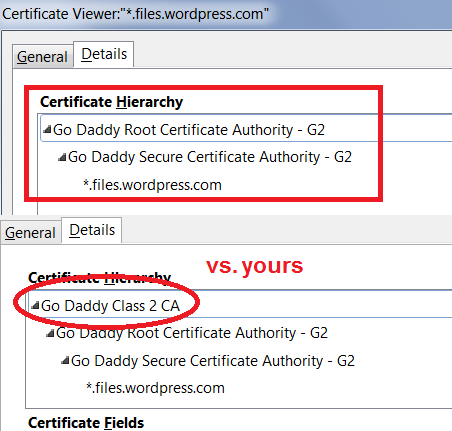
So, something appears out of whack. How do you folks suggest proceeding?
Did you check the "Go Daddy Root Certificate Authority - G2" certificate in the Certificate Manager like I suggested above?
- Tools > Options > Advanced > Certificates: View Certificates
You can click "Edit Trust" to check what trust bits are set. You should normally have a tick on "This certificate can identify websites."
cor-el said
Did you check the "Go Daddy Root Certificate Authority - G2" certificate in the Certificate Manager like I suggested above?You can click "Edit Trust" to check what trust bits are set. You should normally have a tick on "This certificate can identify websites."
- Tools > Options > Advanced > Certificates: View Certificates
Not sure what you want to see - Servers, Authorities, both?
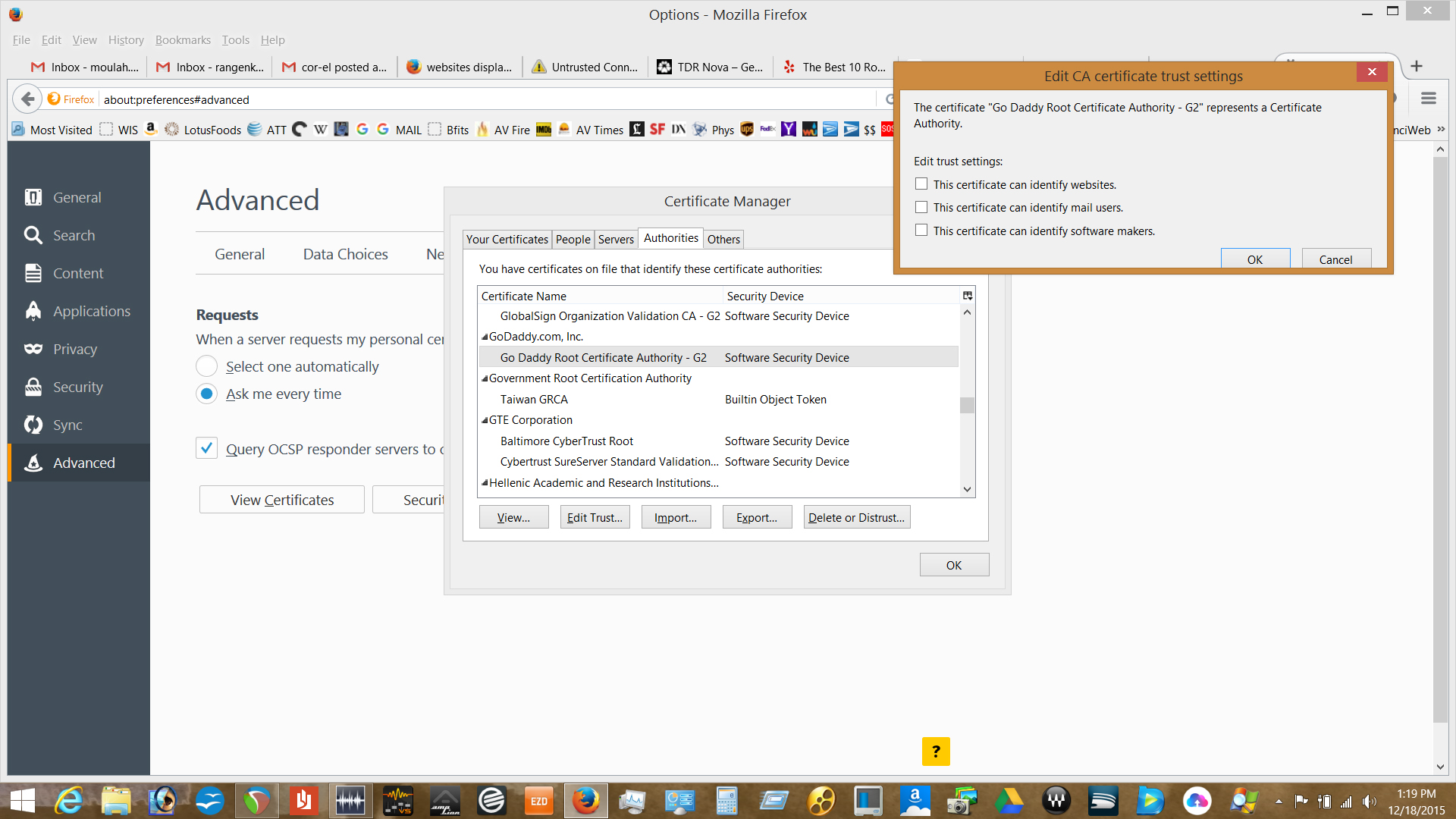
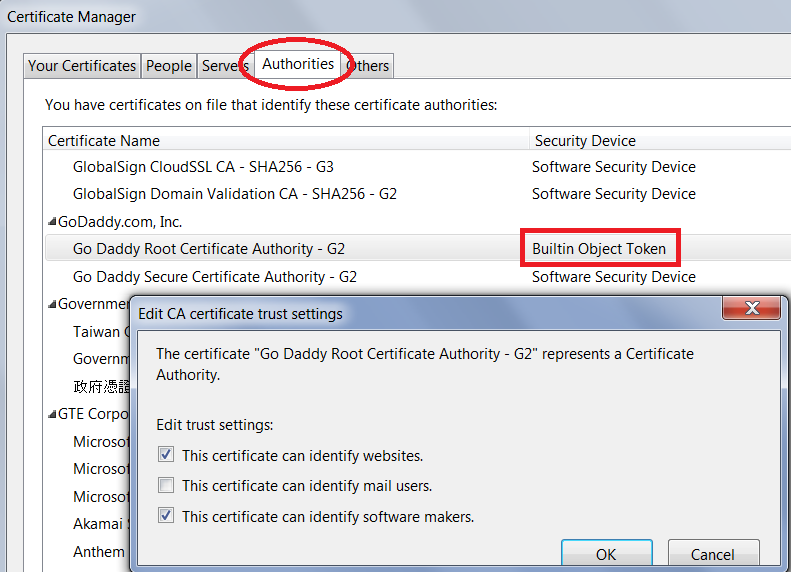
Here's mine for comparison. It is a "built-in" while yours is added on. I'm not sure what is normal any more (I've been running this same profile now for years...).
jscher2000 said
Here's mine for comparison. It is a "built-in" while yours is added on. I'm not sure what is normal any more (I've been running this same profile now for years...).
I changed the trust bits for GoDaddy to mimic yours and THAT seems to have corrected the problem!
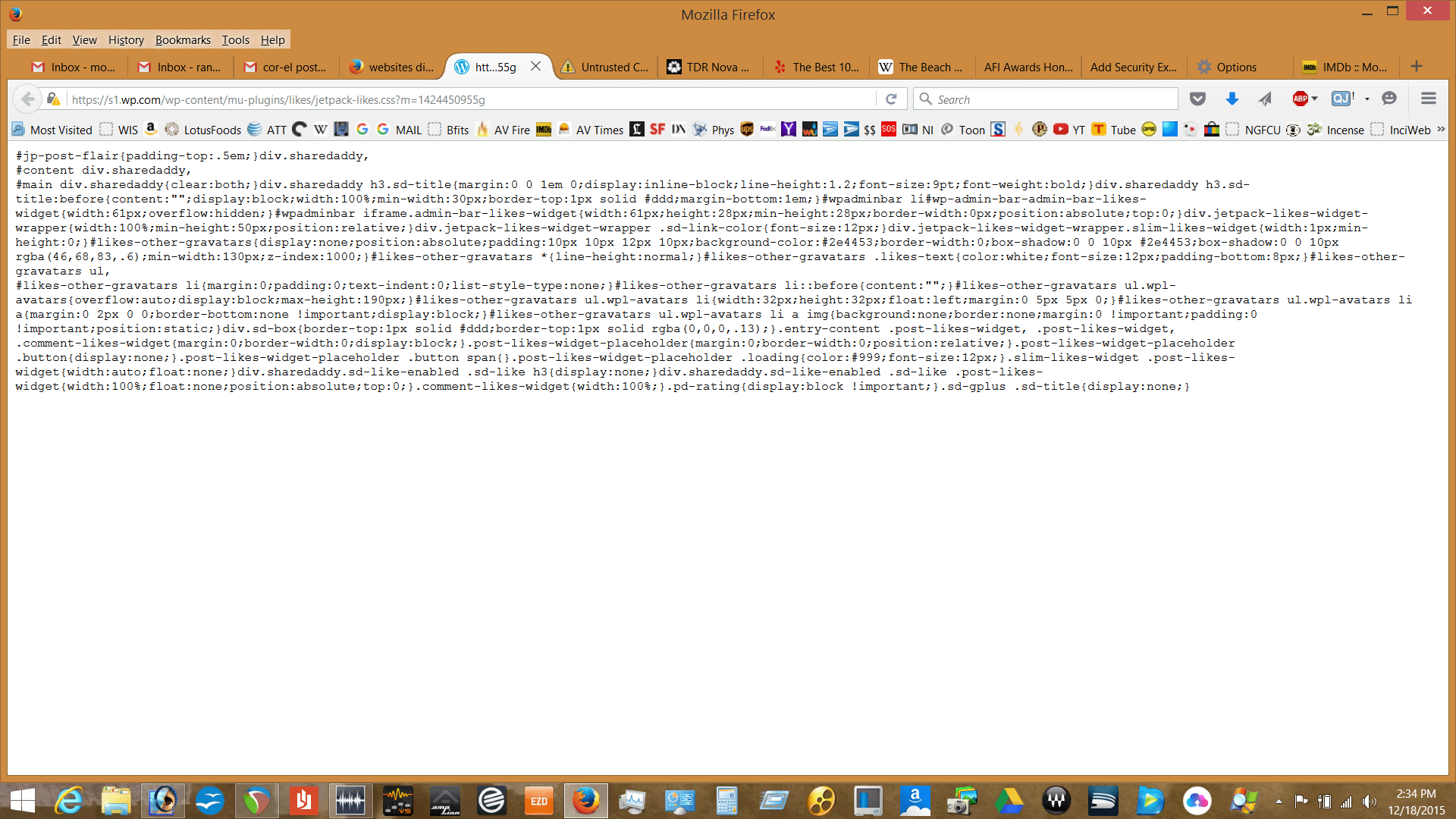
I have a question: Originally, you asked me to display a link called First Style Sheets, I've attached a screenshot - is this how it is supposed to display?
BIG THANKS to all you folks for being patient and, obviously, giving much thought to my issue - for this reason, and a plethora of others, is why I have not used MicroSUCK IE since even before Windows 95. I was raised on Mosaic, NetScape and now, the one and only, FIREFOX!
Randall
You can try to delete this certificate to see if that makes Firefox use the built-in version.
You should never set trust bits on certificates that have a software security device designation. Try try above posted advice and delete this certificate.
Alternatively you can try to rename or delete the cert8.db file in the Firefox profile folder.
You can use this button to go to the current Firefox profile folder:
- Help > Troubleshooting Information > Profile Directory: Show Folder (Linux: Open Directory; Mac: Show in Finder)
- http://kb.mozillazine.org/Profile_folder_-_Firefox
Solução escolhida
cor-el said
You should never set trust bits on certificates that have a software security device designation. Try try above posted advice and delete this certificate. Alternatively you can try to rename or delete the cert8.db file in the Firefox profile folder. You can use this button to go to the current Firefox profile folder:
- Help > Troubleshooting Information > Profile Directory: Show Folder (Linux: Open Directory; Mac: Show in Finder)
- http://kb.mozillazine.org/Profile_folder_-_Firefox
I did as you requested and Deleted the GoDaddy certificate. I then went to variety.com and deadline.com and both are displaying normally.